Nano Banana Pro AI Image Generator
Whether you are a designer, marketer, or artist, learn how to use Nano Banana Pro to unlock unprecedented visual fidelity. Unlike previous iterations, this model utilizes deep reasoning to interpret complex prompts with studio-grade precision. Compare it with the original Nano Banana and experience the next evolution in generative AI—featuring native 2K resolution, perfect typography, and physics-accurate lighting. Try Nano Banana Pro for free today and transform your creative workflow!
Key Features of Gemini Nano Banana Pro

Advanced AI Engine — Gemini 3 Nano Banana Pro: Built on the Gemini 3 architecture, Nano Banana Pro doesn't just generate pixels; it "thinks" about the scene. The model employs a new reasoning core to plan composition, lighting, and physics before rendering, ensuring logical consistency in every shot. This makes Gemini Nano Banana Pro the smartest image generator available.
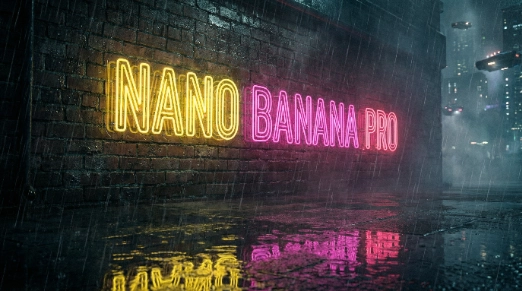
Native 2K Resolution with 4K Upscaling: Experience visual fidelity like never before. Nano Banana Pro natively generates images in breathtaking 2K resolution, ensuring every detail is sharp and vibrant. Need to go bigger? Our advanced upscaling technology allows you to enlarge your creations to pristine 4K without introducing blurring or artifacts, preserving the integrity of intricate details for print or digital billboards.
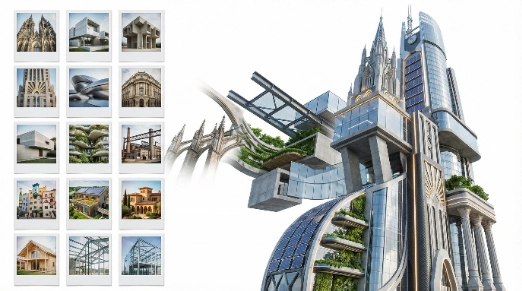
Google Nano Banana Pro Integration & Control: Learn how to use Nano Banana Pro to its full potential with deep integration into your workflow. With support for up to 14 image uploads, you can guide the style, composition, and character consistency like never before. It seamlessly integrates with Google Workspace, allowing for a smooth transition from generation to presentation.

Ultra-High-Resolution Output & Precision: Nano Banana Pro natively generates images in breathtaking 2K resolution. Our advanced upscaling technology allows you to enlarge your creations to pristine 4K without introducing blurring or artifacts, preserving the integrity of intricate details for professional projects and large-format displays.
How to Use Nano Banana Pro: A Simple Guide
Access & Configuration
Log in to your dashboard and select the Nano Banana Pro model from the dropdown. Ensure you are in "Pro" mode to access the Gemini 3 features like high-fidelity rendering and the 14-slot upload bay.
Crafting Prompts & Uploading References
Enter your description using natural language or specific Nano Banana Pro prompts. For style consistency, upload your reference images (up to 14). The model will analyze your inputs to match the desired aesthetic.
Generate, Edit & Upscale
Hit "Generate" to see your results in seconds. Use the "Edit" feature to refine specific areas with natural language, or click "Upscale" to export your final masterpiece in stunning 4K resolution.
Frequently Asked Questions about Google Nano Banana Pro

Nano Banana vs Nano Banana Pro — Comparison
AI Engine
Gemini 2.5 Flash Image
Gemini 3 Pro Image
V6 / DALL-E 3
Max Resolution
1024 x 1024
Native 2K (Upscale to 4K)
Standard HD
Reference Images
Up to 5 Images
Up to 14 Images
Limited (1-2 typical)
Text Rendering
Basic
Advanced Typography
Moderate
Google Integration
 Basic
Basic
 Full Enterprise
None
AI Engine
Gemini 2.5 Flash Image
Gemini 3 Pro Image
V6 / DALL-E 3
Max Resolution
1024 x 1024
Native 2K (Upscale to 4K)
Standard HD
Reference Images
Up to 5 Images
Up to 14 Images
Limited (1-2 typical)
Text Rendering
Basic
Advanced Typography
Moderate
Google Integration
Basic
Full Enterprise
None



_1755857046713_8fe5d478.png)