


An Expert Animaker Review: Powerful for Explainers, But What About Creativity?
Article Summary: This article provides a professional, hands-on review of Animaker AI, evaluating its strengths in creating template-based explainer videos and its significant weaknesses in creative, narrative-driven content. It offers a clear verdict on its suitability for different professional use cases.
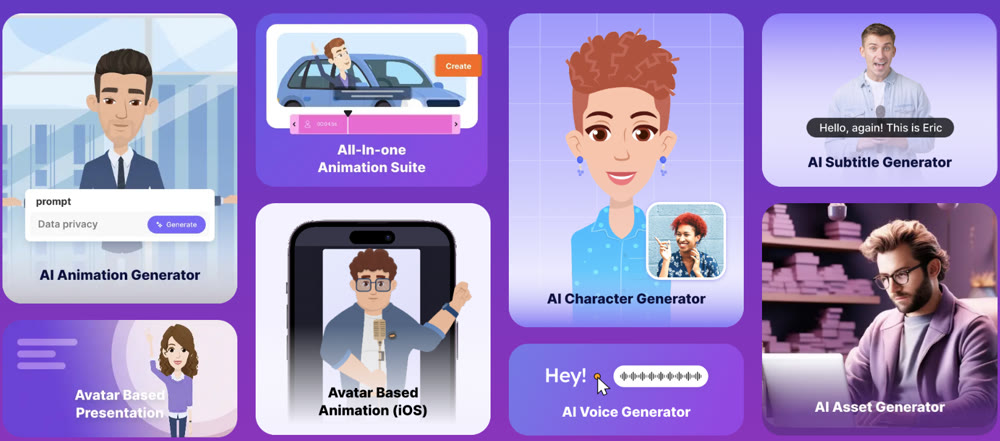
In the world of digital content, the demand for animated video is insatiable. Yet, finding a tool that balances ease of use with genuine creative freedom is a persistent challenge. Animaker has established itself as a go-to platform for businesses and educators seeking to quickly create animated explainers and presentations. But does its template-driven approach empower or restrict the professional creator?
This article provides a detailed, hands-on analysis of the Animaker AI platform, moving beyond the feature list to deliver a candid verdict on its performance. You will gain a clear understanding of its strengths in structured content creation, its significant limitations in artistic expression, and ultimately, whether it's the right tool for your specific video production needs.
First Impressions: An Asset Library in a Box
At its core, Animaker is less of a free-form animation tool and more of a massive, interactive library. It offers thousands of templates, stock characters, and assets designed for corporate and educational content. The standout features include a character builder for customizing avatars and an AI-powered script-to-video function that can rapidly assemble a presentation from a simple prompt.
The interface is intuitive, but the sheer volume of assets and options can be overwhelming for new users, leading to a steeper-than-expected learning curve. While the platform excels at creating structured, informational content, its reliance on pre-made components immediately raises questions about its creative ceiling.
| Feature | My Professional Assessment |
|---|---|
| Character System | Offers extensive customization for a specific, corporate-friendly cartoon style. Lacks artistic diversity. |
| Template Library | Vast and well-organized for business use cases like explainers, ads, and presentations. |
| AI Voiceover & Lip-Sync | A wide variety of voices is available, but the lip-sync is often imprecise, resembling basic mouth flapping rather than accurate phoneme matching. |
| Creative Workflow | Heavily template-based. Feels more like assembling a slide deck than directing a film. Lacks true cinematic control. |
| Collaboration | Team features are a strong point, allowing for shared workspaces and feedback on projects. |
A Hands-On Performance Analysis
To evaluate Animaker's practical output, I conducted two tests designed to simulate distinct professional use cases: a corporate training video and a more narrative, emotional piece.
Test 1: Corporate Training Explainer
I started with a task that plays to Animaker's strengths: a short training video.
Prompt: "A 60-second animated video for office employees explaining the importance of using strong, unique passwords for different work accounts."
Output:
The result was a functional, if generic, explainer video. The AI produced a competent script and assembled a sequence of scenes using on-brand characters and icons. However, the final product felt more like an animated PowerPoint than a truly engaging video. The character movements were stiff, and the overall composition was dictated entirely by the template.
My Rating: ★★★☆☆ (3/5 Stars) – Effective for basic information delivery, but lacks originality.
Test 2: Narrative Storytelling
For the second test, I aimed for a more creative and emotional piece to push the platform's limits.
Prompt: "A short, emotional animated story about an old lighthouse keeper saying goodbye to his lighthouse as it's automated. The mood is nostalgic and melancholic."
Output:
This is where the platform's limitations became glaringly obvious. The pre-made "sad" expressions were cartoonish and failed to convey genuine emotion. The scene transitions were jarring, and the template-based structure completely undermined the narrative flow. The lip-sync for the character's final monologue was distractingly inaccurate. The Animaker AI tool is simply not equipped for nuanced, creative storytelling.
My Rating: ★☆☆☆☆ (1/5 Stars) – Wholly unsuitable for projects requiring artistic or emotional depth.
Breaking Free From Templates: The Genmi AI Advantage
The rigid, template-driven nature of Animaker highlights a critical need for a platform that offers true creative freedom. For professionals who need to move beyond cookie-cutter explainers and into the realm of unique, high-fidelity visual storytelling, a more powerful and flexible ecosystem is essential. This is where Genmi AI establishes itself as the superior professional choice.
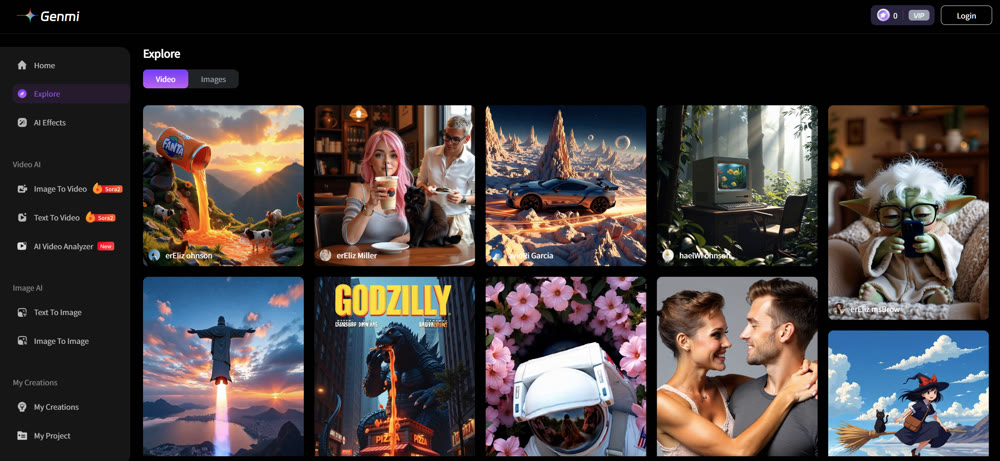
Instead of locking you into a single, limited art style, Genmi AI provides a unified workspace with a curated suite of elite AI models. For creators needing to craft original visuals, the platform offers powerful creation tools. These include a robust AI image art tool for crafting perfect keyframes and advanced text-to-video and image-to-video capabilities for bringing those concepts to life with fluid motion.
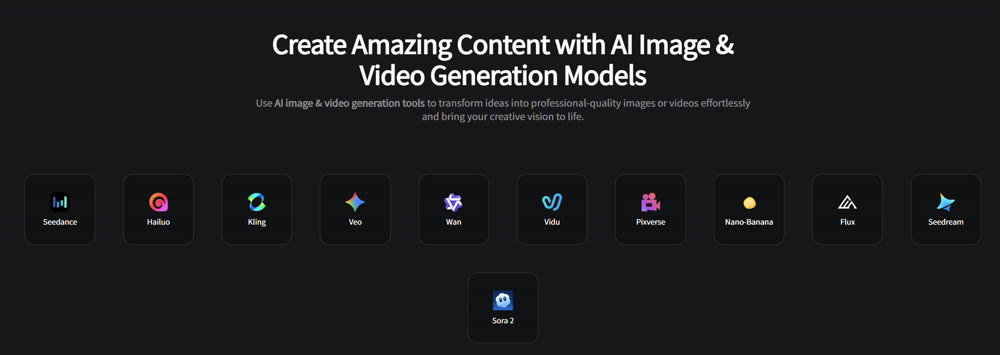
This commitment to versatility extends to its model integration. Genmi AI gives you direct access to the industry's most advanced models, allowing you to choose the perfect engine for any task. Whether you need the unparalleled realism of OpenAI's Sora or the dynamic motion from models like Kling AI, the power is at your fingertips. By providing this spectrum of capabilities, Genmi empowers you to execute your vision without compromise.
Conclusion
In summary, Animaker is an efficient and highly specialized tool for a specific market: businesses, educators, and marketers who need to create simple, template-based animated videos quickly. Its vast asset library and intuitive script-to-video function make it a leader in the realm of explainer videos. This review has shown that for structured, informational content, it is a competent solution.
However, its rigid templates, limited artistic style, and poor handling of nuanced storytelling make it fundamentally unsuitable for creative professionals. If your work demands originality, emotional depth, or cinematic quality, you will find Animaker's creative constraints to be a significant barrier.
Unleash Your Creative Potential Beyond the Template
Don't let your creative vision be confined by the rigid walls of a template. Your stories deserve to be told with unique artistry and professional polish. Start building your visually stunning videos with Genmi AI and experience the freedom of a truly professional creative suite.
Recommended Articles
An Expert Fliki AI Review: Is It Right for Your Video Workflow?
Our expert, hands-on Fliki AI review tests its video creation, AI voices, and visual quality. Is it the right tool for your professional workflow? Find out.
Artlist AI Review: A Creator's Co-Pilot or Just Hype?
Is Artlist AI's video and image generation any good? Our 2026 review tests the latest AI creative tools, quality, and performance for professional creators.