


Artlist AI Review: A Creator's Co-Pilot or Just Hype?
Article Summary: An expert evaluation of Artlist AI's capabilities for video creation. This review assesses its integration with Artlist's asset library, its practical workflow benefits, and its position relative to other AI media tools, providing creators with a clear verdict on its utility.
In today's fast-paced digital landscape, are you constantly feeling the pressure to produce more high-quality video content, faster? You're not alone. The demand for engaging visuals has never been higher, pushing creators and marketers to their limits. This is where AI-powered tools promise a revolution. With its established reputation for providing high-quality, royalty-free music and stock footage, Artlist has entered this new frontier with the Artlist AI video generator and Artlist AI image generator. This comprehensive Artlist AI review will cut through the noise, offering an in-depth analysis from a creator's perspective.
This article is designed to be your definitive guide. We won't just list features; we will dissect them. By the end, you'll have a clear, practical understanding of Artlist AI's true capabilities, its ideal use cases, its limitations, and, most importantly, how it fits into a modern professional creative workflow. We will provide the insights you need to decide if this tool is the right co-pilot for your projects.
What is Artlist AI? Deconstructing the Platform
At its core, Artlist AI is not a standalone video synthesis tool that works from a simple text prompt. Instead, it's an intelligent layer built upon Artlist's massive existing library of licensable assets. Think of it less as a blank canvas and more as an expert assistant editor. Its primary function is to streamline the post-production process by intelligently pairing your imported clips with the perfect music and footage from the Artlist catalog, saving hours of manual searching and syncing.
The platform is designed to understand the mood, pacing, and theme of your project, then suggest and even assemble sequences that align with your creative vision. It's an approach focused on augmentation rather than pure origination. Artlist's strategy is to become the "ultimate platform for video creators" by seamlessly integrating generative AI with its comprehensive library of high-quality assets, eliminating the need for multiple subscriptions.
Exploring Artlist AI's Image and Video Creation Workflow
Artlist AI offers a smooth, interconnected system for generating images and animating them into short videos. Whether you begin with a written prompt or upload a reference image, the platform enables creators to move from concept to motion quickly. With the free trial allowing five images and one video, it's enough to evaluate how well the tool handles both creativity and technical detail.
Starting With Text-to-Image Generation
To begin testing, I experimented with the Text-to-Image mode using a fresh, imaginative prompt centered on a different subject:
“Create an image of a futuristic skyship engineer standing on a floating platform above the clouds. He wears a weathered leather coat lined with glowing circuitry and holds a mechanical wrench with pulsating blue energy. Behind him, massive airships drift through the sky, their engines illuminated with neon patterns. The atmosphere is a blend of warm sunset colors and soft steam rising from machinery.”

I skipped the built-in prompt enhancement, wanting to see how precisely Artlist AI could interpret a highly descriptive instruction on its own.
In just a few seconds, the platform delivered an atmospheric, high-detail image.
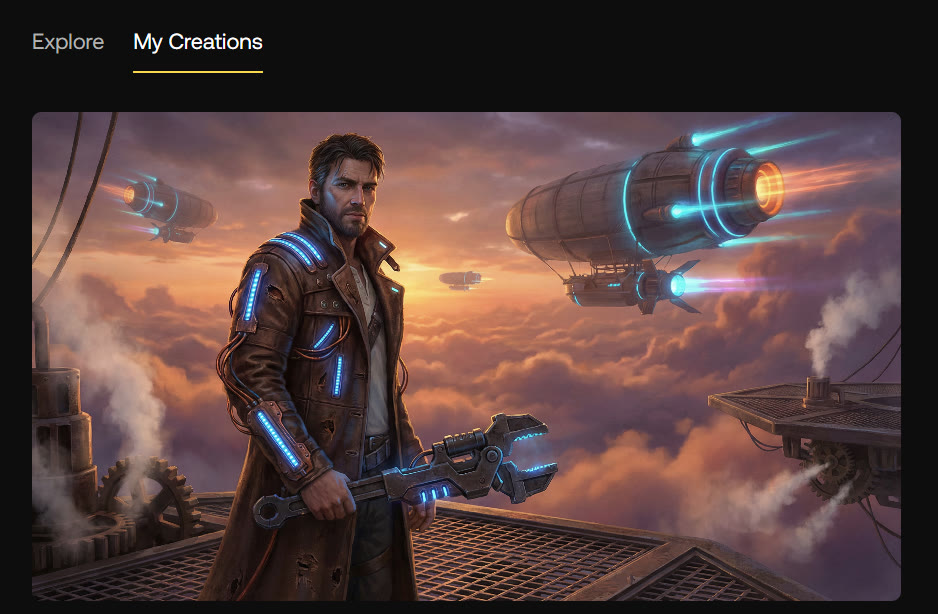
The interplay between sunset light and mechanical elements looked striking, and the engineer's illuminated tools and glowing coat accents matched the prompt surprisingly well. The floating skyships in the background added scale and depth, capturing the world-building aspect I was aiming for.
Transforming the Image Into Motion
Next, I selected the "Animate" button to test Artlist AI's Image-to-Video capabilities. The interface automatically generated a suggested prompt based on the created artwork.
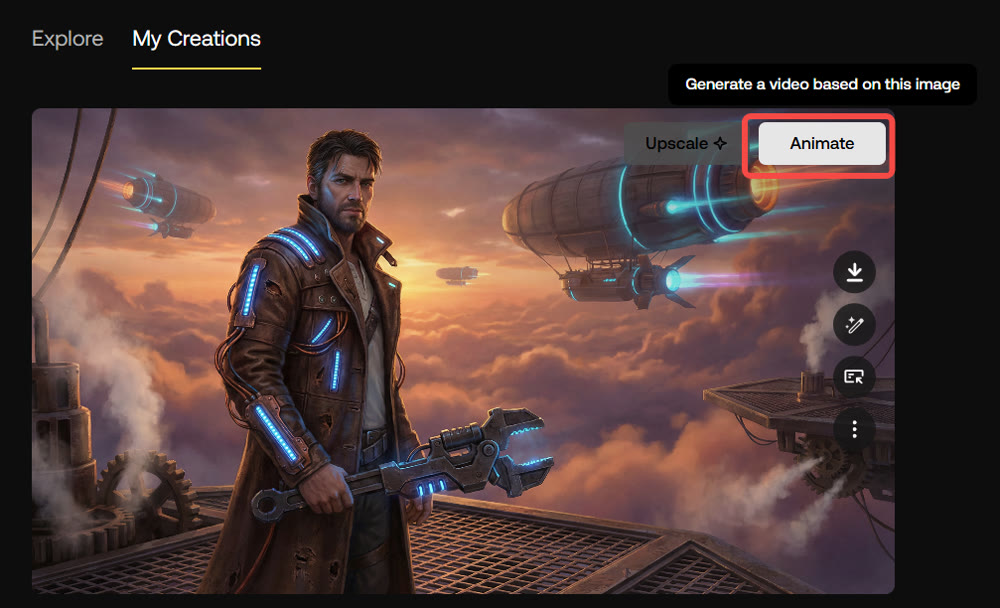
After allowing the system to proceed, a short, 5-second animation was ready in under a minute.
The video featured a slow cinematic pan, with the engineer's coat shifting subtly in the wind and the distant skyships gliding through clouds. Light flickered across the metal surfaces, adding a sense of realism.
Some of the finer textures softened during motion—typical for many single-image animation tools—but the overall impression was dynamic and visually cohesive.
Testing Image Upload and Advanced Animation Prompts
To push the limits further, I uploaded a completely different photo—this time involving a young boy exploring a glowing natural environment.
Using a Custom Image With a More Demanding Prompt
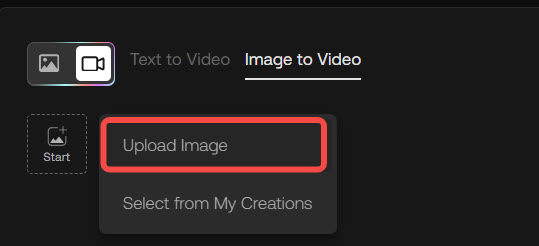
I replaced the default suggestion with a much more complex instruction:
“Create a short adventure-style video from this image. Show the boy exploring a bioluminescent cave, with glowing crystals pulsating around him. Add gentle particle effects drifting through the air, and animate the shimmering reflections on the cave walls. His expression should shift from curiosity to excitement as he steps forward. End with a soft burst of light revealing deeper tunnels.”

This request involved atmospheric effects, character expression changes, environmental animation, and a clear narrative progression within a few seconds.
Rendering took just over a minute.
The resulting animation was impressively fluid.
The boy's posture shifted naturally as he leaned forward, the cave lights flickered realistically, and faint floating particles enhanced the mystical mood. The transition toward the illuminated tunnel at the end felt surprisingly dramatic for a short video generated from a single photo.
As with earlier tests, the output occasionally showed minor frame jitter in fast-moving elements, and Artlist AI still lacks built-in editing controls, meaning further refinement requires exporting the file. Industry analysis supports this experience, noting that while Artlist integrates advanced models like Veo and Sora, its generative video quality is still considered "early stage and less powerful than competitors."
A Hands-On Look: Performance and Workflow Integration
To truly assess its value, we need to look at how it performs in a real-world scenario. Let's break down the key components of the user experience.
1. Seamless Asset Integration and Legal Clarity
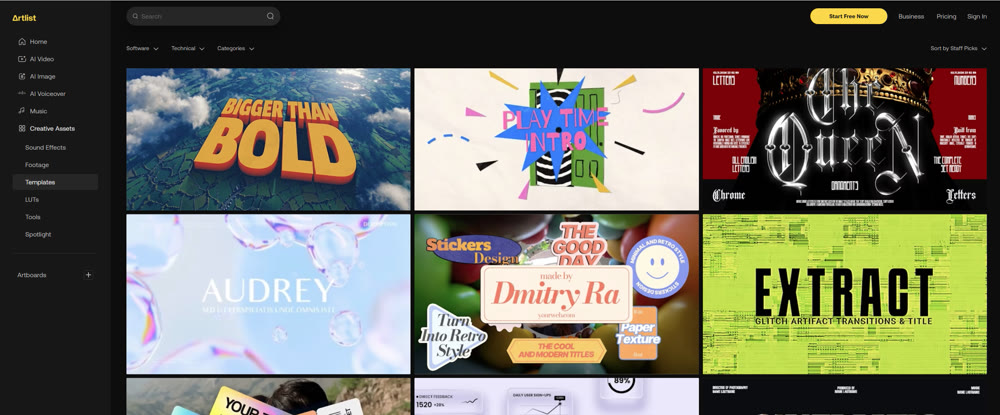
This is, without a doubt, Artlist AI's strongest suit. For creators already invested in the Artlist ecosystem, the integration is seamless. The AI taps directly into a vast pool of royalty-free music and 4K footage. Crucially, all AI-generated assets are covered by the Artlist commercial license, providing unparalleled legal clarity and mitigating copyright risks for businesses and agencies.
- Music Selection: The AI's ability to suggest tracks based on the emotional arc of a video is impressive. It analyzes scene changes and pacing to recommend music that genuinely enhances the narrative.
- B-Roll Sourcing: Manually searching for the right b-roll can be tedious. The AI automates this by suggesting relevant clips from the stock footage library that match the context of your primary footage.
2. The Editing Experience and Voiceover Capabilities
The user interface is clean and intuitive, clearly designed to lower the technical barrier for users who may not be expert video editors. The timeline functions are straightforward, allowing for easy trimming, reordering, and replacement of clips. However, for seasoned editors using advanced video editing tools, the customization options might feel somewhat limited compared to software like DaVinci Resolve or Adobe Premiere Pro.
A standout feature is the studio-quality AI voiceover tool. It produces highly convincing, human-like voiceovers with natural intonation and emotion, supporting over 21 languages. This makes it an incredibly powerful tool for content localization.
📌 Best Practices for Maximizing Artlist AI
To get the most out of the platform, it's crucial to approach it with the right strategy.
- Provide High-Quality Inputs: The AI's suggestions are only as good as the footage you provide. Use well-shot, thematically consistent clips to get the most relevant recommendations.
- Use It for First Drafts: Artlist AI is exceptionally powerful for creating a polished first draft or a "rough cut" in minutes. Use it to build a strong foundation, then export the project to a more advanced editor for fine-tuning, color grading, and complex audio work.
- Think Thematically: Before you begin, have a clear idea of the mood and story you want to tell. This will help you guide the AI and make better manual selections from its suggestions.
- Beware the Credit System: It's important to be aware of the platform's credit-based pricing. User feedback has described the credit consumption as "fast as a typhoon," especially for high-resolution video creation. This means you must carefully manage your usage to avoid unexpected costs from purchasing expensive add-on credit packs.
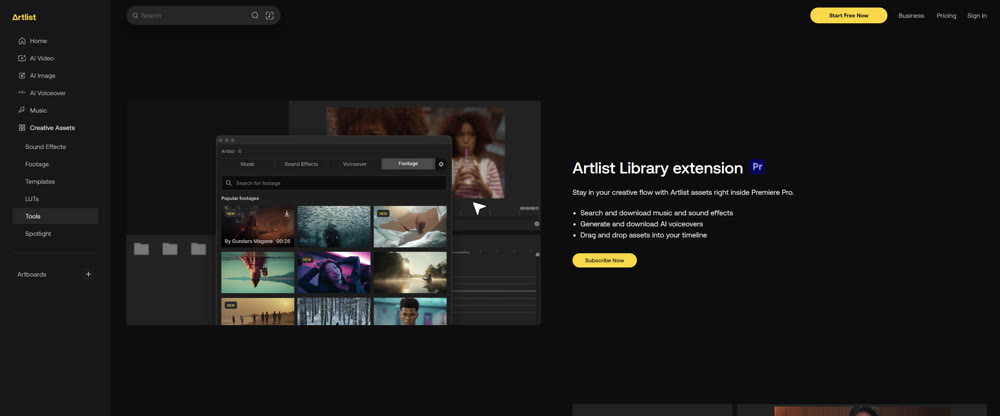
As we continue this Artlist AI review, it becomes clear that its primary strength lies in ecosystem integration and workflow acceleration, particularly for content like corporate videos, social media ads, and vlogs where speed, compliance, and quality are paramount.
Exploring a Powerful Alternative: Introducing Genmi AI
While Artlist AI excels at streamlining the use of its existing assets, what if your vision requires something entirely new, born directly from your imagination? This is where platforms designed for direct media composition, like Genmi AI, offer a different and compelling paradigm.
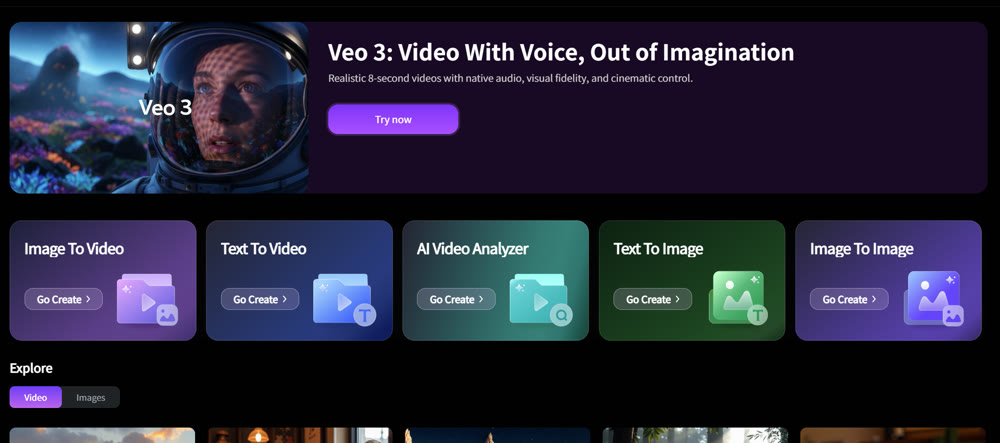
Genmi AI is an advanced creative suite built from the ground up to empower creators to produce unique visuals and videos directly from descriptive inputs. Instead of assisting with existing footage, it serves as a powerful engine for origination. For instance, a creator can turn detailed text prompts into compelling video sequences, bringing a script or an idea to life without needing a camera. Furthermore, it offers the ability to animate a static concept with its advanced image-to-video capabilities, transforming logos, illustrations, or photographs into dynamic motion content.
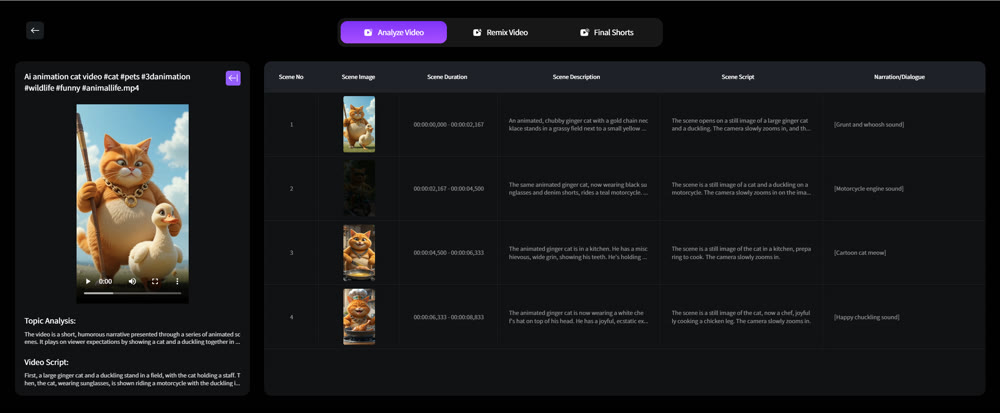
The platform is designed for both speed and deep creative control, making it ideal for ideation, concept art, unique social media content, and animated sequences. Within the Genmi AI ecosystem, the creative process can begin with crafting unique visuals from scratch using its text-to-image functions or refining existing assets via image-to-image modifications, providing a complete toolkit for visual exploration from concept to final asset.
Conclusion
After a thorough evaluation, it's clear that Artlist AI is a powerful and practical tool for a specific type of creator. Its value lies in its intelligent integration with a world-class asset library, dramatically accelerating the editing process for projects built around stock media. Its unified commercial license provides essential legal security for business users. It is an excellent "assistant editor" that can help you get from raw footage to a polished draft with incredible speed.
However, this review also highlights that the best tool is always the one that fits the task. For creators whose work depends on originating entirely new, custom visuals and animations directly from an idea, the future points toward platforms built for that purpose. Tools like Genmi AI represent this frontier, offering a different kind of creative partnership—one focused on turning pure imagination into tangible media.
Recommended Articles

Haiper AI Review: Is This the Tool Motion Designers Have Been Waiting For?
Is Haiper AI ready for professional workflows? We test its image-to-video capabilities, analyze motion quality, and compare it with top industry alternatives.

Flora AI Reviewed: A Deep Dive Into Its Creative Canvas Professionals
A professional, hands-on review of Flora AI. We test its infinite canvas, image creation, and video capabilities to see if it's right for your workflow.

Viral AIGC YouTube Shorts: The Ultimate 2025 Guide
This guide covers viral frameworks, key metrics, and tools to grow your YouTube Shorts channel.