


Clipfly AI Review: Unlocking Creative Potential for Modern Content Creators
Article Summary: A comprehensive professional review of Clipfly AI, analyzing its text-to-video synthesis performance, user interface, and output quality. This article provides hands-on testing results, workflow tips, and introduces high-fidelity alternatives for professional content creators seeking broadcast-quality results.
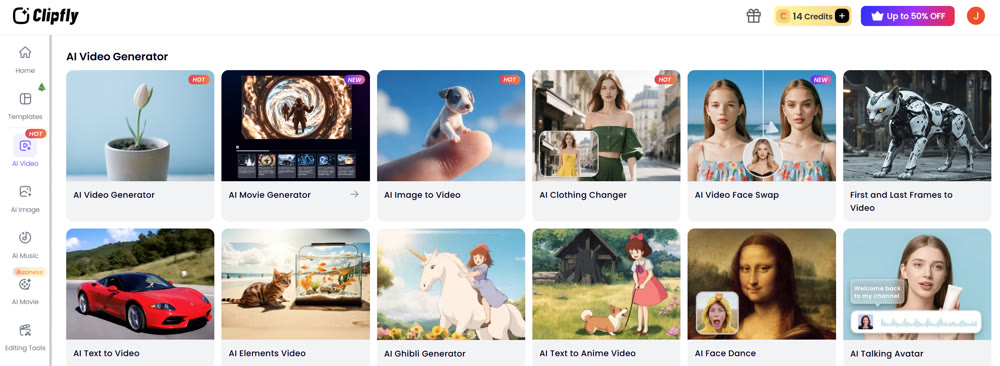
The promise of instantly transforming a text description into a compelling visual narrative is the holy grail of modern digital marketing. For content creators, the allure lies in the efficiency and cost-savings that artificial intelligence brings to the table. However, a common barrier remains: many available tools are overly complex, featuring steep learning curves that discourage early adoption.
Recently, I integrated Clipfly AI into my workflow for several days to rigorously test its capabilities. My goal was to determine if it truly bridges the gap between ease of use and professional output. Below, I break down the platform's performance, exploring its workflow, feature set, and limitations to help you decide if it is the right addition to your creative toolkit.
An In-Depth Look at the Ecosystem
Clipfly functions as a comprehensive creation suite designed to streamline the text-to-video workflow. Unlike fragmented tools that require switching between platforms, it aims to centralize the editing and synthesis process.
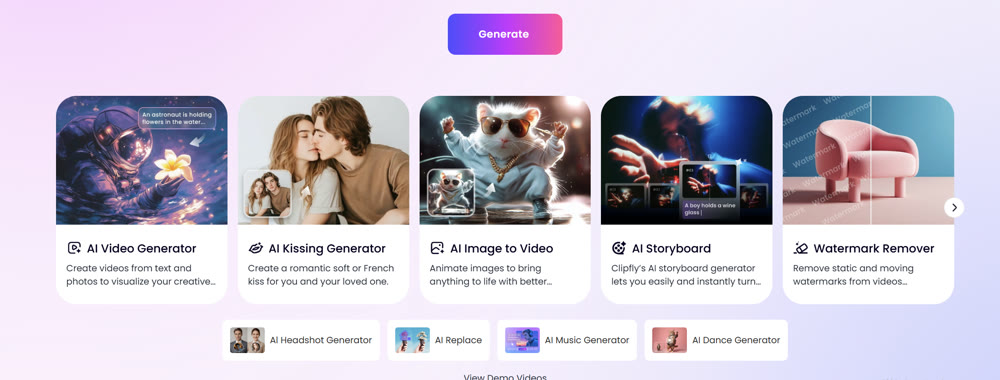
Core Features and Usability
The platform provides a suite of versatile editing utilities alongside its core synthesis engine. Beyond basic rendering, users can merge clips, apply transitions, and synchronize background audio within a unified interface.
✨ Key Tips for Optimization
- Smart Prompts: If your initial instruction feels vague, utilize the built-in optimization feature to expand your concept into a machine-readable format.
- Reference Imagery: To maintain stylistic consistency, always upload a reference image. This anchors the visual style better than text alone.
Performance Breakdown
To understand where this tool fits in the market, I analyzed its distinct modes.
| Feature Category | Capability Description | Ideal Use Case |
|---|---|---|
| Visual Versatility | Supports Anime, Cinematic, 3D, and Illustration styles. |
Social media shorts and stylized storytelling. |
| Rendering Modes | Options for Fast Render vs. High Quality / Resolution. |
Rapid prototyping (Fast) vs. Final delivery (Quality). |
| Post-Processing | Built-in cropping, filters, and voiceover integration. |
End-to-end video production for solo creators. |
Hands-On Testing: From Concept to Reality
Theory is useful, but execution is paramount. I conducted three distinct tests to evaluate how the engine interprets different visual directives.
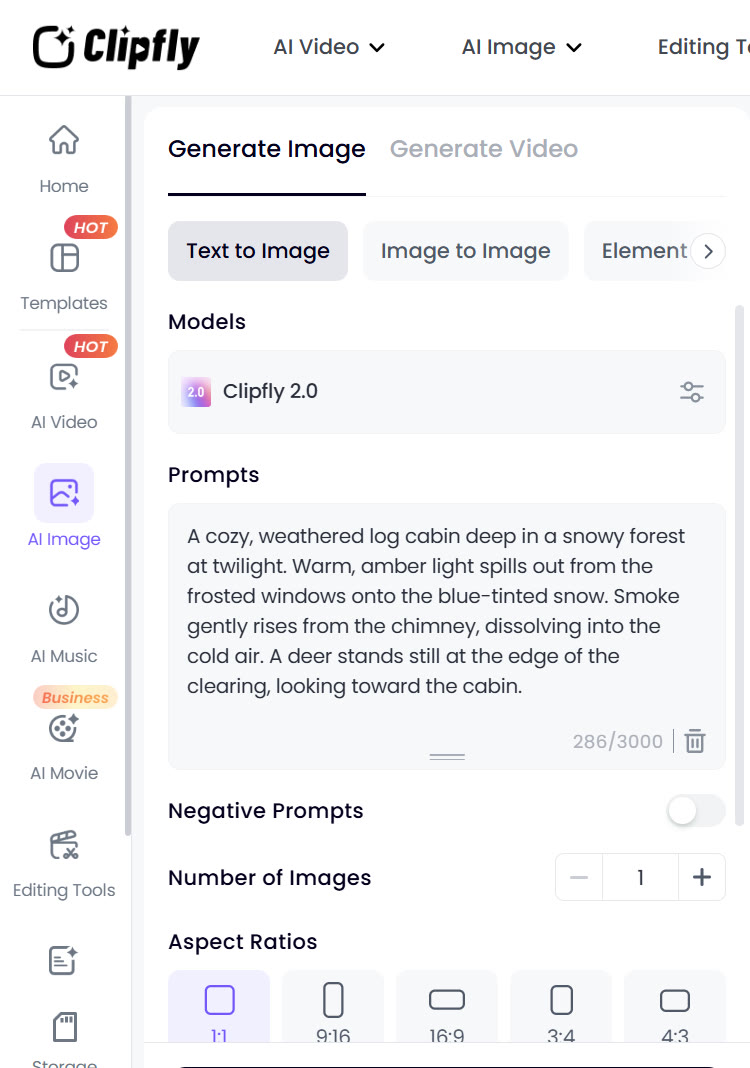
Test 1: Photorealism and Atmosphere
I wanted to test the engine's ability to handle texture and lighting.
My Prompt:
A cozy, weathered log cabin deep in a snowy forest at twilight. Warm, amber light spills out from the frosted windows onto the blue-tinted snow. Smoke gently rises from the chimney, dissolving into the cold air. A deer stands still at the edge of the clearing, looking toward the cabin.
The Result:

The composition was surprisingly accurate. The contrast between the warm window light and the cold snow was visually pleasing. However, the texture of the snow lacked depth, appearing somewhat smooth, and the smoke physics felt slightly linear rather than fluid.
Rating: ⭐⭐⭐ (3/5)
Test 2: Stylized Animation
Next, I pushed for a specific artistic aesthetic, testing the platform's understanding of "Cyberpunk."
My Prompt:
A futuristic street food vendor in a neon-lit alleyway. It is raining. The vendor is a robot with glowing blue eyes, serving steaming noodles to a hooded figure. Neon signs in pink and cyan reflect off the wet pavement. The style is gritty, 2D anime with high contrast.
The Result:
This is where Clipfly AI performed noticeably better. The color grading was vibrant, and the "anime" aesthetic masked the lack of fine texture detail that plagued the realistic test. The reflection on the pavement was a standout feature.
Rating: ⭐⭐⭐⭐ (4/5)
Once you have your footage, you can use online editors like Veed to quickly add subtitles and effects without downloading heavy software.
Test 3: Abstract Motion
Finally, I tested complex motion and particle effects.
My Prompt:
A close-up of a glass sphere shattering in slow motion against a black background. Shards of glass suspend in the air, reflecting a spectrum of rainbow colors. The lighting is dramatic and sharp.
The Result:
The output was mixed. While the initial "shatter" looked impactful, the physics of the floating glass shards became disjointed, with some pieces merging into one another unnaturally.
Rating: ⭐⭐ (2.5/5)
📌 Best Practices: A Step-by-Step Workflow
If you choose to use this platform, follow this optimized workflow to minimize errors.
Step 1: Concept Engineering
Draft your concept clearly. Use the "Smart Prompt" toggle if you lack specific adjectives.
Step 2: Style & Ratio Selection
Select your aspect ratio early (16:9 for YouTube, 9:16 for TikTok). Choosing the wrong ratio post-rendering often degrades quality.
Step 3: Post-Synthesis Editing
Once the video is synthesized, immediately move to the editor to color correct. The raw output is often desaturated.
Professional Insights: When to Upgrade
While Clipfly offers accessibility, my testing revealed bottlenecks for professional workflows. The rendering times can be unpredictable, and the lack of granular control over character movement (rigging) limits high-end production value. It is an excellent sandbox for concepts, but for commercial-grade fidelity, alternatives are often necessary.
Elevating Your Visual Storytelling with Genmi AI
For creators who require higher fidelity, intricate motion control, and a broader range of industry-leading models, transitioning to a professional-grade suite is the logical next step. Genmi AI distinguishes itself by aggregating the world's most powerful synthesis engines into a single, intuitive workflow.
Advanced Model Integration
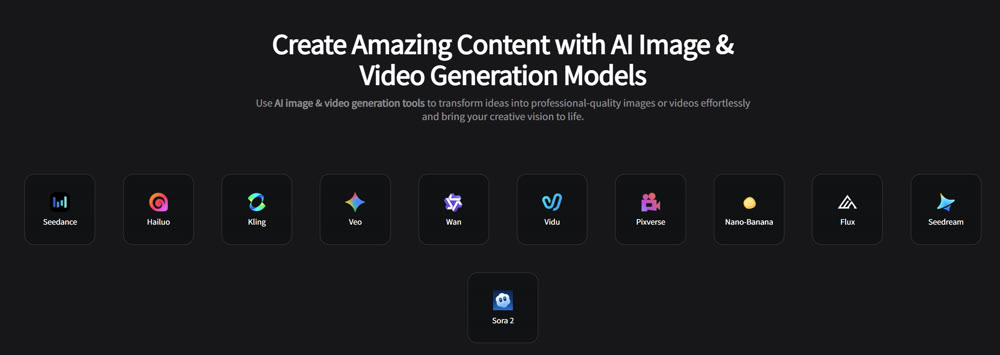
Unlike platforms limited to a single algorithm, Genmi AI provides access to top-tier foundation models. For instance, if you need unparalleled realism, you can leverage Kling AI Model or the cinematic capabilities of Hailuo AI. These integrations ensure that whether you are creating a commercial or a short film, the texture and physics are indistinguishable from reality.
Specialized Creative Tools
Genmi AI goes beyond simple prompting. It offers specialized tools that grant creators granular control over specific elements of the scene:
- Character Interaction: Create emotional depth with the AI Hug Generator, perfect for sentimental storytelling.
- Dynamic Motion: Bring static characters to life using the Seedance Model for complex choreography.
- Visual Magic: Enhance your footage with dedicated AI Video Effects that would typically require hours in After Effects.
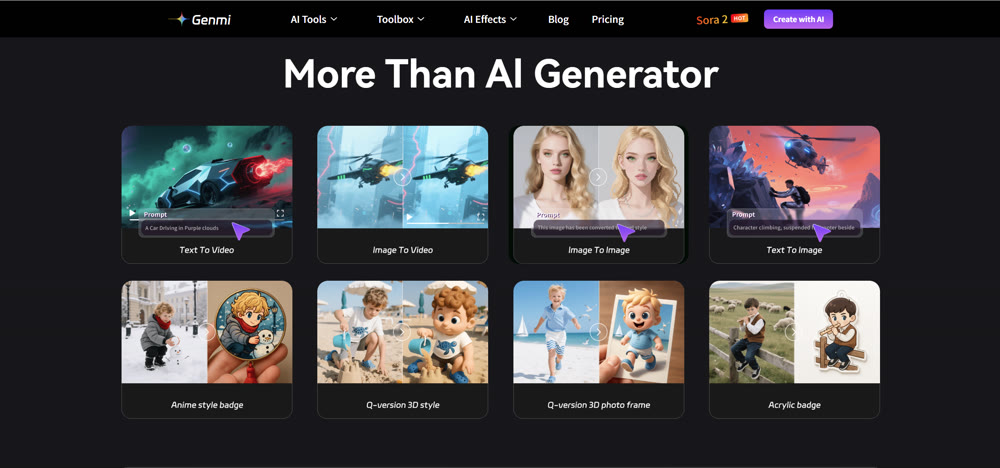
Seamless Media Transformation
Flexibility is key in modern production. Genmi allows for fluid transformation between media types. You can start with a script using Text to Video, or if you have a mood board ready, utilize the Image to Video function to animate your existing assets. For static asset creation, the Text to Image engine produces high-resolution visuals that serve as perfect starting frames.
By centralizing these advanced tools, Genmi AI removes the technical ceiling often found in consumer-grade apps, empowering creators to produce broadcast-quality content.
Conclusion
Clipfly AI represents a solid entry point for beginners and hobbyists. Its all-in-one approach simplifies the basic creation process, making it suitable for quick social media content or internal concepting. However, for those seeking to disrupt the market with high-fidelity visuals and precise control, the limitations in realism and motion physics may prove restrictive.
If your ambition is to create professional, cinema-quality narratives that capture audience attention, exploring an advanced ecosystem like Genmi AI is highly recommended.
Take Control of Your Creativity
Don't let software limitations dictate your creative vision. Experience the power of industry-leading models and granular control to bring your most ambitious ideas to life.
Recommended Articles
Sora 2 vs. Veo 3: An Expert Analysis of AI Video Showdown
An expert comparison of OpenAI's Sora 2 and Google's Veo 3. We analyze clip length, audio, quality, and control to help you choose the right AI video tool.
Starry AI Review: A Deep Dive into Artistic Customization & Style Diversity
We tested Starry AI to evaluate its 1000+ art styles. Read our professional review on its creative capabilities, photorealism limits, and best use cases.
AIEASE AI Review: Is This Free Image Creator Worth Your Time?
Is AIEASE AI the right tool for you? We tested its ability to create stylish images from text, analyzing its strengths, weaknesses, and best use cases.