


Getimg AI Review: Is It the Ultimate Tool for Custom Visual Synthesis?
Article Summary: This article provides an in-depth review of Getimg AI, focusing on its custom model training and granular control features. It evaluates output quality across various styles, offers practical workflow tips, and introduces comprehensive alternatives for professional visual storytelling.
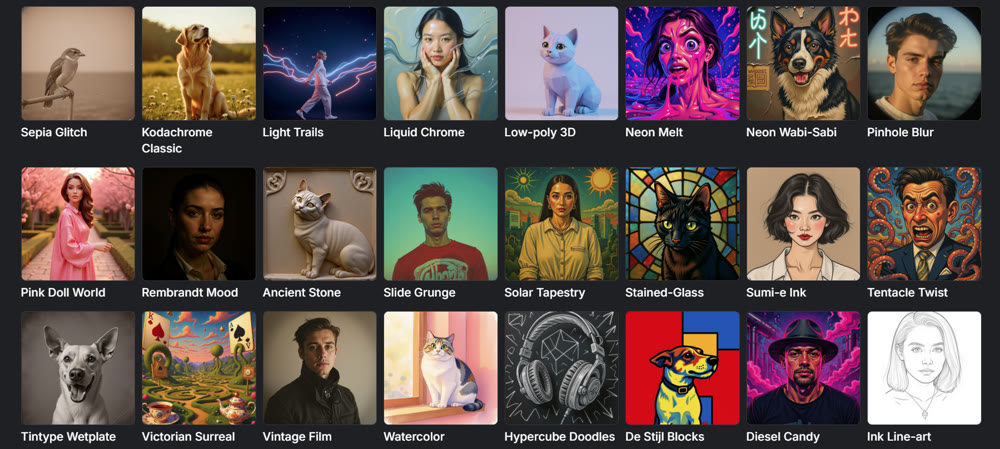
In the crowded market of AI-powered design tools, finding a platform that balances speed, customization, and quality is often a challenge. Getimg AI has recently garnered significant attention for its promise to bridge the gap between casual experimentation and professional asset creation. But does it truly deliver on its ambitious claims?
As a digital content strategist who relies heavily on visual synthesis tools, I decided to put the platform through a rigorous stress test. This article goes beyond a superficial overview; it dissects the tool's capabilities, evaluates its consistency across different artistic styles, and examines its unique "custom model training" feature. By the end, you will have a clear understanding of whether this tool fits your creative workflow or if you should look elsewhere.
Understanding the Core Capabilities
At its heart, the platform leverages advanced diffusion models to transform text into visual art. Unlike many competitors that offer a "black box" experience, Getimg AI distinguishes itself by providing granular control. Users can upload reference images, adjust strength parameters, and even select specific visual features like depth maps or edge detection to guide the output.
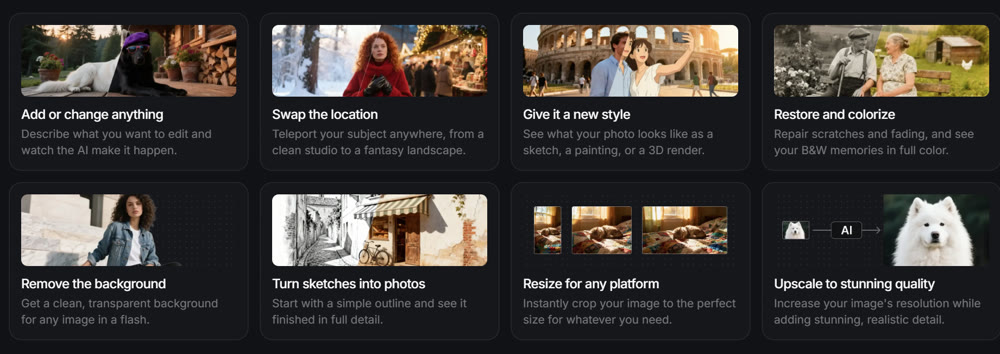
One of the standout features is the ability to train custom models. This allows creators to feed the system a specific set of images—say, a brand's mascot or a particular illustration style—and fine-tune the AI to replicate that aesthetic consistently. This level of personalization is a game-changer for maintaining brand identity across multiple assets.
However, power comes with complexity. The interface, while feature-rich, presents a steep learning curve. It feels more like a cockpit than a simple "magic button," which might overwhelm beginners but delight power users seeking precision.
Field Test: Analyzing Output Quality
To provide a fair assessment, I tested the tool across three distinct categories: Stylized Fantasy, Cinematic Composition, and Photorealistic Portraiture.
Test 1: Stylized Fantasy
Prompt:
Whimsical illustration of a steampunk owl mechanic fixing a clockwork tree, brass gears, glowing amber eyes, intricate feathers, watercolor texture, soft pastel background.
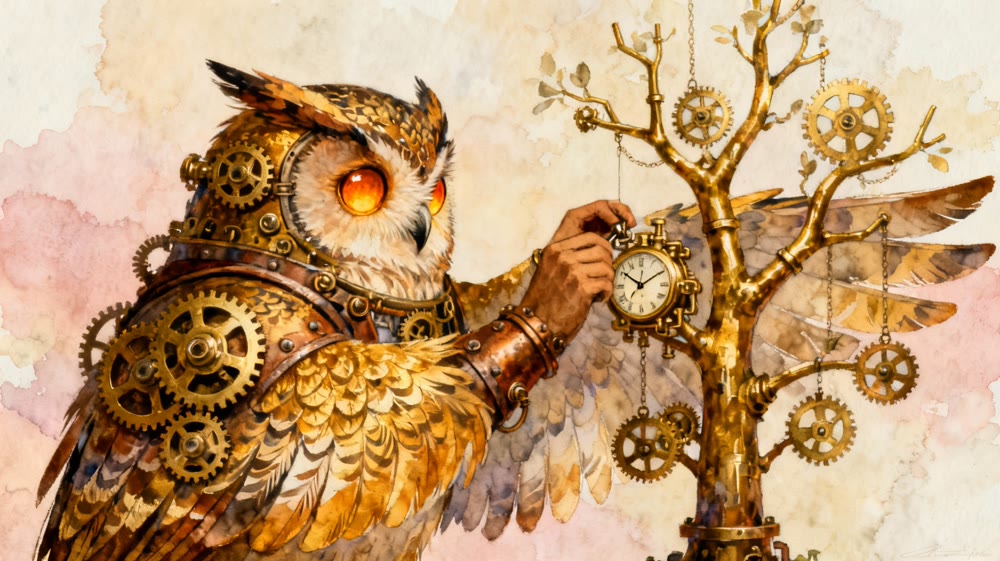
(Caption: The AI successfully captured the "steampunk" aesthetic, though the watercolor texture was less pronounced than requested.)
Verdict: ★★★★⯪ (4/5 Stars)
The conceptual interpretation was strong. The AI understood the "steampunk" and "clockwork" elements well, blending them seamlessly. However, the texture lacked the organic feel of true watercolor, leaning more towards a digital painting look.
Test 2: Cinematic Composition
Prompt:
Wide shot of a cyberpunk hacker in a rainy alleyway, neon blue and pink lighting reflecting on wet pavement, silhouette of a futuristic bike in the background, high contrast, film noir atmosphere.
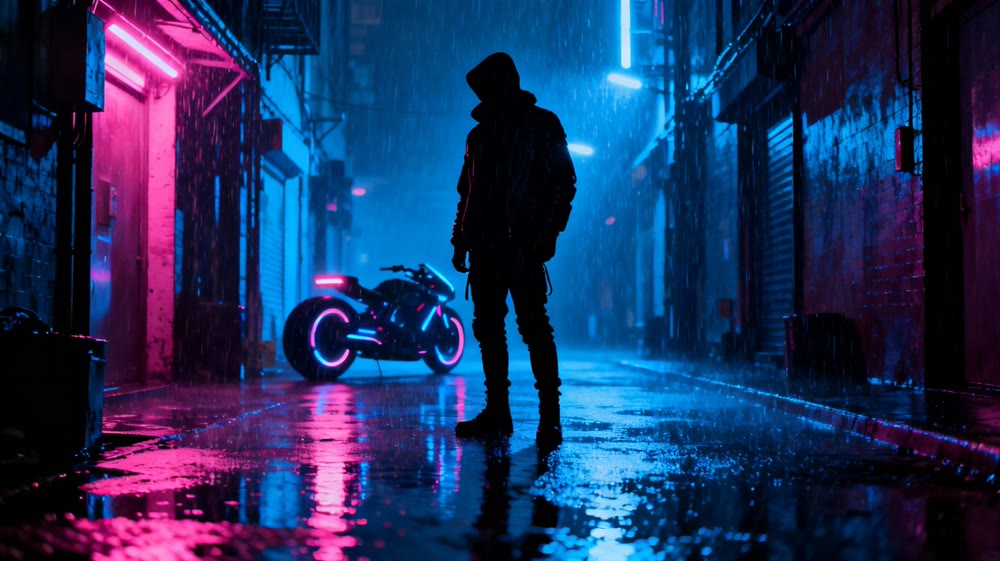
(Caption: Excellent lighting and atmosphere, but background details were slightly blurred.)
Verdict: ★★★★⯪ (4.5/5 Stars)
This is where Getimg AI truly shined. The lighting composition was dramatic and adhered strictly to the "film noir" request. The reflections on the pavement added a layer of realism that elevated the entire scene.
Test 3: Photorealistic Portraiture
Prompt:
Close-up portrait of an elderly fisherman with a weathered face, detailed skin texture, white beard, wearing a yellow raincoat, stormy ocean background, shot on 85mm lens.

(Caption: High facial detail, but the eyes lacked the "spark" of life found in premium photography.)
Verdict: ★★★★ (4/5 Stars)
While the skin texture and lighting were competent, the eyes—often the window to the soul in portraits—felt slightly lifeless. It passed as a high-quality stock image but wouldn't fool a discerning eye looking for genuine photography.
📌 Best Practices for Optimal Results
Navigating the platform effectively requires a strategic approach. Here are some tips to improve your workflow:
- ✨ Leverage Reference Images: Don't rely solely on text. Uploading a reference image with the composition or color palette you desire significantly improves adherence.
- 💡 Master the "Negative Prompt": Explicitly list what you don't want (e.g., "blurry," "distorted hands," "low resolution"). This acts as a quality filter for the AI.
- 📌 Experiment with Custom Models: If you need a specific style (like "Pixel Art" or "Anime"), creating a custom model yields far better results than trying to force a general model to adapt via prompting alone.
🚀 Elevating Visual Storytelling with Genmi AI
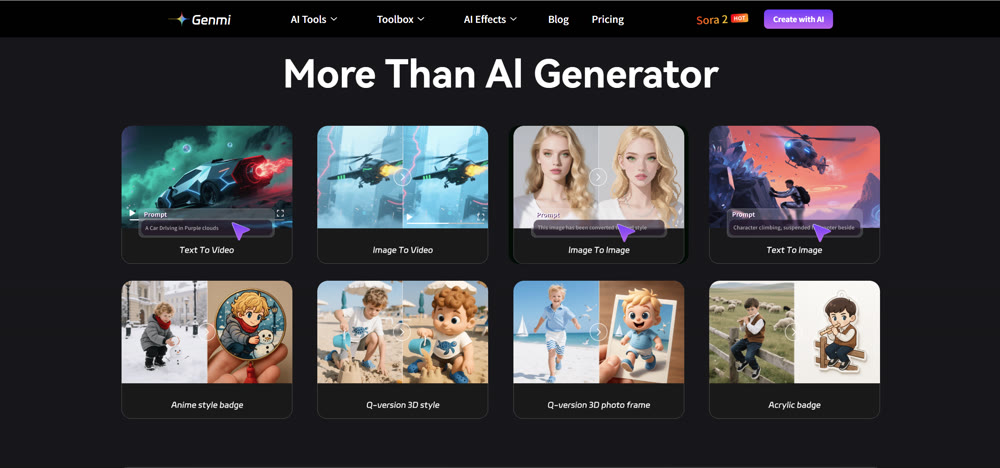
While specialized tools offer deep customization for static assets, professional campaigns often require a broader ecosystem that extends into motion and narrative. Genmi AI provides a comprehensive suite designed to handle the full spectrum of visual production.
For creators who need to visualize complex concepts from scratch, Genmi's text-to-image capabilities offer high-fidelity outputs that serve as the perfect foundation for any project. But the true power lies in motion. With advanced algorithms, you can transform static images into video, breathing life into your characters and environments while maintaining perfect visual consistency.
Furthermore, if your project starts with a script, Genmi allows you to turn text directly into video scenes, streamlining the storyboard-to-screen process. By integrating these diverse capabilities, the Genmi AI platform empowers creators to orchestrate entire multi-media campaigns without ever leaving the ecosystem.
Conclusion
Getimg AI is a robust tool for creators who demand control and customization. Its ability to train custom models and fine-tune outputs makes it a powerful asset for concept artists and brand designers. It excels in stylized and cinematic compositions, offering a level of flexibility that many competitors lack.
However, it is not without its flaws. The steep learning curve and occasional inconsistencies in photorealism mean it may not be the "one-click solution" for everyone. For professionals seeking a more holistic approach that seamlessly integrates static art with dynamic video creation, exploring comprehensive ecosystems like Genmi AI might offer the versatility needed for high-end production.
Empower Your Creative Journey
The right tool can transform your workflow from a struggle into a symphony. Whether you need deep customization for a specific style or a broad suite for multimedia storytelling, choosing a platform that aligns with your creative goals is paramount. rigorous testing and strategic adoption are the keys to unlocking your full artistic potential.
Recommended Articles
YouTube Monetization Unlocked: A Deep Dive into YPP and Shorts Revenue for AIGC Creators
Unlock YouTube monetization with our deep dive into YPP, Shorts revenue, and RPM. Learn AIGC strategies to grow your channel and maximize earnings. Start now!

From 0 Views to Viral: A Data-Driven Troubleshooting Guide for AI-Generated YouTube Shorts
A step-by-step guide to diagnose why your AI-generated YouTube Shorts have low views. Fix throttling, CTR, and AVD issues with our data-driven framework.

My Step-by-Step Guide to Consistent TikTok Traffic Using AI-Generated Content
Struggling with TikTok growth? This guide shows how to use AI-generated content for consistent traffic, moving beyond fleeting trends for sustainable results.