


An In-Depth GoEnhance AI Review: Rapid Creation vs. Production Quality
Article Summary: This article provides a hands-on review of the GoEnhance AI video tool, evaluating its features, speed, and output quality. It highlights significant issues with video stability and detail, positioning Genmi AI as a superior alternative for professional content creation.
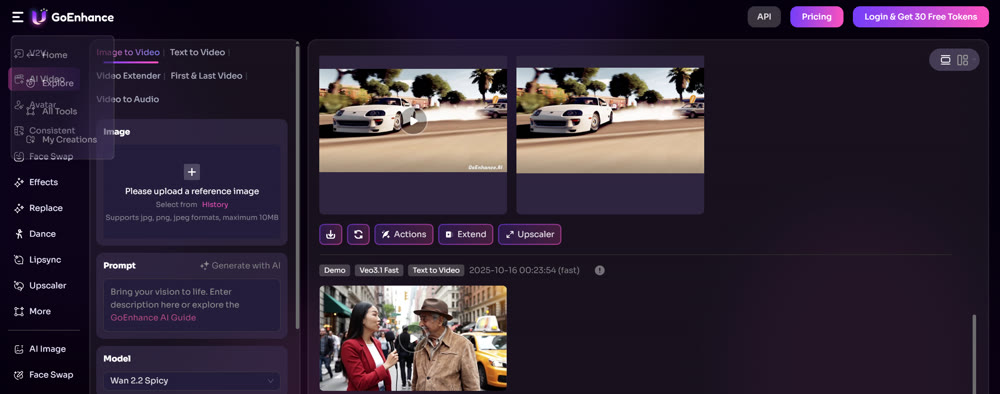
In the rapidly evolving landscape of digital content, AI video tools promise to democratize creation, turning simple ideas into dynamic visuals in minutes. But how do these platforms perform under real-world scrutiny? This in-depth GoEnhance AI Review moves beyond marketing claims to provide a hands-on analysis of its capabilities, based on several days of rigorous testing.
This article is designed for content marketers, social media managers, and creative professionals who need to understand the practical applications and limitations of emerging AI tools. We’ll dissect its core features, evaluate the quality of its output, and explore whether it’s a viable solution for producing polished, engaging video content. By the end, you'll have a clear, experience-based verdict to inform your content strategy.
A Hands-On Look at GoEnhance AI Features
My evaluation focused on three primary functionalities: text-to-video, image-to-video, and video-to-video style transfer. Each test revealed both the platform's potential and its significant drawbacks.
Text-to-Video: A Test of Visual Fidelity
The first test was a straightforward text-to-video composition. The goal was to create a bustling market scene with specific elements.
💡 Prompt Used:
The traveler walks through a vibrant local market. Stalls are filled with colorful fruits, spices, and handmade crafts. People are chatting and bartering.
The resulting video was produced in under 15 seconds. While it successfully included the core concepts of a market, people, and goods, the visual fidelity was disappointing. Key details were vague; faces lacked definition, and the "colorful fruits, spices, and handmade crafts" were rendered as indistinct shapes. The scene captured the essence but failed to deliver the clarity needed for professional use.
Interestingly, adding a descriptive audio prompt ("Lively market sounds—vendors calling out, the rustling of bags, and cheerful chatter") produced a fitting soundscape. However, this process appeared to further degrade the video's image quality, an unexpected and problematic artifact.
Image-to-Video: Motion and Stability Challenges
Next, I aimed to animate a static image of a character, "Labubu," on a train journey. The prompt was more complex, involving camera movements and narrative progression.
💡 Prompt Used:
As the train starts moving, the camera focuses on the plush toy, giving the impression that Labubu is excited about the journey. Then the camera pans to the window, showing the cityscape gradually giving way to the countryside, with the sky transitioning from blue to a warm sunset hue. Afterwards, the camera returns to Labubu, who appears to be gazing out of the window, captivated by the passing scenery.
Original Image:

Output Video:
The platform impressively attempted to incorporate most of these scenes into a 5-second clip. The pacing, however, was frantic, with scenes switching too quickly for comfortable viewing. The most significant issue was the pronounced motion instability. The entire video suffered from a jittery, hand-held effect that was disorienting. Furthermore, the final narrative beat—the character "gazing out of the window"—was absent, as the model did not animate the character's head or posture.
Video-to-Video: Stylistic Potential Marred by Instability
GoEnhance offers over 30 stylistic filters, a promising feature for transforming existing footage. I tested this by applying an anime style to a short video clip.
📌 Best Practice: When testing video-to-video features, use a stable, well-lit source video to isolate the AI's performance from camera-related issues in the original footage.
The output was striking at first glance. The characters and background elements were successfully stylized, with impressive details like new textures appearing on a door frame. However, the same stability problem reemerged, this time more severely. The subject's face, background decorations, and even static objects like a desk lamp seemed to warp and shake continuously. The effect was akin to watching a video filmed on a boat in rough seas, making it largely unusable for any professional purpose.
GoEnhance AI Pros and Cons: A Balanced Verdict
After extensive testing, a clear picture of the platform's strengths and weaknesses emerges.
✔️Pros:
- Speed: The tool is exceptionally fast, producing video clips from text, images, or other videos in seconds to minutes.
- Ideation Tool: It's effective for rapidly visualizing concepts and creating animated storyboards.
- Stylistic Variety: The wide range of animation styles offers creative potential for unique social media content.
❌Cons:
- Pervasive Instability: The most critical flaw is the constant shaking and jitter in the output, which induces dizziness and looks unprofessional.
- Poor Detail Rendering: In text-to-video tasks, fine details are often blurry or indistinct.
- Lack of Editing Tools: The absence of basic post-production tools (trim, crop, stabilize) means any flaws require a complete re-roll of tokens or exporting to third-party software.
- Inconsistent Model Quality: The "GoEnhance" proprietary model, in particular, delivered subpar results compared to what modern AI video tools are capable of.
This GoEnhance AI Review concludes that while the tool is a fun and fast way to experiment with AI video, its technical limitations, especially the motion instability, prevent it from being a reliable choice for creators focused on quality and audience experience.
Why Genmi AI Stands as a Superior Alternative
In my search for a more robust solution, I discovered Genmi AI, an all-in-one platform that addresses the core weaknesses of GoEnhance. It provides access to a curated selection of industry-leading AI models, including Kling 2.1, Veo 3, and Runway, all within a single interface. This ensures users are always working with the latest and most powerful technology.
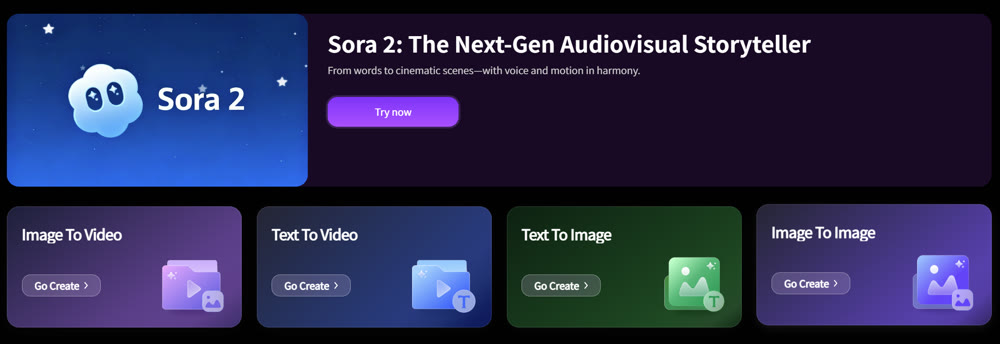
For those struggling with blurry outputs or narrative limitations, Genmi's advanced text-to-video capabilities offer far greater coherence and visual fidelity. The platform excels at producing stable, high-quality video that respects the nuances of your prompts.
Moreover, Genmi's toolkit for transforming static pictures into compelling narratives is a significant step up. Its image-to-video function delivers smoother motion and more consistent character animation, avoiding the jarring instability seen in GoEnhance. Beyond simple creation, it offers integrated tools for upscaling, enhancement, lip-syncing, and face-swapping, opening up a world of creative possibilities. For creators who need a reliable, high-quality, and versatile platform, Genmi AI presents a comprehensive and forward-thinking solution.
Genmi AI vs. GoEnhance AI: A Feature & Performance Showdown
To provide a clear, objective comparison and illustrate why Genmi AI emerges as a superior alternative for professional-grade video creation, we've compiled a detailed performance and feature comparison against GoEnhance AI based on our hands-on testing.
| Feature / Metric | GoEnhance AI | Genmi AI (Alternative) |
|---|---|---|
| Video Stability | Low / Prone to noticeable shakiness & jitter |
High / Consistently stable and smooth output |
| Detail Fidelity | Low to Medium / Elements can be vague & blurry |
High / Crisp, clear, and well-defined details |
| Available Video Models | Primarily GoEnhance's proprietary model, limited styles |
Wide range (e.g., Sora 2, Kling 2.1, Veo 3, Runway, proprietary) |
| Built-in Editing Tools | None (requires re-generation or external editing) |
Comprehensive (e.g., Upgraders, Enhancers, Lip-sync, Face-swapping, Trimming, Combining) |
| Output Quality | Moderate / Suitable for quick concepts, but often unstable |
High / Production-ready, cinematic quality |
| Ideal Use Case | Quick ideation, basic storyboarding, casual social posts |
Professional social media content, marketing videos, virtual presentations, complex animations |
Conclusion
In summary, GoEnhance AI serves as a quick tool for AI video experimentation and ideation. Its speed and stylistic options are commendable. However, the persistent issues with video instability, lack of detail, and inconsistent quality make it unsuitable for content marketers and professionals who prioritize a polished final product. The shaky outputs can detract from the viewing experience and may reflect poorly on a brand's commitment to quality.
This hands-on evaluation demonstrates the importance of looking past initial speed and focusing on production-ready quality. For those serious about leveraging AI for content creation, a platform that prioritizes stability, fidelity, and a comprehensive feature set is essential. Tools like Genmi AI, which consolidate top-tier models and advanced editing features, represent the next logical step for creators aiming to produce impactful and professional video content.
Take Your Video Content to the Next Level
Ready to move from shaky proofs-of-concept to polished, audience-ready videos? Empower your creative workflow by exploring a platform built for quality, stability, and control. Discover how the integrated, multi-model approach of a tool like Genmi AI can unlock your true creative potential and deliver the professional results your content deserves.
Recommended Articles
DeeVid AI Review: A Deep Dive into Its Strengths and Limitations for Professional Video
Is DeeVid AI worth it for professional video? Our in-depth review tests its features, performance, and quality to see if it meets cinematic standards.

From Script to Viral Hit: The Ultimate Guide to Creating AI-Powered YouTube Shorts Blockbusters
Unlock viral growth on YouTube Shorts by mastering AI scriptwriting. This guide details how to turn story ideas into viral videos using AIGC tools and data.
PixVerse AI Video Generator Review: An Honest Look at Its Quality in 2025
Is PixVerse the right AI video tool for you? Our in-depth 2025 review tests its features, quality, and speed to help you decide if it's worth the hype.