


Haiper AI Review: Is This the Tool Motion Designers Have Been Waiting For?
Article Summary: This article provides a professional review of the Haiper AI video tool from the perspective of a motion designer. It covers hands-on testing of image-to-video and text-to-video features, offers practical prompting strategies, and evaluates its place in a creative workflow compared to advanced ecosystems like Genmi AI.
As a motion designer who has transitioned from traditional After Effects keyframes to the brave new world of synthetic media, I have made it my mission to rigorously test every new engine that hits the market. The buzz surrounding Haiper AI has been palpable, largely due to its founding team hailing from heavyweights like Google DeepMind and TikTok. But does the pedigree translate to performance?
In this review, I will strip away the marketing hype and walk you through a hands-on analysis of this platform. We will explore its capabilities, test its limits with specific prompts, and discuss where it fits in a professional creative workflow.
The Engine Behind the Hype
Haiper launched with significant backing—over $13 million in funding—and a clear mission to democratize 3D content creation. Unlike some competitors that act as simple wrappers for Stable Diffusion, Haiper utilizes a proprietary model designed to understand physical space and motion.
Currently, the platform supports text-to-video and image-to-video synthesis. It positions itself as a creative companion for social media managers and storytellers. However, for those of us in the industry, the real question is: can it handle complex motion without the dreaded "AI flickering"?
My Hands-On Experience: The "Cyberpunk" Test
Upon logging in, I was greeted by a clean, minimalist interface. I opted to test the latest model iteration, Haiper 2.5, to see how it handles atmospheric lighting and motion.
💡 Practical Techniques: Image-to-Video
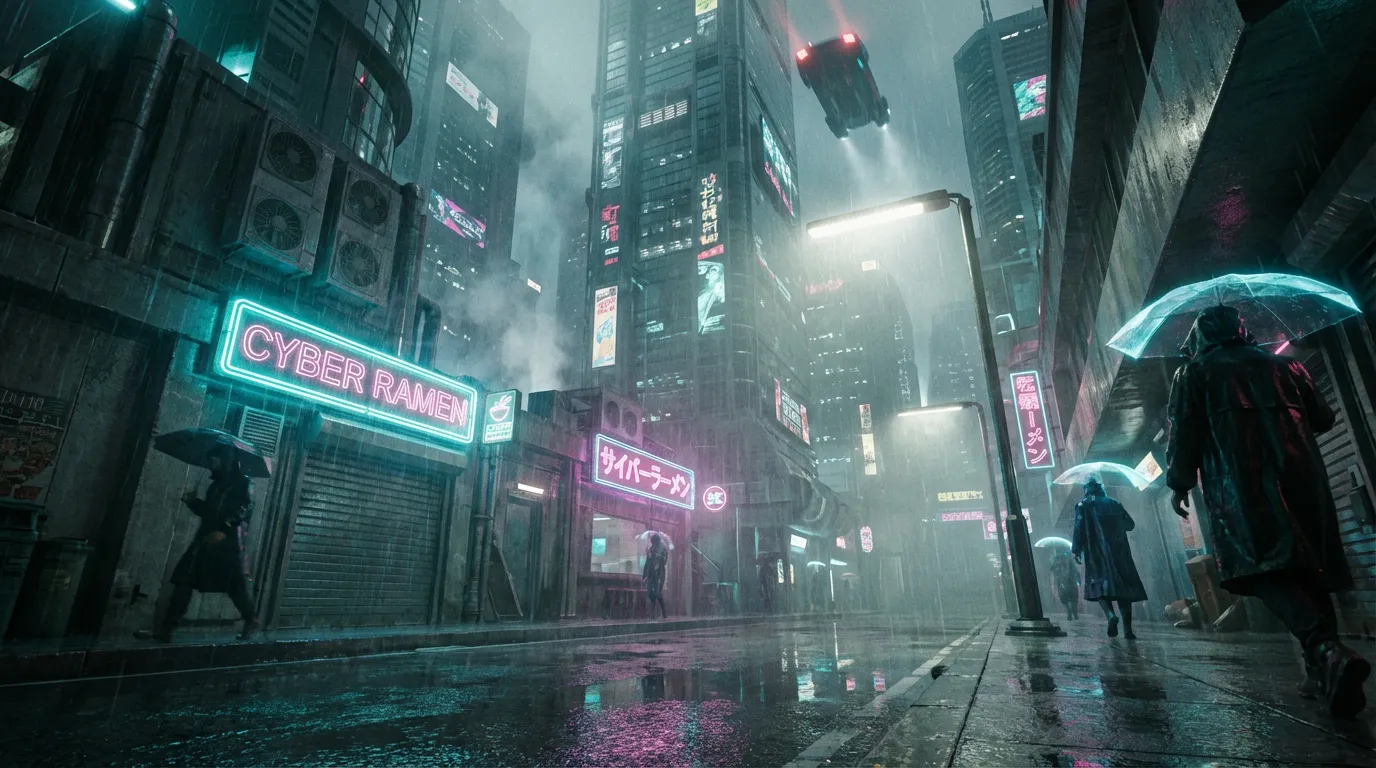
I started with a static concept art piece I created in Midjourney—a rainy, neon-lit alleyway. My goal was to add atmospheric rain and a camera pan without distorting the geometry of the buildings.
The Process:
- 1. Upload: I dragged my high-res PNG into the dashboard.
- 2. Prompting: I avoided generic terms and went specific.
My Prompt: "Heavy rain falling, neon lights flickering on wet pavement, slow camera pan upward revealing skyscrapers."
- 3. Settings: I selected a 5-second duration.
The Result:
The output was surprisingly coherent. The reflection of the neon lights on the wet ground shifted realistically as the "camera" panned up. However, there was a slight delay of about 0.5 seconds before the motion kicked in, a common issue in beta models known as "static start."
Testing Text-to-Video: Character Realism
Next, I pivoted to the ultimate stress test: human facial animation and organic physics. Generative video often struggles with the "Uncanny Valley," where micro-expressions feel robotic or hair moves like a solid helmet rather than individual strands.
The Process:
I wanted to see if the engine could handle a complex combination: a specific facial expression (laughing) combined with environmental movement (wind).
My Prompt: "Cinematic medium shot of a young woman with curly red hair sitting in an outdoor cafe, laughing naturally, gentle wind blowing through hair, soft sunlight filtering through trees, depth of field, 4k."
- The Verdict: The result was a mixed bag of brilliance and limitations. The lighting interaction on her face was spectacular—shadows of the leaves moved naturally across her skin. The hair physics were also surprisingly granular; I could see individual curls reacting to the wind. However, the mouth movement during the laugh had a slight "morphing" quality near the end of the clip, where the teeth briefly lost definition—a classic sign that the model struggles with complex anatomical changes over time.
📌 Best Practices for Haiper Prompts
- Be Director-Minded: Don't just describe the subject; describe the camera. Use terms like "dolly zoom," "pan right," or "rack focus."
- Lighting is Key: The model responds well to lighting cues. Always specify "golden hour," "volumetric lighting," or "studio softbox."
Feature Breakdown & Performance
While testing, I noticed the platform is evolving. It is not just about making a clip; it is about refining it.
- Video Repainting: This is a standout feature. You can mask an area (like a shirt) and ask the AI to change its texture or color while keeping the motion intact.
- Motion Control: While basic, the ability to influence the direction of the animation is crucial for storyboard artists.
In the middle of my testing, I realized that the Haiper AI Video Generator (I use the full term here for clarity, though I usually refer to it as an engine) occupies a specific niche. It is not trying to be a full movie studio yet; it is trying to be the best "B-roll creator" for social content.
Comparative Analysis
To give you a clearer picture, here is how I rate the current capabilities based on professional standards.
| Feature Category | My Rating | Professional Insight |
|---|---|---|
| Motion Smoothness | ⭐⭐⭐⭐☆ | Very fluid, though occasional "morphing" occurs on fast movements. |
| Prompt Adherence | ⭐⭐⭐☆☆ | Follows subject well but sometimes ignores specific camera directions. |
| Visual Fidelity | ⭐⭐⭐⭐☆ | 1080p output is crisp; textures look less "plastic" than competitors. |
| Render Speed | ⭐⭐⭐☆☆ | Can be slow during peak hours (2-5 minutes per clip). |
Exploring the Genmi AI Ecosystem
While Haiper offers a solid entry point, professionals often require a broader toolkit that aggregates the best models in the world into a single workflow. This is where Genmi AI distinguishes itself.
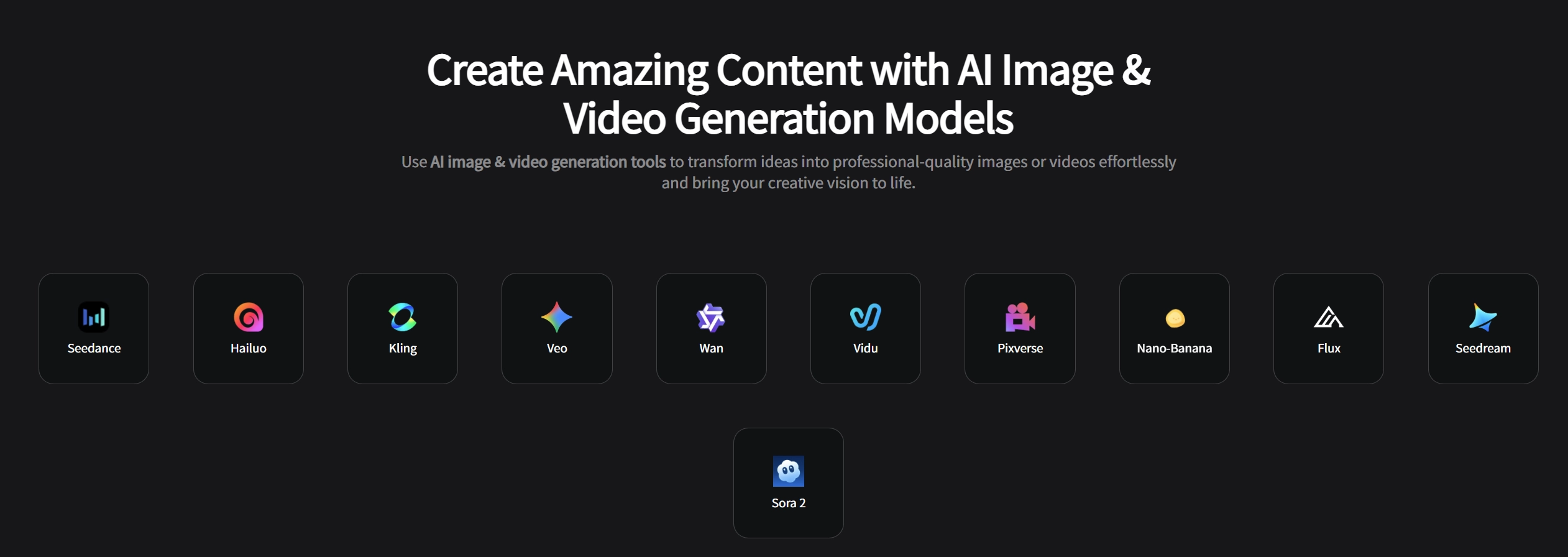
Rather than relying on a single algorithm, Genmi serves as a comprehensive hub. For instance, if you need the specific motion characteristics of the Kling model or the cinematic depth of the Sora model, Genmi integrates these capabilities, allowing creators to choose the right engine for the specific shot.
Versatility in Creation
Genmi goes beyond simple synthesis. If you are starting with static assets, the Image-to-Video workflow offers granular control over dynamics. For those looking to create emotional connections in their content, the specialized AI Hug Generator provides a unique way to animate interactions between subjects that other generalist models often struggle with.
Refinement and Quality
The creative process rarely ends with the first render. Genmi's suite includes tools like Image-to-Image transformation, which is essential for style transfer before animation begins. Furthermore, accessing high-fidelity models like Flux ensures that the initial input quality is pristine, which is critical for the final video output.
If you are serious about AI video, having a centralized platform that offers AI Video Generation across multiple top-tier models is a significant workflow advantage.
Industry Context & Further Reading
To understand where this technology is heading, it is helpful to look at the broader academic and industrial landscape. The rapid evolution of diffusion models is documented by leading research bodies.
https://arxiv.org/list/cs.CV/recent(Cornell University Computer Vision Research)https://techcrunch.com/category/artificial-intelligence/(TechCrunch AI News)
Conclusion
Haiper AI is a promising tool that punches above its weight class, particularly for users who need quick, high-quality social media assets. Its interface is accessible, and its "repainting" feature hints at a future where AI is used for precise editing rather than just blind synthesis.
However, for a holistic creative pipeline, relying on a single tool can be limiting. As creators, we need access to a variety of engines to tackle different aesthetic challenges. This is why exploring platforms that aggregate these capabilities is often the smarter long-term move.
🚀 Elevate Your Content Today
Ready to stop experimenting and start creating professional-grade assets? Experience the power of combining the world's best video models in one place. Start Creating with Genmi AI and unlock the full potential of your imagination.
Recommended Articles

An Expert Review of Dreamina AI: Does It Live Up to the Hype?
Our honest, hands-on Dreamina AI review tests its video, image, and avatar tools. Discover its pros, cons, and if it's right for your creative workflow.
Animaker Review: Powerful for Explainers, But What About Creativity?
Our expert, hands-on Animaker AI review tests its animation, voiceover, and template features. Is it the right tool for a professional creative workflow?
Nano Banana Pro: A Comprehensive Review of Google DeepMind’s Image Tool
Explore Nano Banana Procapabilities, from high-resolution visuals to advanced multi-image editing. Read our detailed review and workflow insights.