


HeyGen AI Review: A Deep Dive into Its Avatar Video Capabilities
Article Summary: This expert review provides a hands-on analysis of HeyGen AI, evaluating its core strengths in realistic avatar video creation, gesture control, and translation. It also addresses its limitations, such as slow rendering speeds and basic editing, to help professionals make an informed decision.
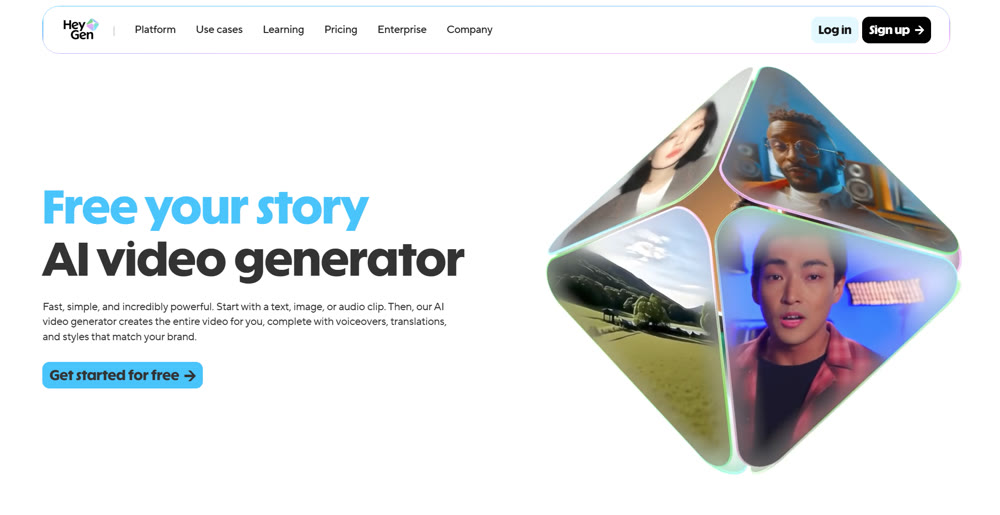
In today's fast-paced digital landscape, creating consistently engaging video content is a major challenge for marketers and content creators. The demand for high-quality, scalable video production often outstrips available time and resources. This is where specialized AI tools come into play. In this review, we'll conduct a thorough, hands-on analysis of HeyGen AI, a platform focused on avatar-led video content.
This article moves beyond the hype to provide a clear, expert perspective. You will learn about HeyGen's core strengths in avatar realism and its performance in complex scenarios like gesture control and video translation. We will also honestly address its limitations, helping you determine if it is the right strategic investment for your content workflow.
Core Functionality: What is HeyGen AI Built For?
HeyGen AI is a specialized platform primarily designed for crafting videos featuring digital avatars. Its main value proposition lies in its ability to create realistic human-like presenters from a single photo or a pre-existing template. The tool focuses on synchronizing lip movements, facial expressions, vocal tones, and body language to produce a cohesive and natural-looking digital person.
Unlike general-purpose video editors, the HeyGen AI video generator is engineered specifically for marketing, training, and communication videos where a human-like presenter is central to the message. It offers a streamlined process for turning scripts into polished, avatar-hosted content.
A Hands-On Analysis: Putting HeyGen AI to the Test
We conducted a series of practical tests to evaluate the platform's performance, from initial setup to its most advanced features.
1. Initial Avatar Creation and Setup
The creation process begins on the main dashboard, where you can choose to build from scratch.
📌 Workflow Steps:
- Select an Avatar Base: You can choose from a library of public presets or upload your own high-quality portrait. For our test, we uploaded a custom image.
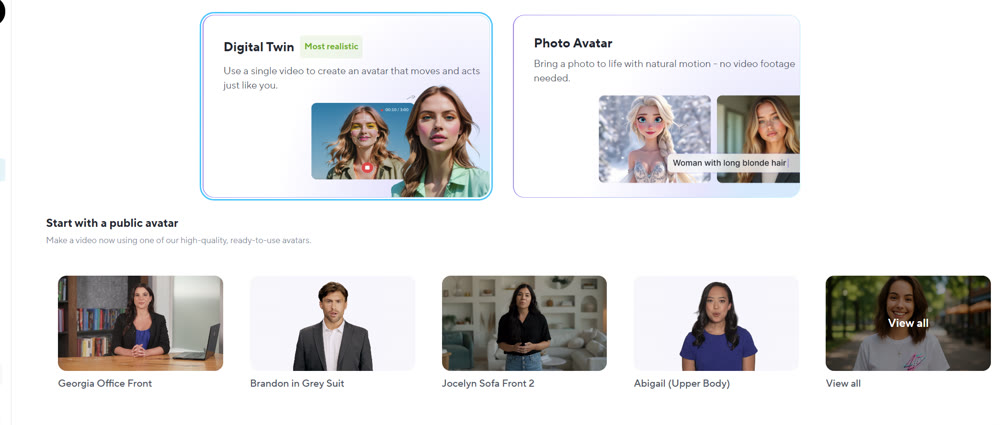
- Input the Script: We provided a simple welcome script to test basic text-to-speech and animation.
- Test Script: "Welcome! I'm here to guide you through our latest platform updates. Let's explore how we can elevate your projects together. If you have any questions, feel free to ask!"
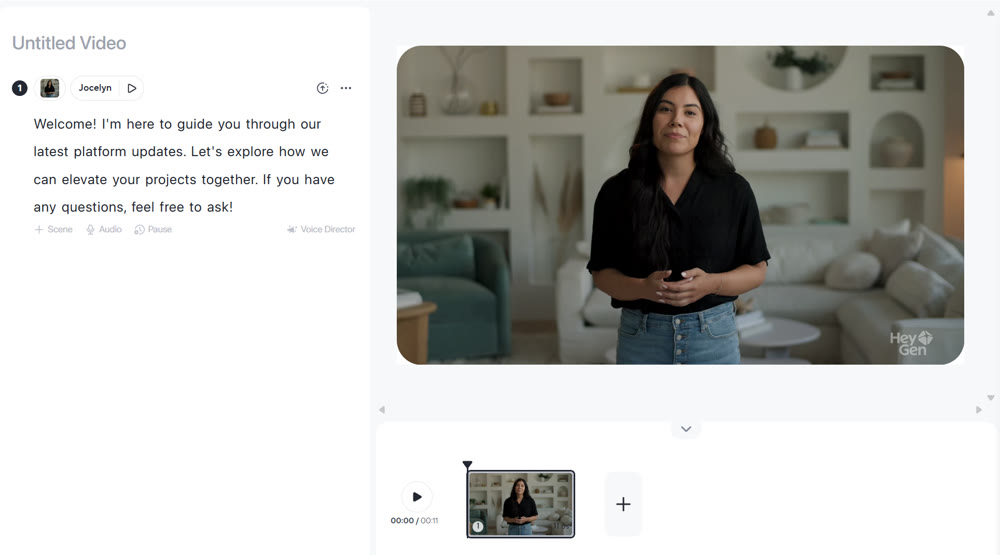
- Render the Video: The platform then processes the image and script to create the final video.
The resulting avatar video, showing synchronized lip movements and basic head motion.
The output was effective for a static photo upload. The lip-sync was accurate, and the voice was clear.
✨ Key Tip: For more dynamic results, HeyGen recommends recording a 2-5 minute video of yourself against a plain background. This allows the AI to capture and replicate your unique hand gestures and body language, resulting in a much more lifelike digital twin.
2. Advanced Gesture and Expression Control
A key differentiator for advanced avatar tools is the ability to control non-verbal cues. We tested this by uploading a new image and providing a specific action prompt.
Prompt: "The presenter is calmly explaining a complex topic, using open hand gestures to emphasize points."
The result was impressive. The avatar's movements were fluid and corresponded well with the instructional tone. We paid close attention to the hands—a notorious weak point for many AI image and video tools. HeyGen maintained the integrity of the fingers' shape and number throughout the animation, which speaks to the model's sophistication. Adding specific cues like "nodding in agreement" also worked, though it sometimes led to repetition if overused.
3. Lip-Sync Performance Under Stress
To push the lip-sync feature to its limits, we tested it with a jargon-filled sentence instead of a simple script.
Test Script: "Quantum computing leverages superposition and entanglement to perform complex calculations exponentially faster than classical computers."
The platform performed exceptionally well. The avatar's mouth movements remained precise even during the rapid delivery, and the system even added subtle, appropriate micro-expressions like a slight furrowing of the brow to convey concentration.
4. Seamless Video Translation
Finally, we tested the video translation feature, a powerful tool for global content distribution. We uploaded a short clip of a business leader's speech and translated it.
Source: A 30-second clip in English.
Target: Japanese with embedded subtitles.
The result was seamless. The HeyGen AI platform not only translated the audio accurately but also flawlessly re-animated the speaker's lips to match the Japanese dialogue. This technology is a significant step up from traditional dubbing, offering a far more natural viewing experience for international audiences.
Final Verdict: The Strengths and Weaknesses
After extensive testing, it's clear that HeyGen AI excels in its designated niche. Its ability to produce realistic avatars with precise lip-syncing, nuanced micro-expressions, and accurate gesture control is top-tier. The video translation feature is a standout capability that provides immense value for global brands.
However, the platform is not without its drawbacks. The rendering time for longer videos (over 5 minutes) can be slow, which could disrupt time-sensitive workflows. Additionally, its built-in video editing suite is basic. Professionals looking for advanced post-production tools like granular color grading or complex timeline editing will need to export their clips to a separate application.
Need More Creative Power? Discover the Genmi AI Suite
While HeyGen is a master of avatar creation, many projects require a broader range of creative capabilities. If your work involves more than just avatar videos, a comprehensive platform like Genmi AI is the ideal solution. It offers a complete ecosystem of powerful AI video tools designed for professional creators.
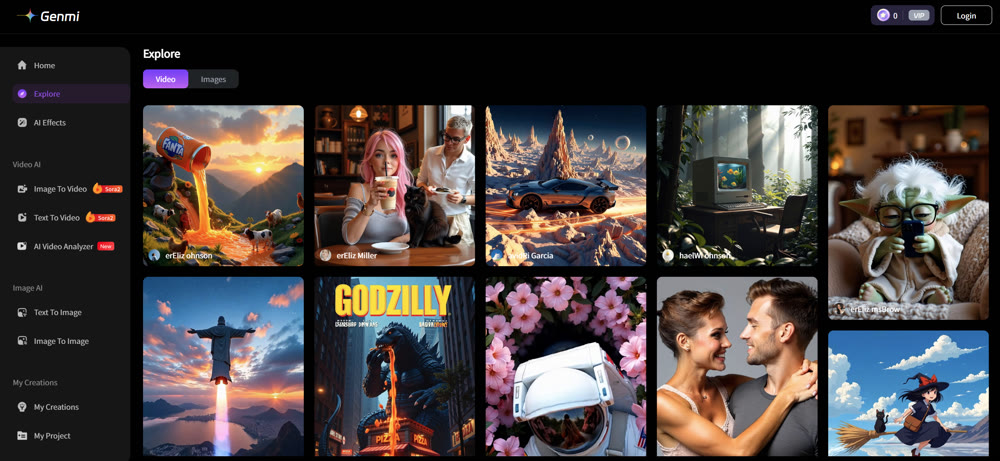
Genmi AI goes beyond single-function tools by integrating advanced models like Kling, Wan, and Seedance to handle everything from complex scene creation to character consistency. You can effortlessly animate static images into video or bring scripts to life with stunning visual narratives. For those who demand versatility and cutting-edge performance, Genmi AI provides a robust and intuitive creative hub. Why not start creating with Genmi AI today and experience the difference?
Conclusion
HeyGen AI is an excellent and highly specialized tool for anyone focused on creating avatar-led video content. Its realism in lip-sync, expressions, and gestures makes it a powerful asset for marketing, e-learning, and corporate communications. The video translation feature alone is a compelling reason for global brands to consider it.
However, its slow performance on long-form content and lack of advanced editing tools define its limitations. This expert analysis confirms that while HeyGen leads in its niche, professionals with diverse creative needs will benefit more from a versatile, all-in-one platform. A tool like Genmi AI, which offers a broader suite of video and image capabilities, provides a more holistic solution for modern content creation.
Empower Your Creative Vision
Are you ready to move beyond the limitations of single-purpose tools? Explore a comprehensive creative suite that adapts to your vision, not the other way around. By leveraging an all-in-one platform, you can unlock new levels of efficiency and bring your most ambitious creative projects to life with unparalleled quality.
Recommended Articles
Nano Banana Pro: A Comprehensive Review of Google DeepMind’s Image Tool
Explore Nano Banana Procapabilities, from high-resolution visuals to advanced multi-image editing. Read our detailed review and workflow insights.
Krea AI Review: A Deep Dive into Real-Time Creative Workflows
An in-depth Krea AI review analyzing its real-time image creation, video tools, and overall performance to see if it's the right fit for your creative toolkit.
An In-Depth WAN 2.2 Review: Redefining AI Video Motion Control
Explore our WAN 2.2 review. We analyze its advanced motion control, prompt accuracy, and how it compares to other top models in the AI video space.