


How to Access Nano Banana Pro? A Professional's Guide
Article Summary: A comprehensive guide evaluating the various access pathways to Google's Nano Banana Pro. This review details methods for free users, subscribers, and developers, providing expert insights into optimizing workflows for professional-grade 4K AI visual creation and editing.
The release of Google DeepMind's Nano Banana Pro has created a significant shift in the landscape of AI-driven visual arts. With its capacity for high-fidelity 4K outputs and advanced compositional reasoning, creative professionals are eager to integrate it into their workflows. However, understanding the fragmented access points across Google's ecosystem can be a significant hurdle. If you've been wondering how to access Nano Banana Pro without getting lost in a maze of subscription tiers and different platforms, you've come to the right place.
This comprehensive guide is designed for creative professionals, marketers, and developers. We will demystify the entire process, providing a clear roadmap to harnessing the power of this state-of-the-art visual synthesis model. By the end of this article, you will have a clear understanding of every available method, the features and limitations of each, and how to choose the pathway best suited for your professional needs.
What is Nano Banana Pro? A Quick Primer
Before diving into the access methods, it's crucial to understand what sets Nano Banana Pro apart. Also known internally as Nano Banana 2, this model represents the next evolution in the Gemini AI ecosystem. Unlike its predecessor, it focuses on professional-grade quality and control, offering:
- High-Fidelity Outputs: Native support for 1K, 2K, and up to 4K resolutions with flexible aspect ratios.
- Advanced Composition: Utilizes a "Thinking Mode" for multi-step internal reasoning, leading to more coherent and context-aware visual compositions.
- Search-Grounded Synthesis: Can connect to Google Search for real-time information, enabling the creation of accurate, data-rich infographics with legible text.
As illustrated in the official documentation, the user experience is seamless. A simple text request in a compatible app triggers the Nano Banana Pro model in the background, which then produces the visual output directly in the user interface.
Understanding Access Tiers: Who Can Use Nano Banana Pro?
Your ability to leverage Nano Banana Pro is directly tied to your user type and subscription level. The Nano Banana Pro access model is tiered to cater to different needs, from casual experimentation to enterprise-scale deployment.
| User Type | Primary Platform | Key Features & Limitations |
|---|---|---|
| Free Users | Gemini App | Limited to 3 visual creations per day at a maximum of 1 MP. |
| Plus / Pro Subscribers | Gemini App / Google App (AI Mode) | Extended daily quotas and full 4K visual creation capabilities. |
| Ultra Subscribers | Flow + Gemini App | Highest quotas, full creative controls, and clean outputs (no visible watermark). |
| Developers / Enterprise | Google AI Studio / Vertex AI | Programmatic API access with custom billing and high-volume capacity. |
📌 Best Practices: For any serious professional or commercial work, a free-tier account is insufficient. A paid subscription or a third-party integrated platform is essential for unlocking the 4K resolution and advanced controls that make Nano Banana Pro a truly professional tool.
The 4 Primary Methods to Access Nano Banana Pro
Navigating the ecosystem becomes straightforward once you identify the correct pathway for your use case. Here are the four primary methods explained in detail.
Method 1: The Gemini App (Standard User Access)
For the majority of individual users, the Gemini App is the most direct route.
Step 1. Installation: Download the Gemini App from the Google Play Store or Apple App Store.
Step 2. Sign-In: Use your standard Google Account.
Step 3. Select Model: Within the visual creation interface, choose the "Thinking Model" to ensure you are using Nano Banana Pro. This is clearly shown in the app's interface.
Step 4. Create: Begin crafting your visuals.
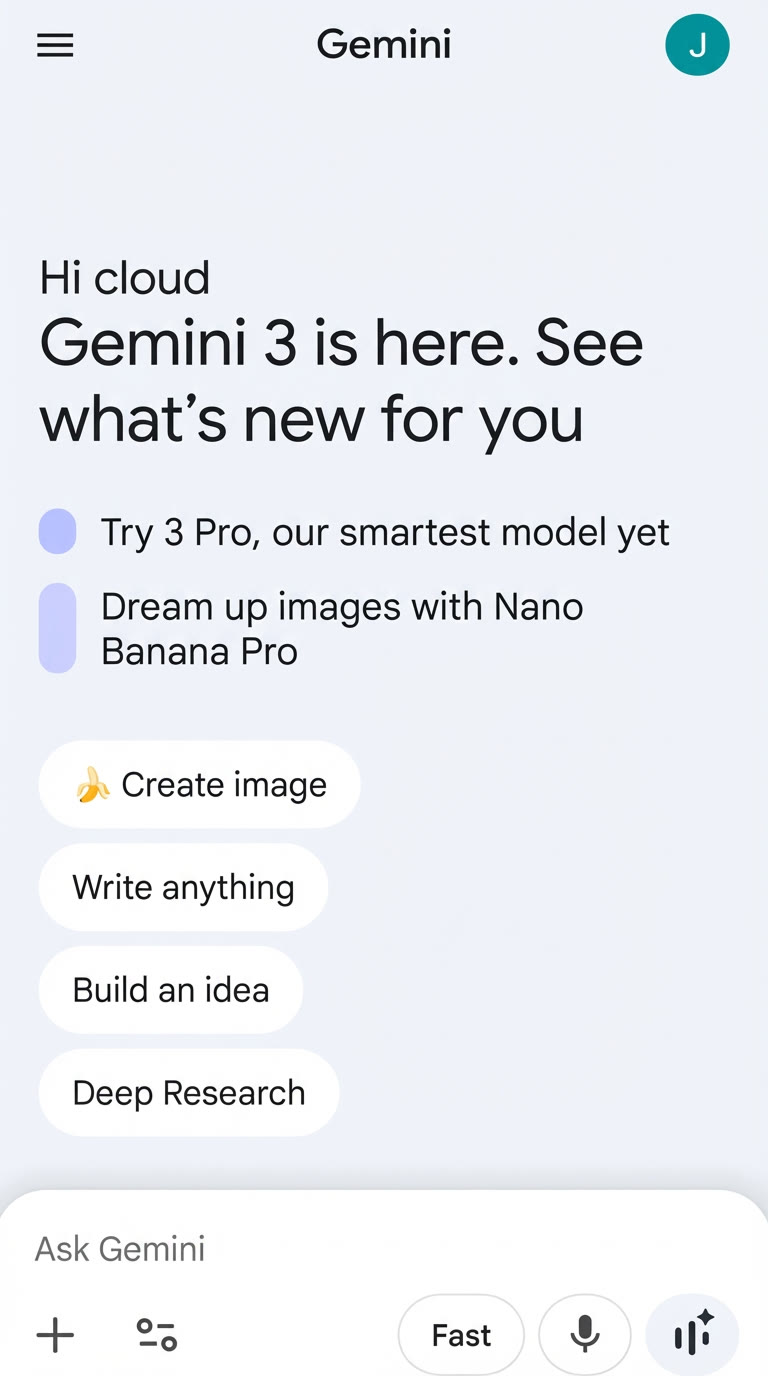
Pro and Ultra subscribers will automatically benefit from higher daily quotas and the ability to request 4K outputs.
Method 2: Google App's AI Mode (Regional Access)
In some regions, access is also available directly within the main Google App, bypassing the need for the separate Gemini application.
Step 1. Open Google App: Launch the app on your mobile device.
Step 2. Activate AI Mode: Tap the AI icon to switch into the Gemini interface.
Step 3. Choose Image Feature: Select the Nano Banana Pro model under the image creation tab.
This method is best for casual users who prefer a consolidated app experience.
Method 3: Google AI Studio & Vertex AI (Developer & Enterprise)
For professionals who need to integrate AI visuals into their own products or automated workflows, programmatic access is key. This is where developers often ask how to access Nano Banana Pro through an API.
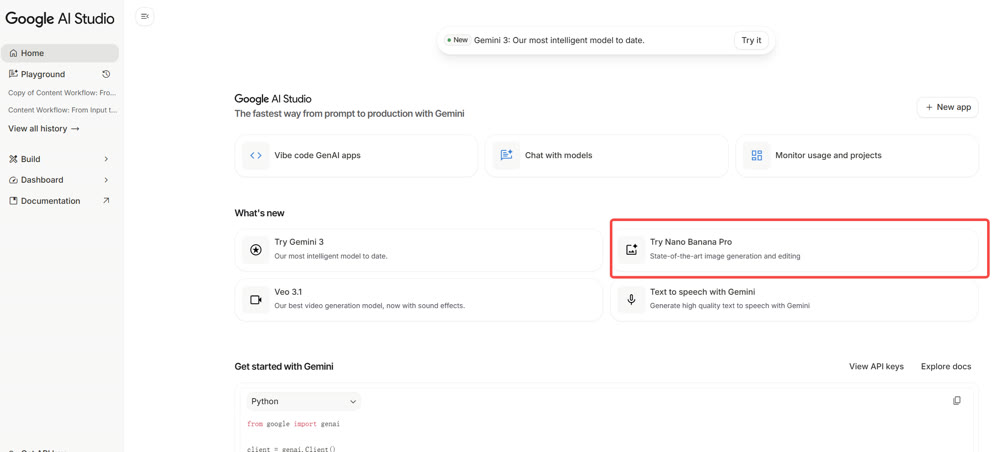
Step 1. Login: Access Google AI Studio or the Vertex AI console.
Step 2. Select Model: Navigate to the model garden and choose Nano Banana Pro from the available Gemini models.
Step 3. Configure: Use the interface or API parameters to set resolution, aspect ratio, and other creative controls.
Step 4. Integrate: Utilize the Gemini API with a valid billing account to embed visual creation capabilities directly into your applications.
💡 Practical Techniques: This pathway is ideal for batch processing, creating automated content pipelines (e.g., product mock-ups from a spreadsheet), or building custom creative tools.
Method 4: Third-Party Integrated Platforms
For creators who use a variety of AI models, all-in-one platforms that integrate multiple tools can offer a more streamlined and cost-effective workflow. These platforms are often the simplest answer for how to get Nano Banana Pro without managing multiple subscriptions. They handle the API integration on the backend, providing a unified workspace for users.
- Centralized Workspace: Access models like Gemini, GPT-5, and Claude alongside Nano Banana Pro.
- Simplified Billing: Consolidate your AI tool spending under a single subscription.
- Enhanced Workflows: Ideal for agencies and content teams that need to combine text, image, and video AI tools seamlessly.
Beyond Static Visuals: Integrating Your Workflow with Genmi AI
Mastering access to a powerful image creation tool like Nano Banana Pro is a phenomenal step forward. However, for a truly comprehensive content strategy, static visuals are only part of the story. The next frontier is fluid, multi-modal creation, where text, images, and video merge into a cohesive narrative.
This is where platforms built for holistic media creation excel. For creators looking to take their visual storytelling to the next level, the ability to transform static concepts into dynamic video narratives is crucial. Similarly, turning a single image into a captivating video opens up entirely new avenues for social media content, advertisements, and artistic expression.
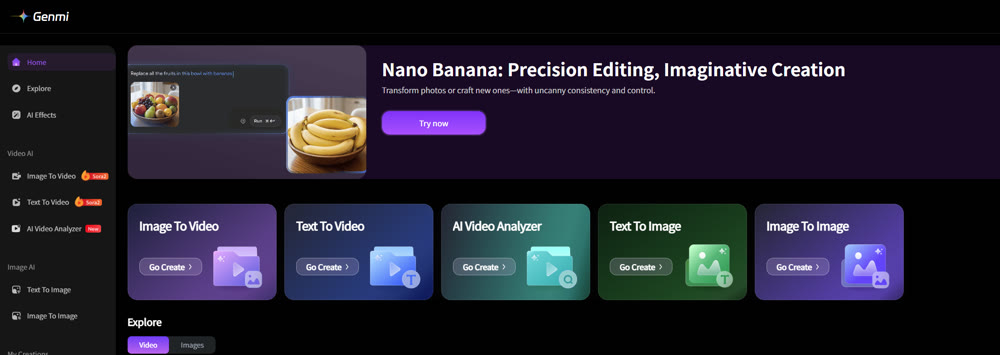
Within the comprehensive Genmi AI platform, these capabilities are not add-ons; they are core functions. While Genmi's own text-to-image engine offers unique creative styles, its true strength lies in its versatility. The platform's advanced image-to-image synthesis provides another layer of control, allowing for a creative process that flows naturally from one media type to another, all within a single, intuitive workspace.
Conclusion: Choosing Your Path Forward
This guide has demonstrated that while Nano Banana Pro is an exceptionally powerful tool, accessing its full potential requires a clear understanding of the available pathways.
- For Casual and Prosumer Use: The Gemini App with a Pro or Ultra subscription offers the most direct and feature-rich experience.
- For Professional Integration: The Gemini API via AI Studio or Vertex AI provides the control and scalability required for enterprise applications.
- For Unified Creative Workflows: Integrated platforms offer a streamlined, cost-effective solution for creators working across multiple AI models and media types.
Ultimately, you have successfully learned how to access a premier tool for AI visual arts. The next step is to consider how it fits into your broader creative ambitions. Tools that bridge the gap between static images and dynamic video will be indispensable for the modern creator.
Empower Your Complete Creative Vision
Ready to move beyond individual tools and embrace a unified creative process? Explore how a multi-modal platform can connect your ideas across text, images, and video, unlocking workflows that were once impossible.
Recommended Articles
A Professional Review of Pixlr AI: Balancing Speed with Creative Depth
Our expert review of the Pixlr AI Image Generator covers its speed, quality, and performance with complex prompts to help you decide if it's right for you.

From Script to Viral Hit: The Ultimate Guide to Creating AI-Powered YouTube Shorts Blockbusters
Unlock viral growth on YouTube Shorts by mastering AI scriptwriting. This guide details how to turn story ideas into viral videos using AIGC tools and data.
OpenAI Sora: A Deep Dive into the AI Video Generator's Capabilities, Limitations, and Future
Discover OpenAI Sora, a groundbreaking text-to-video model. Analyze its strengths, limitations, and the exciting potential of its future version, Sora 2.