


Your Ultimate Guide to Hyper-Realistic AI Video: Mastering the Uncanny
Article Summary: This ultimate guide details the advanced techniques for crafting hyper-realistic AI video. Learn expert prompting, iterative refinement, and workflow strategies to move beyond artifacts and achieve truly believable, photorealistic results for your creative projects.
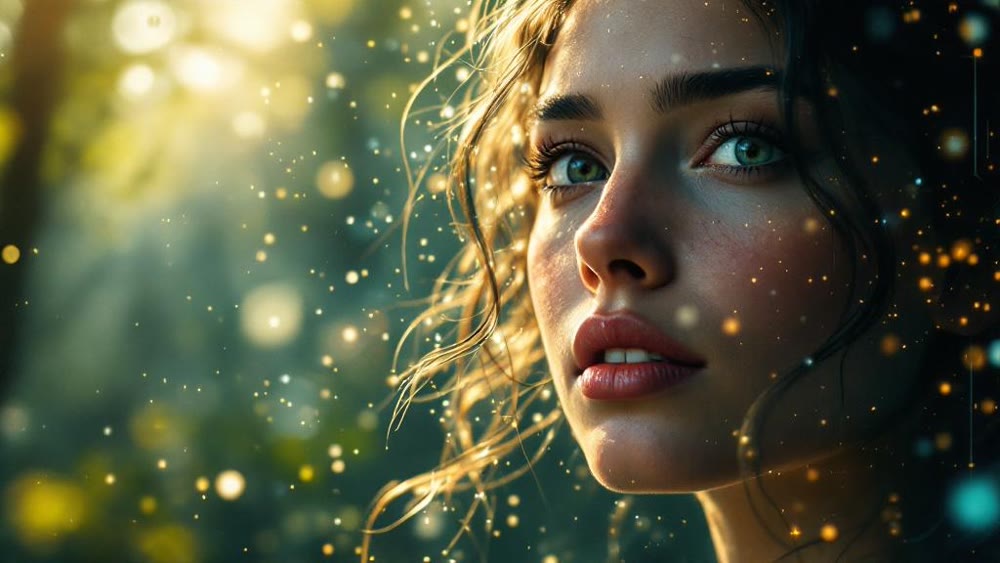
We've all seen it: an AI-synthesized video that is technically impressive yet subtly wrong. The physics are slightly off, a person's face warps for a split second, or the lighting doesn't quite interact with the environment correctly. This is the new "uncanny valley" of digital motion. While the promise of creating entire worlds from a few lines of text is here, the gap between a novel clip and a truly believable scene can feel vast. How do you move past the strange artifacts and craft a realistic AI video that captivates instead of distracts?
The answer lies not in finding a single "magic button" but in mastering a process. Creating photorealistic motion with AI is an art form that blends technical precision with creative intuition. It requires a deep understanding of how these models interpret language and a strategic workflow designed to guide them toward a flawless result. This guide will walk you through the essential pillars of that process, providing the strategies you need to elevate your work from experimental to exceptional.
The Pillars of Photorealism in AI Video
Achieving realism is a multi-stage effort. It begins long before you ask the model to create motion and continues even after the initial clip is complete. Focusing on these core areas will dramatically improve the quality and believability of your output.
1. The Art of the Hyper-Descriptive Prompt
The foundation of any great AI creation is the prompt. For a hyper realistic AI video, vague instructions are your enemy. You must become a virtual cinematographer, director, and set designer, describing every critical detail with precision.
- Lighting and Atmosphere: Don't just say "daytime." Specify "golden hour light filtering through a hazy atmosphere," or "harsh, direct overhead noon sun casting sharp shadows."
- Camera and Lens: Define the shot. Is it a "macro shot with a shallow depth of field," a "wide-angle drone shot tracking smoothly from left to right," or a "handheld shot with subtle, natural jitter"?
- Material and Texture: Describe surfaces with detail. Instead of "a wooden table," try "a weathered oak table with a matte finish, showing a deep grain and small scratches." This level of detail is crucial for how light interacts with objects. As researchers from institutions like Stanford's AI Lab have noted, the richness of input data directly correlates with the quality of the output.
Prompts in Practice: Real-World Examples
To see this theory in action, let's look at two prompts designed for photorealism and the results they can produce.
Example 1: The Living Detail of Nature
Prompt: Macro shot of a panther chameleon on a branch, slowly turning its head. The skin texture is incredibly detailed, with visible scales shifting color from emerald green to turquoise. Soft, diffused jungle canopy light illuminates the scene, creating gentle highlights. The background is filled with lush, out-of-focus leaves, creating a shallow depth of field. Photorealistic, 8K, cinematic.
This prompt works because it specifies the subject, action, texture, lighting, and camera properties, leaving little to the model's random interpretation.
Example 2: The Complex Urban Environment
Prompt: An elegant woman slowly turns her head and reveals a subtle, knowing smile. Skin texture is ultra-detailed, showcasing subtle pores and delicate muscle movement around the eyes. Soft golden hour light illuminates the left side of her face, creating gentle highlights on the cheekbone. The background is a dark, out-of-focus bokeh. Hyper-realistic, 8K, cinematic video.
Here, the prompt successfully establishes a nuanced and emotional atmosphere by defining the Medium Close-up Portrait composition, the golden hour lighting effect, and the emphasis on skin texture and subtle expression. It guides the AI to generate a cohesive, high-quality, and cinematic hyper-realistic result.
2. The Iterative Workflow: From Still to Motion
One of the most effective professional workflows is to separate image creation from motion synthesis. Generating a perfect video in one shot is difficult and computationally expensive. A much more controlled approach is to first create the perfect still frame.
This method allows you to focus all your prompting efforts on nailing the composition, lighting, and character design without the added complexity of motion. You can use advanced image-to-image refinement techniques to tweak details until the scene is exactly as you envision it. Once you have that perfect "frame zero," you can then move on to the next step: animating that perfect frame with specific motion instructions. This two-step process gives you far more creative control and dramatically increases your chances of achieving a clean, stable result.
Achieving Consistency: The Final Frontier
The single biggest giveaway of an AI-made clip is inconsistency. Objects changing shape, lighting shifting unnaturally, or backgrounds warping are all common problems. The key to a truly realistic AI video is maintaining coherence from the first frame to the last.
To combat this, focus on prompts that establish a stable scene. Using a detailed starting image, as mentioned above, provides the model with a strong anchor of reference. Furthermore, when describing motion, be clear and concise. A prompt like "slowly push in on the character's face" is less ambiguous than "zoom in." The more constraints you provide, the less room the model has to improvise in ways that break the illusion of reality.
Genmi: Unifying the Creative Workflow for Ultra-Realistic AI Video
The process described—detailed prompting, image refinement, and controlled animation—is powerful but often requires juggling multiple tools and platforms. This fragmented workflow can stifle creativity. You might use one service to generate images, another to animate them, and a third to upscale the final result.
This is where the next evolution of creative platforms comes into play. Instead of a collection of single-purpose tools, integrated environments are emerging to streamline this entire journey. A platform like Genmi AI is being developed with this holistic philosophy at its core. The vision is to create a unified space where you can seamlessly move from a text concept to a refined image and then to a dynamic video clip without ever leaving the ecosystem. By integrating these modalities, creators can maintain their creative flow and focus on artistry, making the pursuit of an ultra realistic AI video more intuitive and efficient.
Beyond the Prompt: Post-Production and Refinement
Your work isn't finished once the clip is rendered. The final 10% of effort is what separates good from great. To achieve a super realistic AI video, import your clips into traditional video editing software.
- Color Grading: Adjust colors and contrast to perfect the mood and ensure consistency across different shots.
- Sound Design: Add ambient sound, foley, and music. Sound is over half the experience and is essential for selling the reality of a scene.
- Subtle Effects: Add a touch of film grain, lens flare, or a slight vignette to ground the digital creation in a familiar cinematic language.
This final polish bridges the last remaining gap between a raw AI output and a piece of professional-grade media. Even clips that begin with a foundational text-to-video synthesis can be elevated to cinematic quality through thoughtful post-production.
The Path to Flawless Digital Creation
Creating hyper-realistic AI video is less about finding a secret setting and more about adopting a meticulous, multi-layered creative process. By mastering the art of the descriptive prompt, embracing an iterative image-first workflow, and applying a final layer of post-production polish, you can guide today's powerful AI models to produce truly breathtaking and believable results.
The tools are evolving rapidly, and platforms like Genmi are paving the way for a more integrated and intuitive creative future. By combining this powerful technology with your unique artistic vision, you are no longer just a user of AI; you are a digital director, and the stories you can tell are limitless.
Recommended Articles

An In-Depth GoEnhance AI Review: Rapid Creation vs. Production Quality
An in-depth GoEnhance AI review testing its text-to-video and other features. Discover its pros, cons, and features.

AI for YouTube Shorts: The Playbook for Format Blockbusters
Learn to create format-driven viral YouTube Shorts with AI. Our guide covers ideation, text-to-video workflows, and automation for massive growth.
AI Video Making: A Practical Guide to Creating Your First Moving Scene
Unlock the power of AI video making. This guide walks you through the steps to create stunning moving scenes from text, even if you're a complete beginner.