


AI Video Making: A Practical Guide to Creating Your First Moving Scene
Article Summary:This article serves as a practical, entry-level guide for individuals interested in AI video making. It aims to demystify the process, breaking it down into understandable concepts and actionable steps.
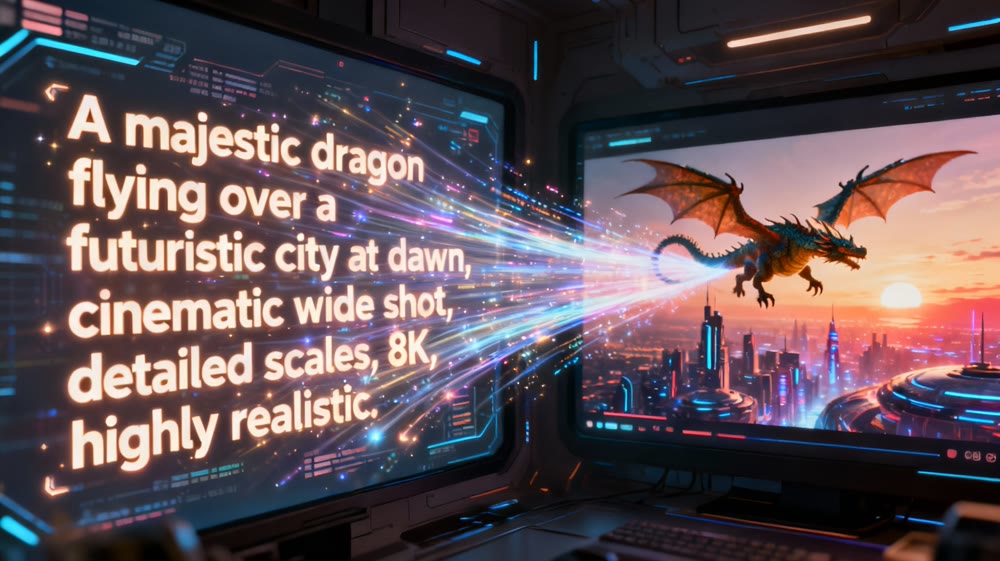
The landscape of digital creation is undergoing a seismic shift. What was once the exclusive domain of professional animators and visual effects artists—the ability to craft moving scenes from imagination—is now becoming accessible to everyone. The force behind this revolution is AI video making. The idea of typing a sentence and watching it blossom into a dynamic, high-quality video clip is no longer science fiction; it's a practical reality.
However, for many, the term "AI" can feel intimidating, synonymous with complex algorithms and steep learning curves. The goal of this guide is to dismantle that barrier. We'll walk you through the fundamental principles and provide a clear, step-by-step framework to help you make video with AI. This isn't about code or data science; it's about creativity and learning a new language of visual direction. By the end, you'll have the confidence and knowledge to create your very first moving scene.
Understanding the Core Concept: From Words to Motion
At its heart, AI video making is a collaborative process between you and an AI model. Your role is that of the director, and your script is a text description, commonly known as a "prompt." The AI acts as your digital production crew, interpreting your written instructions to construct the visual sequence.
Think of it this way: instead of managing cameras, lighting, and actors, you manage words. The nuance, detail, and emotion of your video are all derived from the quality of your prompt. This new creative paradigm puts the emphasis on your imaginative vision and your ability to describe it vividly. The technology simply provides a powerful new canvas.
The Art of the Prompt: Your Director's Script
The single most important skill in AI video making is prompt crafting. A well-constructed prompt is the difference between a vague, muddled clip and a breathtaking, cinematic moment. A great prompt typically includes several key components:
- Subject: The main character or object of your scene. Be specific. Instead of "a dog," try
a fluffy golden retriever puppy.
- Action: What is the subject doing? The verb is crucial for motion.
A fluffy golden retriever puppy *chasing a vibrant red ball*.
- Environment: Where is the scene taking place? This sets the mood and context.
A fluffy golden retriever puppy chasing a vibrant red ball *across a sun-drenched, lush green park*.
- Style and Aesthetics: This is where you define the look and feel. Do you want it to be realistic, animated, or fantastical? Words like
cinematic lighting,4K photorealistic,Studio Ghibli anime style, orvintage 1980s film lookcan dramatically alter the final output. - Camera and Composition: For more control, you can specify camera angles.
A dynamic low-angle shot of a fluffy golden retriever puppy chasing a vibrant red ball across a sun-drenched, lush green park, *cinematic lighting*, *4K photorealistic*.
By layering these elements, you provide the AI with a rich, detailed blueprint to build from.
Use Genmi: A Step-by-Step Walkthrough to Your First Scene
Ready to bring your idea to life? Let's break down the process into simple, actionable steps.
Step 1: Choose an Accessible Platform
The first step is to find a tool that is intuitive and user-friendly. You don't need something overly complex to start. Platforms designed for creators, not just technicians, offer the best entry point. An excellent choice for beginners and experienced users alike is Genmi AI, which balances powerful capabilities with a straightforward interface, allowing you to focus purely on your creative vision.
Step 2: Draft Your Initial Prompt
Start with a simple idea. Don't try to create a masterpiece on your first attempt. Let's use our example: "A golden retriever puppy chasing a red ball in a park." Type this into the text box of your chosen platform. This will be your baseline.
Step 3: Refine and Iterate
The first result is rarely the final one. Now, begin refining. Was the lighting not right? Add "golden hour lighting." Was the motion too slow? Add "running quickly." This iterative process of tweaking your prompt is where the real learning happens. Experimentation is key. The best way to understand the connection between your words and the visual output is through practice. You can make AI videos on Genmi to immediately see how these small adjustments transform your scene.
Step 4: Analyze and Learn
With each new clip, ask yourself what worked and what didn't. Did the AI misinterpret a word? Perhaps there's a better synonym. Did the style feel off? Try different aesthetic descriptors. This feedback loop is what will elevate your skills from a beginner to a proficient AI video creator.
Step 5: Download and Share Your Creation
Once you have a clip you're proud of, it's time to download it and share it with the world. You've successfully translated an idea from your mind into a moving picture—a truly magical experience.
Conclusion: Your Creative Journey Begins Now
AI video making is more than just a technological novelty; it's a new frontier for storytelling and artistic expression. It democratizes video creation, removing technical and financial barriers and placing the power of motion pictures into the hands of anyone with an idea.
By understanding the core principles of prompt crafting and embracing an iterative, experimental mindset, you can begin your journey today. The path to mastering this skill is not about learning complex software, but about refining your ability to describe the worlds you imagine. Your first moving scene is just a sentence away. What will you create!
Recommended Articles
Flora AI Reviewed: A Deep Dive Into Its Creative Canvas Professionals
A professional, hands-on review of Flora AI. We test its infinite canvas, image creation, and video capabilities to see if it's right for your workflow.

Ideogram AI Review: The Definitive Guide for Creatives and Marketers
An expert Ideogram AI review covering key features, pricing, and limitations.

An In-Depth GoEnhance AI Review: Rapid Creation vs. Production Quality
An in-depth GoEnhance AI review testing its text-to-video and other features. Discover its pros, cons, and features.