


Genmi AI Guide: Create Engaging and Professional AI Visuals in Seconds
Article Summary: This professional guide details how to use Genmi AI's suite of tools, empowering creators and marketers to effortlessly produce high-quality AI visuals—from static images to dynamic videos.
From Vision to Visual: Bridging the Creative Gap
Have you ever had a brilliant visual concept—a breathtaking landscape for a story, a dynamic character for a brand, or a short, animated clip for social media—but lacked the technical skills or resources to bring it to life? This gap between idea and execution is a common challenge for creators, marketers, and storytellers. The ability to quickly visualize a concept is no longer a luxury; it's a necessity in a fast-paced digital world. This guide is designed to bridge that gap, providing a clear and practical walkthrough on how to use Genmi AI to transform your creative sparks into professional-quality visuals, seamlessly and efficiently. We will explore how its intuitive platform empowers you to craft everything from detailed images to compelling video shorts in just a few clicks.
Unlocking Your Creative Workflow with AI
Artificial intelligence is fundamentally changing the creative landscape. It acts as a collaborator, helping you iterate, experiment, and produce content at a scale that was previously unimaginable. The key is understanding the different creative pathways available and how to leverage them for the best results. Let's break down the core functionalities that form a complete creative workflow.
Bringing Concepts to Motion: The Power of Text to Video
Video is the most engaging medium on the internet, but its production can be complex and time-consuming. AI changes this dynamic entirely. The process of turning a simple written prompt into a moving scene opens up incredible possibilities for marketers, educators, and artists. Understanding how to use Genmi AI Text to Video allows you to visualize action, emotion, and narrative flow without ever touching a camera.
For example, a prompt like "a majestic eagle soaring over snow-capped mountains at sunrise, sweeping cinematic shot" can produce a short, captivating clip perfect for a social media reel or a website banner. This is an invaluable tool for transforming your written concepts into dynamic video, allowing you to test ideas and produce content rapidly.
How to Generate a Video Using Genmi AI
- Step 1: Enter your text prompt describing the scene or action you want to visualize.
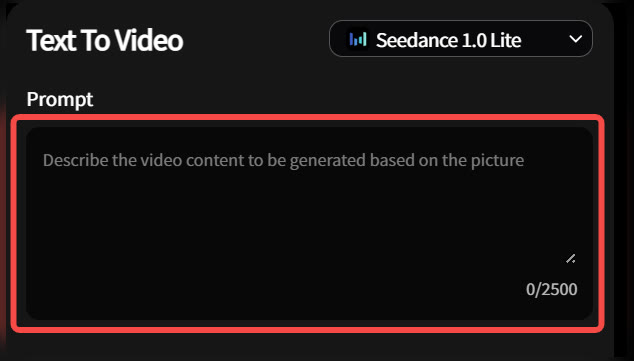
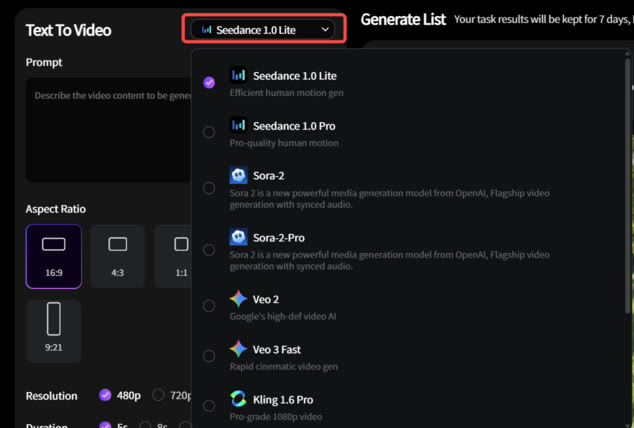
- Step 2: Choose your preferred model (e.g., Seedance or Sora 2) and adjust video settings.
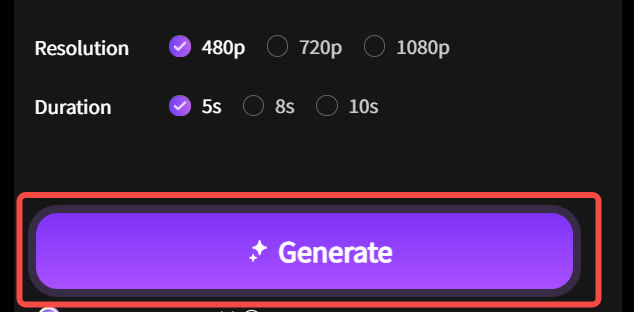
- Step 3: Click “Generate,” then preview and download your AI-created video instantly.
Animating Your Art: The Magic of Image to Video
The final step in a comprehensive visual workflow is adding life to your static creations. You've crafted the perfect image; now it's time to make it move. The image-to-video function takes your still artwork and introduces subtle, captivating motion. This is a game-changer for digital artists and social media managers. Imagine a portrait where the character's hair gently sways in the wind, or a landscape where clouds drift slowly across the sky. The answer to how to use Genmi AI Image to Video lies in selecting a strong source image and choosing the right intensity of motion to enhance its mood. This technique is perfect for adding motion and life to your static art, turning a great picture into an unforgettable visual experience.
The Foundation: Crafting Stills from Text
Every great visual story begins with a single frame. The ability to translate a textual idea into a rich, detailed image is the cornerstone of modern AI-assisted creation. This process is perfect for concept art, social media posts, blog headers, or initial storyboards. When exploring how to use Genmi AI Text to Image, focus on the art of the prompt. A successful outcome depends on descriptive language.
- Be Specific: Instead of "
a dog," try "a golden retriever puppy with floppy ears, sitting in a sunlit field of green grass, cinematic lighting." - Define the Style: Add terms like "
photorealistic," "Studio Ghibli anime style," "impressionist oil painting," or "3D render" to guide the aesthetic. - Set the Scene: Mention the environment, lighting ("
golden hour," "dramatic backlighting"), and mood ("serene," "action-packed").
By mastering this first step, you are not just making a picture; you are laying the foundation for a larger narrative, all while crafting detailed visuals from text descriptions.
Evolving Your Vision: Image to Image Refinement
What if you already have an image that's close to your vision, but not quite perfect? Or perhaps you want to see a sketch transformed into a fully rendered piece of art. This is where image-to-image capabilities come into play. This powerful feature allows you to upload an existing visual and use a text prompt to guide its transformation. Learning how to use Genmi AI Image to Image is about iteration and refinement. You can change the style of a photograph, alter the colors of an illustration, or add new elements to a scene, giving you precise control to refine and transform your existing pictures into their final form.
Tips for Professional-Grade Results
While the technology is powerful, your creative input is what elevates the final product. Here are a few tips to ensure your visuals look polished and professional:
- Iterate and Refine: Your first attempt is rarely the final one. Don't be afraid to tweak your prompts, adjust parameters, or combine different tools. Use the Text-to-Image function to find a perfect character, then use Image-to-Video to animate them.
- Think in Layers: Complex scenes can be built by focusing on individual elements. Create a background, then a foreground character, and think about how they might interact.
- Focus on Consistency: If you are creating a series of visuals for a brand or story, define key stylistic terms in your prompts (e.g., "soft pastel color palette," "sharp, clean lines") to maintain a cohesive look and feel.
By following these principles, you move beyond simple outputs and begin to direct the AI as a true creative partner. The platform becomes an extension of your own imagination.
Your Creative Partner in the AI Era
We've journeyed from a simple text prompt to a fully animated scene, demonstrating how a cohesive workflow can unlock immense creative potential. The process is no longer about mastering complex software but about clearly articulating your vision. Tools like Genmi AI are designed to be intuitive partners in this journey, democratizing high-level visual production for everyone.
The future of content creation is collaborative, where human creativity is amplified by intelligent technology. Whether you are a marketer developing a new campaign, an author visualizing your world, or an artist exploring new styles, the ability to rapidly move from concept to completion is transformative. The only limit is your imagination.
Recommended Articles
An Expert Fliki AI Review: Is It Right for Your Video Workflow?
Our expert, hands-on Fliki AI review tests its video creation, AI voices, and visual quality. Is it the right tool for your professional workflow? Find out.
From Shorts to Features: Two Proven Playbooks for Creating Long-Form AI Videos on YouTube
Learn two proven playbooks for creating long-form AI videos on YouTube. Master content compilation and cinematic narratives to boost RPM and channel growth.
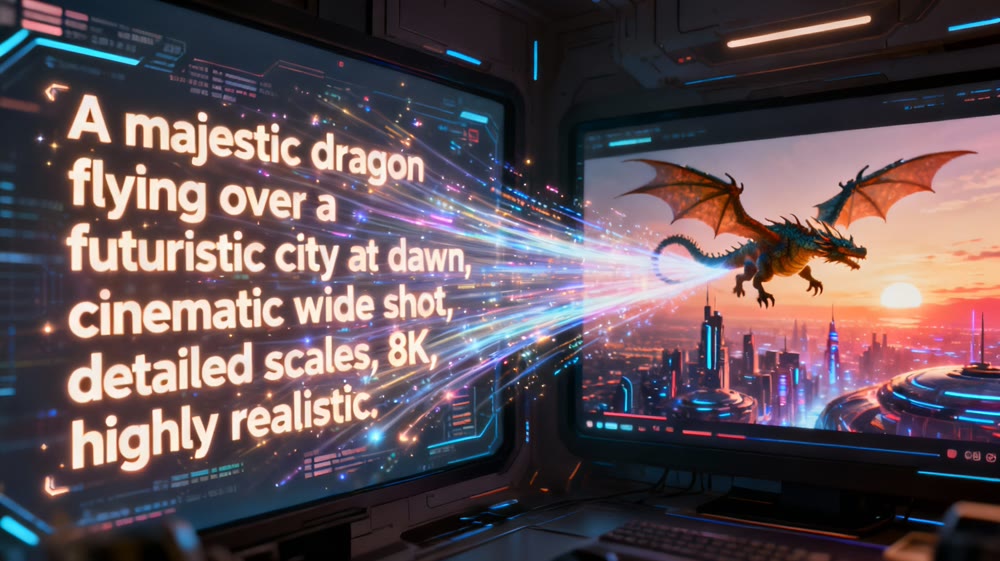
AI Video Making: A Practical Guide to Creating Your First Moving Scene
Unlock the power of AI video making. This guide walks you through the steps to create stunning moving scenes from text, even if you're a complete beginner.