


A Hands-On PixAI Review: The Go-To Tool for Anime Art?
Article Summary: This article offers a professional review of the PixAI art tool, focusing on its strengths in anime character creation and its limitations. It provides a hands-on analysis of its features, costs, and suitability for artists, alongside exploring advanced alternatives for video content.
In the specialized world of anime and manga art, finding a tool that understands the genre's unique aesthetic is a significant challenge for creators. Many platforms produce generic results, but artists need a solution that respects the nuances of character design, line art, and color theory specific to anime. This is where the PixAI platform positions itself as a specialized solution. This article provides a comprehensive, hands-on review, moving beyond the surface to analyze its real-world performance for artists and designers.
This in-depth evaluation will guide you through PixAI’s image quality, its unique editing features, and its inherent limitations. By the end, you will have a clear, expert-driven perspective to determine if this focused AI art tool is the right addition to your creative workflow.
Core Strengths: A Deep Focus on Anime Aesthetics
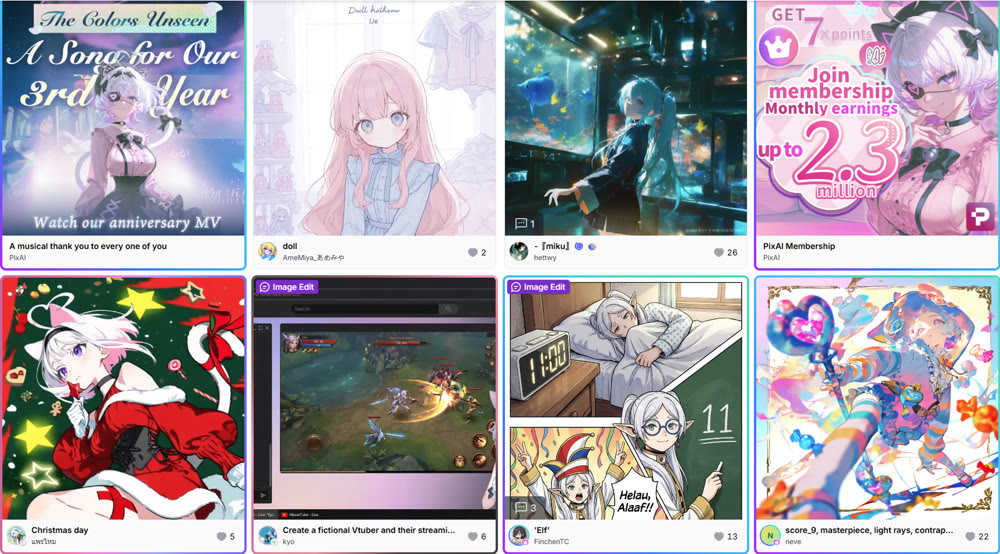
From the outset, it's clear that PixAI Art is not a generalist tool; it is a platform built by and for anime enthusiasts. The user interface is straightforward, and it prioritizes community and discovery, allowing users to browse a vast gallery of creations and inspect the prompts and models used. This creates a collaborative ecosystem where artists can learn and draw inspiration from one another.
My first test aimed to gauge its comprehension of a detailed prompt designed to stress-test its understanding of anime tropes.
Prompt Example: "1boy, silver hair, cybernetic glowing eye, wearing a futuristic black tactical jacket with neon blue trim, standing in a rain-slicked city street at night, cinematic lighting, vaporwave aesthetic, detailed, high resolution."
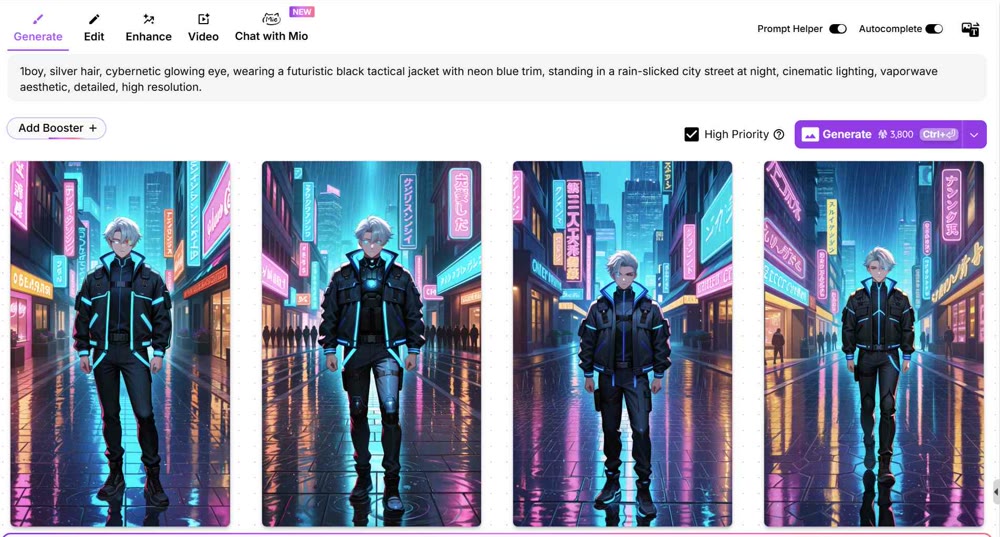
The resulting images were impressive in their adherence to the anime style. The character design was consistent, the "cybernetic eye" was rendered accurately, and the platform skillfully captured the "vaporwave aesthetic" through its color palette and lighting. This test confirms that its models are exceptionally well-trained on anime-specific data.
Advanced Editing with the Image Bot
One of the platform’s most unique features is its conversational image editing bot, which streamlines the modification process. Instead of complex masking and manual adjustments, you can direct the AI with simple text commands.
💡 Practical Technique: Using the Inpainting Bot
- Select an Image: After producing an initial set of images, choose one to refine.
- Isolate the Area: Use the brush tool to mark the specific part of the image you want to change. For my test, I brushed over the character’s jacket.
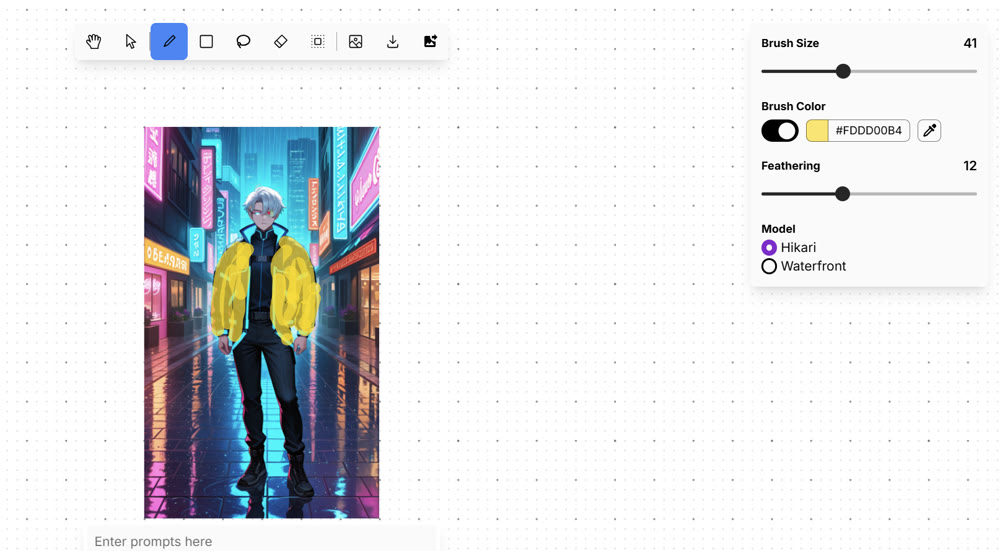
- Provide a Command: In the chat box, I typed the instruction: "Change the jacket trim to neon pink."
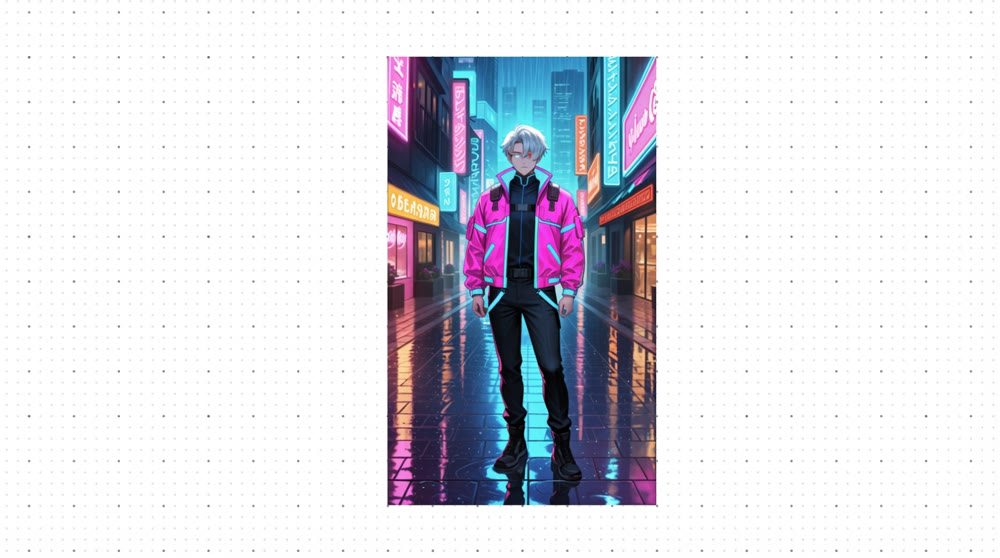
The AI understood the command and executed it flawlessly, preserving the texture and lighting of the original image. However, when testing the outpainting feature to expand the background, the results were less impressive. My prompt to add "flying vehicles and holographic advertisements in the background" yielded minimal changes, suggesting this feature is less developed than its inpainting counterpart. This is a critical point for users who need to compose larger scenes.
Evaluating the Platform's Capabilities
This PixAI review found that while it excels in its niche, its specialization is both its greatest strength and its most significant weakness.
| Feature | Analysis | Professional Verdict |
|---|---|---|
| Stylistic Focus | Exceptionally strong at creating high-quality 2D anime and manga-style characters. | Excellent for concept artists and illustrators working within this genre. Not suitable for photorealism or other art styles. |
| Editing Tools | The inpainting bot is intuitive and powerful for small modifications. | Good, but the outpainting feature is unreliable and consumes a significant amount of credits for little effect. |
| Credit System | Credits are required for most actions, and advanced editing can become costly. | Fair. The cost can escalate quickly for professional users who require many iterations and high-resolution outputs. |
| Content Safety | The platform can sometimes produce Not-Safe-For-Work (NSFW) content, even unintentionally. | A significant concern. Professionals must be cautious to avoid generating inappropriate images that could impact their brand. |
Genmi AI: Moving from Static Art to Dynamic Storytelling
While PixAI is proficient at creating static anime portraits, modern content creation often demands motion and narrative. For professionals looking to animate their concepts and tell compelling stories, a more versatile and powerful platform is essential. Genmi AI is designed to bridge this gap, offering a suite of advanced tools that transform static art into dynamic video.
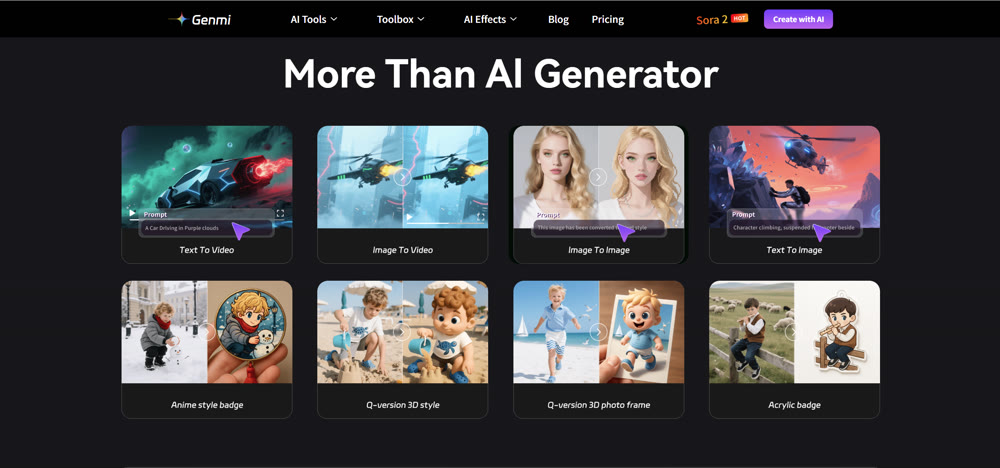
Genmi AI empowers creators to move beyond single frames. With its sophisticated image-to-video features, you can bring your characters to life, making them move and interact within their environment. For those starting from a script, its intuitive text-to-video tools can produce entire scenes from a simple description. By harnessing the power of cutting-edge models like Sora and Kling, Genmi AI ensures that your final output achieves a cinematic quality that is simply not possible with static image platforms.
Conclusion
In conclusion, PixAI is a highly effective and user-friendly tool for a specific purpose: the creation of high-quality anime-style characters. Its strength lies in its specialized models and community-driven platform. However, its narrow focus, unreliable outpainting feature, and potentially costly credit system make it less suitable for artists who require stylistic flexibility or need to produce content beyond character portraits.
This review has provided you with the necessary insights to understand where PixAI excels and where it falls short. For artists dedicated exclusively to the anime genre, it is a valuable tool. For those who need to create diverse visual content and dynamic video narratives, exploring more comprehensive platforms is the necessary next step.
Ready to elevate your art from static images to captivating motion pictures? Discover how Genmi AI's advanced video and imaging capabilities can unlock new dimensions of storytelling and bring your creative vision to life with professional-grade quality.
Recommended Articles
Getimg AI Review: Is It the Ultimate Tool for Custom Visual Synthesis?
We tested Getimg AI's custom model training and image synthesis capabilities. Read our professional review on its output quality, features, and best use cases.

Beyond YPP: The Ultimate Guide to Monetizing AIGC on YouTube Shorts
Learn to monetize your AIGC YouTube Shorts beyond low YPP revenue. Our guide covers brand deals, affiliate marketing, and pricing for AI creators. Start now!
Viral AIGC YouTube Shorts: The Ultimate 2025 Guide
This guide covers viral frameworks, key metrics, and tools to grow your YouTube Shorts channel.