


Starry AI Review: A Deep Dive into Artistic Customization & Style Diversity
Article Summary: This article provides an in-depth review of Starry AI, focusing on its community-driven style models and artistic versatility. It evaluates output quality for both photorealistic and stylized prompts, offers practical usage tips, and introduces comprehensive alternatives for professional workflows.
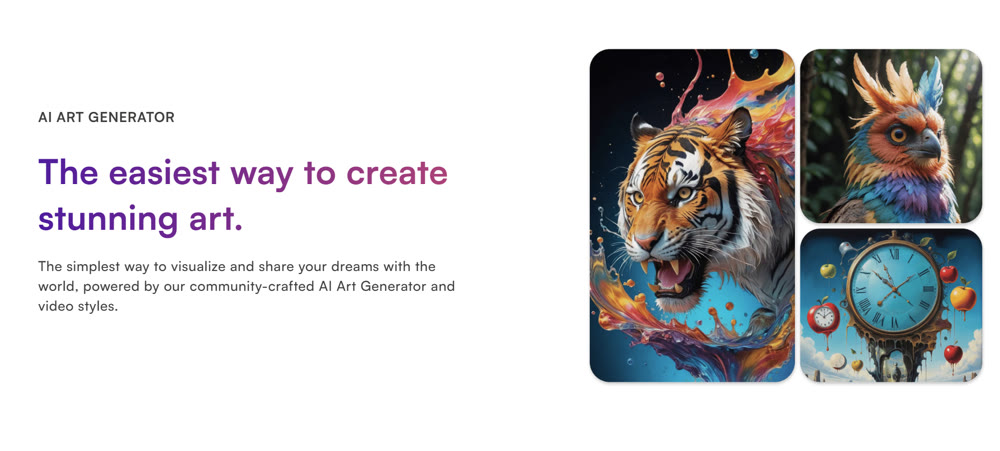
In the rapidly evolving landscape of digital art creation, finding a platform that balances accessibility with genuine stylistic depth can be a challenge. Many tools offer generic outputs, but few provide the granular control needed to truly explore a unique artistic vision. This is where Starry AI enters the conversation. With its reputation for hosting over 1,000 distinct art models, it promises a level of variety that piqued my curiosity as a digital creative.
This review aims to move beyond surface-level impressions and dissect the platform's actual utility for designers, illustrators, and hobbyists. Does it live up to the hype of being a versatile creative partner, or does it falter when pushed to professional standards? By the end of this article, you will have a clear understanding of its strengths, limitations, and where it fits in your creative toolkit.
The Starry AI Ecosystem: More Than Just Prompts
At its core, the platform distinguishes itself through its community-driven approach to style training. While standard text-to-image interfaces are common, Starry AI allows users to access a vast library of custom-trained models. This feature democratizes the aesthetic process, enabling creators to tap into niche visual languages—from "Studio Ghibli" vibes to gritty "Cyberpunk" textures—without needing technical expertise in model finetuning.
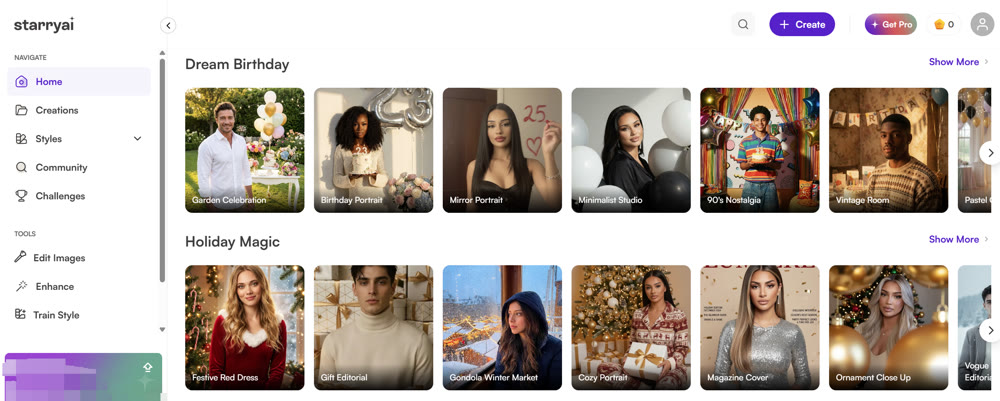
Navigating the interface reveals a focus on "Prompt Building." Instead of leaving users to guess the right keywords, the tool offers a structured way to select artists, mediums, and movements. This scaffolding is excellent for beginners but also offers a playground for experienced users to mix and match disparate influences.
However, a thorough Starry AI review must address the elephant in the room: photorealism. In my testing, I found that while the platform excels at stylized, painterly, or illustrative outputs, it struggles to bridge the "Uncanny Valley" when tasked with creating hyper-realistic human subjects.
Field Test: Evaluating Output Quality
To provide a comprehensive assessment, I subjected the platform to two distinct stress tests: one focused on photorealism and another on stylized fantasy art.
Test 1: The Photorealism Challenge
Prompt:
Cinematic shot of an elderly watchmaker working in a dimly lit workshop, magnifying glass over one eye, intricate gears spread on a wooden table, dust particles in a shaft of light, shot on 35mm lens.

The Result:
The output captured the mood successfully, with warm lighting and a cluttered atmosphere. However, the finer details—specifically the watch gears and the subject's hands—suffered from artifacts. The skin texture, while decent, lacked the organic porosity of a true photograph, leaning heavily into a "digital painting" aesthetic.
Verdict: 6/10. Strong composition, but lacks the fidelity required for high-end commercial photography replacements.
Test 2: The Stylized Fantasy Challenge
Prompt:
Whimsical illustration of a floating library in the clouds, books flying like birds, soft pastel colors, watercolor texture, dreamy atmosphere, intricate linework.

The Result:
This is where the tool truly shined. The image was vibrant, coherent, and artistically sound. The watercolor texture was applied convincingly, and the "flying books" concept was interpreted with a delightful creative flair that felt intentional rather than accidental.
Verdict: 8.5/10. Excellent for concept art, storyboarding, and creative ideation.
📌 Best Practices for Maximizing Quality
If you choose to incorporate this tool into your workflow, consider these strategies to mitigate its weaknesses:
- ✨ Embrace Stylization: Lean into the platform's strengths by choosing art styles like "Anime," "3D Render," or "Oil Painting" rather than attempting pure photorealism.
- 💡 Iterate with Variations: Use the "Evolve" feature to refine a promising output. Often, the first result is just a sketch; the second or third iteration brings the polish.
- 📌 Leverage the Community: Don't reinvent the wheel. Explore the "Explore" feed to see what prompts and models others are using to achieve specific looks, then remix them for your needs.
🚀 Expanding Creative Horizons with Genmi AI
While specialized tools have their place for specific artistic styles, a comprehensive creative workflow often requires a more robust and versatile ecosystem. Genmi AI offers a professional-grade suite designed to handle the full spectrum of visual production, from static ideation to dynamic motion.
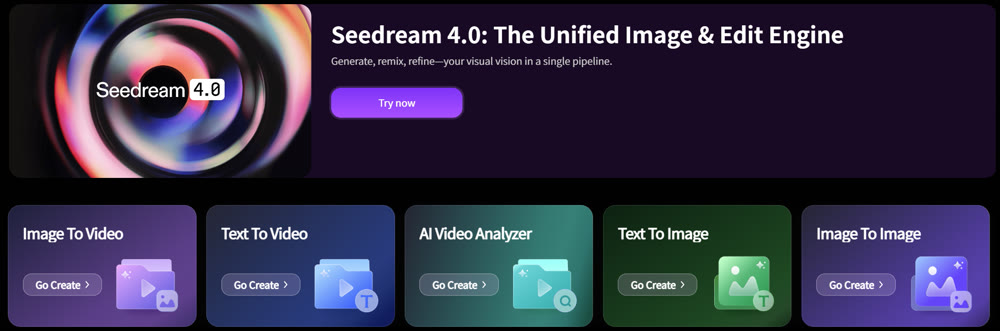
For projects demanding precise visual fidelity, Genmi's text-to-image capabilities provide advanced control over composition and style, ensuring your initial concepts are production-ready. Unlike platforms limited to static outputs, Genmi bridges the gap to motion. You can seamlessly transform your scripts into video, opening new avenues for narrative storytelling.
Furthermore, consistency is key in professional branding. The platform allows you to take your static assets and animate them with image-to-video tools, breathing life into characters or products while maintaining their exact visual identity. If you need to refine existing assets, the image-to-image features offer granular editing power. By consolidating these diverse capabilities, the Genmi AI platform empowers creators to orchestrate entire campaigns from a single, unified interface.
Conclusion
Starry AI serves as a fantastic sandbox for artistic exploration. Its vast library of community-trained styles makes it an endless source of inspiration for illustrators and concept artists. If your goal is to brainstorm unique visual aesthetics or create stylized digital art, it is a worthy companion.
However, for professionals requiring strict photorealism or a unified pipeline that extends into video and animation, its limitations become apparent. In such cases, looking toward comprehensive ecosystems like Genmi AI can provide the stability, fidelity, and versatility needed to execute complex commercial projects.
Empower Your Vision
True creativity lies not just in the idea, but in the execution. Whether you are sketching a fantasy world or building a commercial brand video, choosing the right tool is the first step toward realizing your vision. Explore platforms that offer the depth and control your imagination deserves.
Recommended Articles
From GB to MB: An Expert Guide on How to Compress a Video on iPhone
This expert guide details free and precise methods to compress your videos on your iPhone, saving space and making them easier to share.

Top 10 Best AI Video Generators in 2025: A Real Test Review
Our 2025 guide reviews top AI video platforms on quality, features, and price to help you find the best AI video generator for your needs.