


AIEASE AI Review: Is This Free Image Creator Worth Your Time?
Article Summary: An in-depth review of the AIEASE AI platform, evaluating its performance in converting text to visual art. This article tests various prompt styles, analyzes output quality, and compares its features to professional standards, helping users decide if it fits their creative needs.
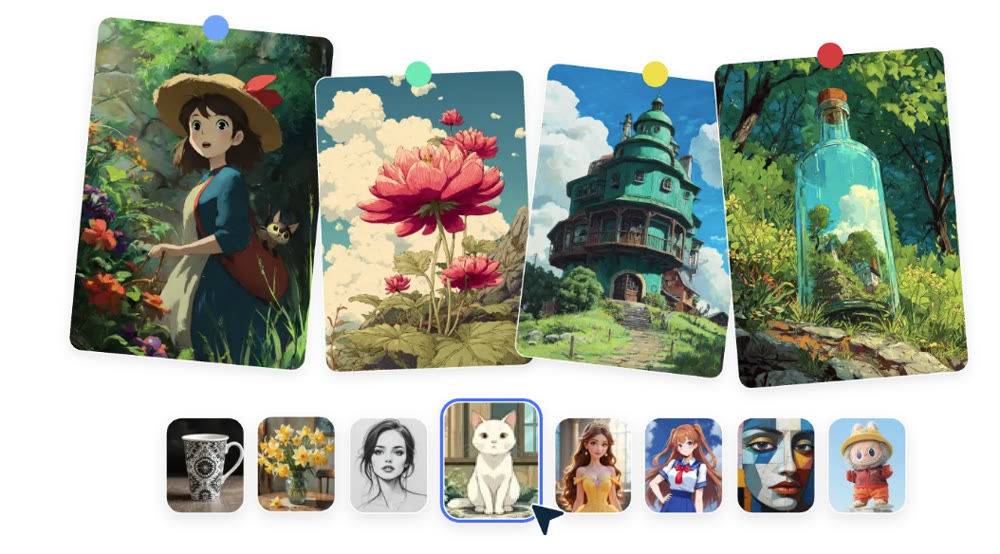
In the rapidly evolving landscape of digital art, finding a tool that balances simplicity with power can be challenging. Recently, AIEASE AI has garnered attention as a user-friendly platform built on the robust Stable Diffusion architecture. Whether you are a seasoned designer looking for quick concept art or a hobbyist exploring digital creativity, understanding the capabilities and limitations of such tools is crucial.
This article provides an in-depth review of AIEASE, testing its performance across various styles and prompt complexities. By the end of this guide, you will have a clear understanding of how well it interprets instructions, where it excels, and the specific scenarios where it might fall short. We will also explore alternative solutions for those needing more advanced features.
Assessing Visual Output Quality
To truly gauge the effectiveness of the AIEASE AI image generator, I conducted a series of rigorous tests ranging from simple descriptive sentences to complex, multi-layered prompts. The goal was to evaluate its semantic understanding and stylistic fidelity.
Test 1: Basic Prompt and Style Consistency
I began with a straightforward concept to test its baseline capabilities.
Prompt: "A small, wooden cabin covered in snow during a quiet winter night, warm light glowing from the window."
Selected Style: Disney Story

Result Analysis:
The platform delivered a visually pleasing result within seconds. The composition effectively centered the cabin, using leading lines in the snow to draw the eye. The color palette adhered strictly to the requested animation style, utilizing soft blues for the shadows and inviting oranges for the window light. It successfully added unprompted but relevant details, such as smoke rising from the chimney and a few pine trees in the background, enhancing the overall atmosphere.
Test 2: Complex Anime Aesthetics
Next, I pushed the boundaries with a highly detailed prompt to test its ability to handle intricate instructions.
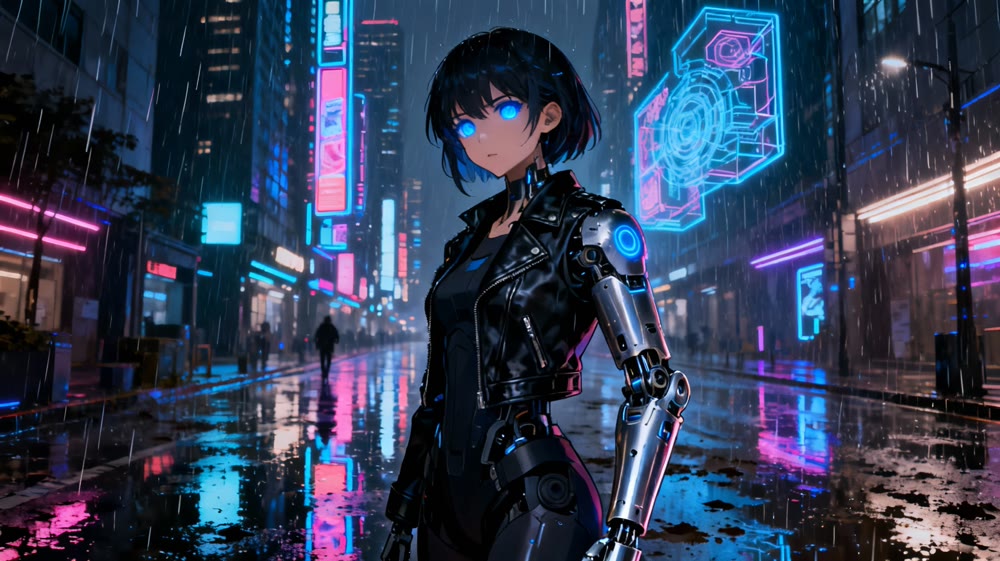
Prompt: "Cyberpunk city street, neon lights reflecting on wet pavement, a young female cyborg with glowing blue eyes, metallic arm, wearing a futuristic leather jacket, rain falling, cinematic lighting, depth of field, 8k resolution, intricate mechanical details."
Selected Style: Anime
Result Analysis:
This test highlighted the tool's strength in rendering specific aesthetics. The character was depicted with high fidelity, capturing the glowing eyes and mechanical arm accurately. The background elements—neon signs and wet reflections—were present, creating the desired mood. However, while the central figure was sharp, some background details were slightly muddied, a common trait in rapid synthesis models.
Test 3: Multi-Character Composition
Generating multiple distinct characters often challenges AI models.
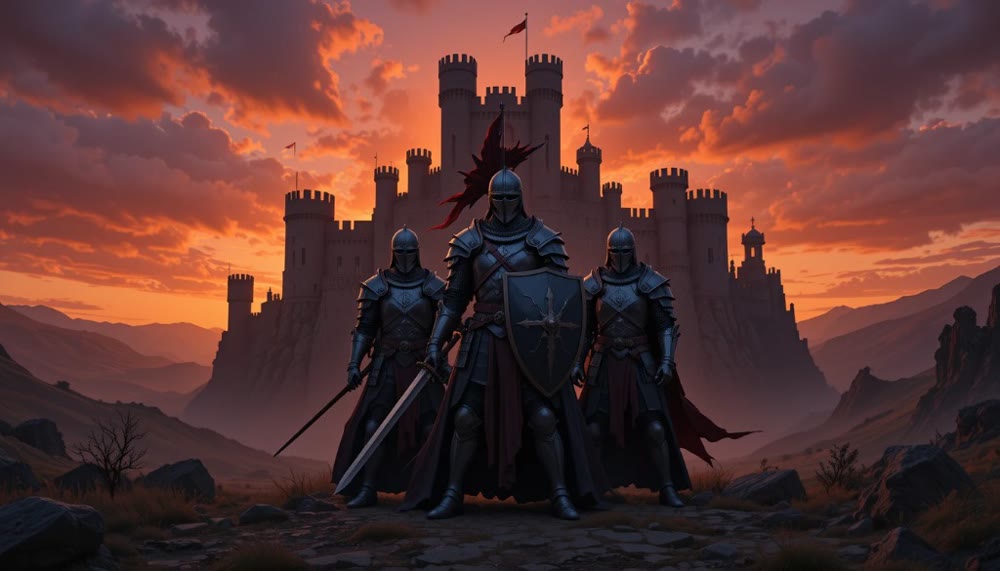
Prompt: "Three medieval knights standing in a circle, one holding a sword, one holding a shield, one holding a banner, stone castle background, dramatic sunset, epic fantasy style."
Result Analysis:
Here, the limitations of AIEASE AI became apparent. While the atmosphere and background were rendered correctly, the model struggled with the specific count and distinct actions of the characters. Instead of three distinct knights, the output merged elements, resulting in two figures with overlapping equipment. This indicates a potential bottleneck in spatial reasoning when handling multiple subjects.
✨ Key Tips for Better Results:
- Be Specific: Adjectives matter. Instead of "dog," try "fluffy golden retriever."
- Limit Subjects: For optimal clarity, stick to one or two main subjects per frame.
- Match Style to Prompt: Ensure your text description aligns with the selected artistic filter (e.g., don't describe a photorealistic scene and select "Cartoon").
Handling Abstract Concepts
One of the most difficult tasks for AI is interpreting metaphors. I tested this by inputting an abstract concept without concrete physical descriptions.
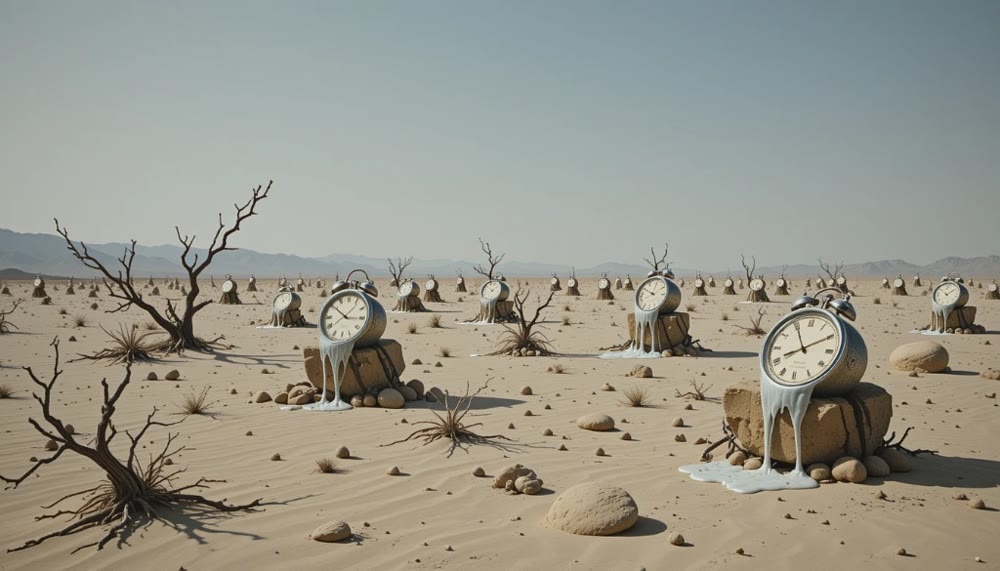
Prompt: "The feeling of time passing, visualized as melting clocks in a desert landscape."
Result Analysis:
The model leaned heavily on the literal interpretation of "clocks" and "desert," producing an image reminiscent of Salvador Dalí's work. While it captured the visual elements, it struggled to convey the abstract "feeling" without concrete visual anchors. However, when I adjusted the prompt to be more descriptive—"An hourglass shattering, with sand turning into birds flying away"—the output was significantly more creative and aligned with the intended metaphor.
Feature Comparison Overview
To help you decide if this tool fits your workflow, here is a breakdown of its capabilities compared to standard industry expectations.
| Feature | AIEASE Capabilities | Professional Standard |
|---|---|---|
| Text Interpretation | High accuracy for single subjects | High accuracy for complex scenes |
| Style Variety | Good selection (Anime, Disney, Art) | Extensive (Photorealism, 3D, etc.) |
| Multi-Character | Struggles with distinct interactions | Precise control over multiple subjects |
| Editing Tools | None (Creation only) | In-painting, out-painting, upscaling |
| Speed | Fast (<15 seconds) | Variable depending on quality |
Elevating Your Creative Workflow with Genmi AI
While AIEASE offers a solid entry point for basic visual synthesis, professional creators often require a more comprehensive suite of tools. This is where Genmi AI distinguishes itself as a holistic creative platform.
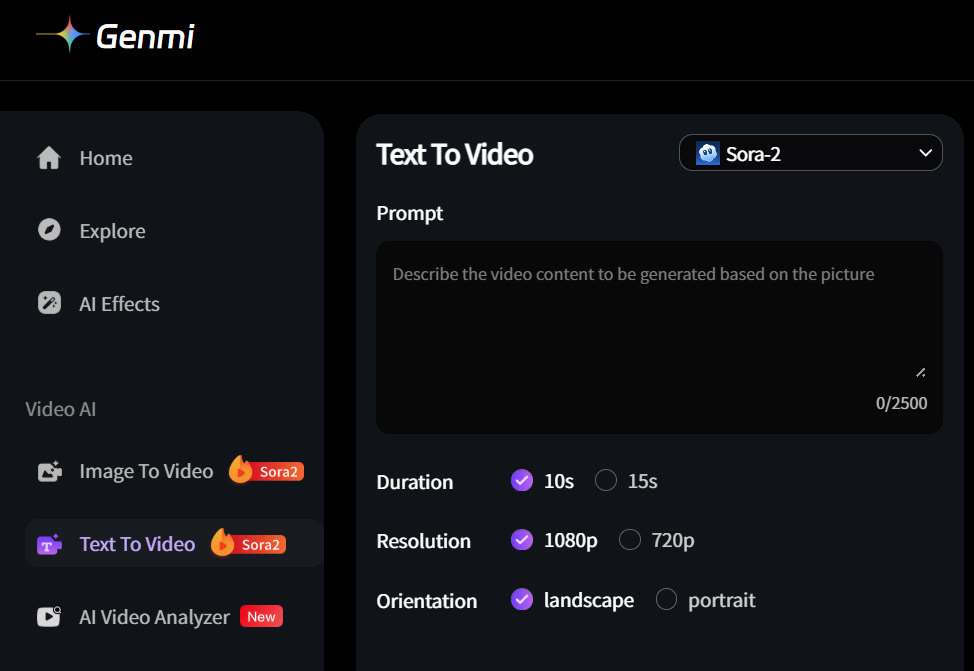
For those looking to expand beyond static visuals, Genmi AI offers a powerful text-to-video engine that transforms written concepts into dynamic motion. Similarly, if you have an existing concept art piece, you can breathe life into it using their image-to-video capabilities, adding movement and depth that static images lack.
Beyond motion, Genmi AI provides a robust environment for high-fidelity text-to-image synthesis, often surpassing basic tools in detail and coherence. Furthermore, its image-to-image features allow for precise variations and style transfers, giving designers granular control over the final output.
Conclusion
AIEASE AI proves to be a competent and accessible tool for generating stylized 2D visuals from text. It excels in understanding descriptive prompts and applying specific artistic filters, making it ideal for hobbyists and quick concepting. However, users should be aware of its limitations regarding complex multi-character scenes and the lack of built-in editing features.
For those whose creative needs extend into professional territory—requiring video synthesis, advanced editing, or higher fidelity outputs—exploring comprehensive platforms like Genmi AI offers a significant upgrade in capability and workflow efficiency.
Ready to Create?
Don't let tool limitations stifle your creativity. Whether you are sketching a quick idea or producing a final asset, choosing the right platform is the first step. Experience the difference that a professional-grade suite can make in your projects today.
Mobile Art: Create art on your phone. Read our ImagineArt AI review.
Recommended Articles
From Shorts to Features: Two Proven Playbooks for Creating Long-Form AI Videos on YouTube
Learn two proven playbooks for creating long-form AI videos on YouTube. Master content compilation and cinematic narratives to boost RPM and channel growth.
Genmi AI Guide: Create Engaging and Professional AI Visuals in Seconds
Unlock your creative potential. This comprehensive guide shows you how to use Genmi AI's powerful tools for text-to-image, image-to-video, and more.

Hailuo vs Kling vs Runway: The Ultimate AI Video Model Comparison
An in-depth analysis of Hailuo vs Kling vs Runway. Discover which AI video model excels in realism, physics, and creative control to find the best fit.