


ImagineArt AI Review: Is It Powerful Enough for Pros?
Article Summary: This article provides a professional, in-depth review of ImagineArt AI, evaluating its community-driven model library, user interface, and output quality. It assesses its strengths for beginners and hobbyists against its weaknesses for professional, high-fidelity creative work.
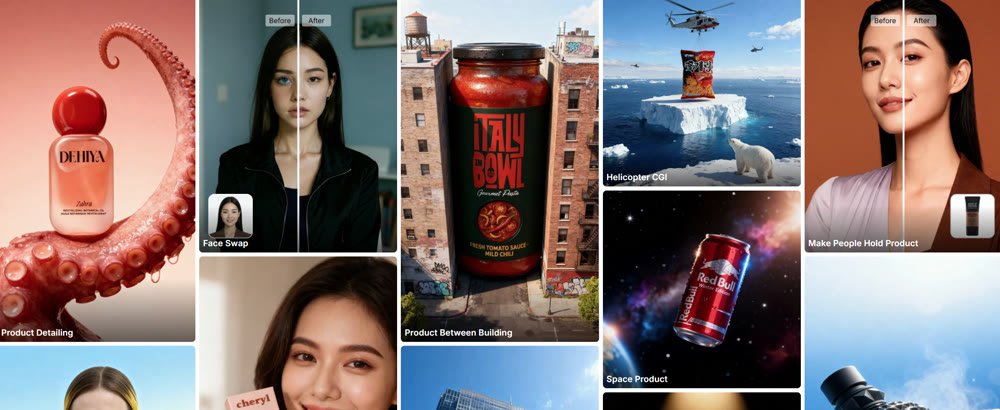
In the crowded landscape of AI art tools, the promise of a platform that is both powerful and beginner-friendly is the ultimate goal. ImagineArt positions itself as just that—a tool designed to lower the barrier to entry for AI-powered creation while still offering deep customization through community-driven models. But does it strike the right balance, or does its simplicity come at the cost of professional-grade quality?
This article provides a comprehensive, hands-on analysis of the ImagineArt AI platform. I have stress-tested its core features, from text-to-image synthesis to its unique model-training capabilities, to deliver an unbiased, expert verdict. You will gain a clear understanding of its strengths in user experience, its critical limitations in output quality, and ultimately, whether it's the right tool for your creative arsenal.
First Impressions: A Community-Driven Creative Hub
ImagineArt immediately sets itself apart with an interface that feels more like a social creative platform (think Pinterest) than a sterile software tool. The homepage showcases a vibrant feed of user-created art, allowing you to browse, draw inspiration, and even use the prompts and models from other creators' work. This community-centric approach is a powerful educational tool for newcomers.

The platform's standout feature is its approach to AI models. Beyond offering access to established engines like Flux and Imagen-3, ImagineArt allows users to train and share their own custom models. This means you can find or create highly specialized models for niche styles, characters, or objects, offering a level of personalization that many mainstream tools lack.
| Feature | My Professional Assessment |
|---|---|
| User Interface | Excellent. Clean, intuitive, and highly accessible for beginners. |
| Model Library | Outstanding. The community-driven library offers unparalleled stylistic diversity. |
| Prompt Assistance | Good. The "Imagine Bot" and random prompt features are helpful for overcoming creative blocks. |
| Customization | Limited. Lacks the advanced in-painting, out-painting, and layer controls of professional software. |
| Output Quality | Inconsistent. Varies widely depending on the model and prompt complexity. |
A Hands-On Performance Analysis
To evaluate the platform's practical output, I conducted two tests targeting distinct artistic requirements: high-fidelity realism and complex, imaginative scenes.
Test 1: Photorealistic Portrait
I started with a prompt designed to test its ability to handle nuanced human features and realistic textures—a common stumbling block for AI.
Prompt: "A photorealistic close-up portrait of an elderly fisherman with deep wrinkles, a thick white beard, and kind, weathered eyes. He is wearing a wool fisherman's sweater. Soft, natural lighting, 85mm lens."
Result:

The output, while artistically pleasing, failed the "photorealism" test. The image had a smooth, overly-perfect quality, resembling a high-quality digital painting rather than a photograph. Key details like the texture of the wool sweater and the fine lines around the eyes lacked true-to-life fidelity. The result was a beautiful image, but not what was requested.
My Rating: ★★★☆☆ (3/5 Stars) – Fails to deliver on photorealism, producing painterly results instead.
Test 2: Complex Fantasy Scene
Next, I tested its ability to handle a more imaginative and complex scene with multiple elements and a specific art style.
Prompt: "A sprawling, futuristic city built inside a giant crystal cave. Flying vehicles weave between glowing crystal spires. The style is a blend of bioluminescent fantasy and sleek cyberpunk. Wide-angle, cinematic."
Result:
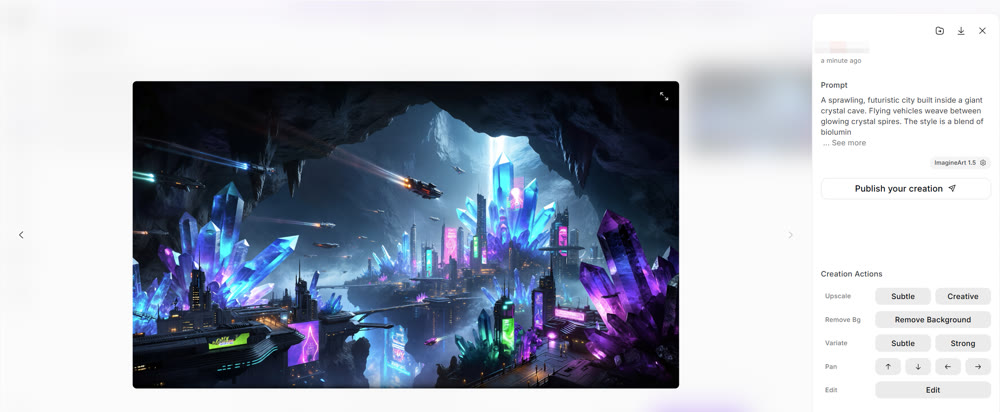
Here, the ImagineArt AI performed much better. The image captured the fantastical, cyberpunk aesthetic beautifully, with impressive detail on the crystal structures and flying vehicles. However, the composition felt somewhat flat, lacking the "wide-angle" depth requested. While visually striking, it didn't fully grasp the cinematic instructions, producing a great concept piece rather than a polished final image.
My Rating: ★★★★☆ (4/5 Stars) – Excellent for imaginative concepts, but struggles with complex camera instructions.
Beyond Basic Creation: The Genmi AI Professional Suite
The inconsistencies in ImagineArt's output highlight the need for a more reliable, professional-grade platform for high-stakes creative work. When your project requires not just ideas but flawless execution, a unified ecosystem like Genmi AI is the superior choice. It offers a curated suite of the industry's most powerful AI models, ensuring consistent, high-fidelity results.
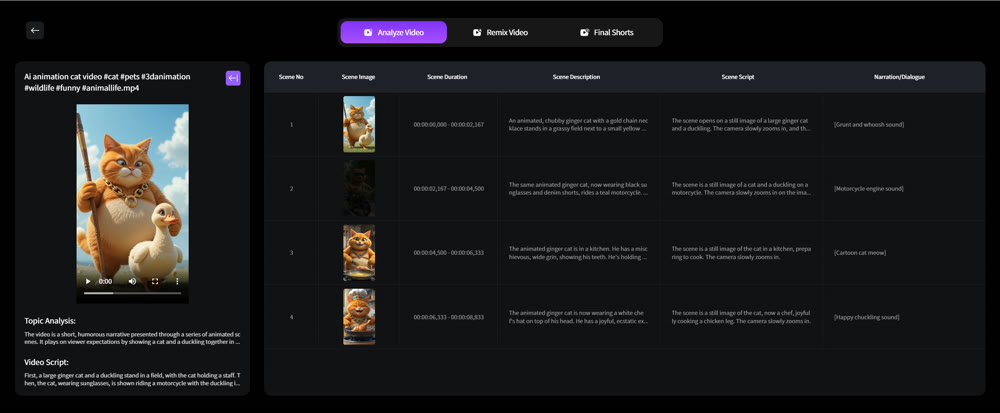
Genmi AI moves beyond simple image synthesis, providing a comprehensive toolkit for modern creators. The platform's advanced text-to-video capabilities allow you to bring narratives to life, while the image-to-video functions can animate your static creations with stunning realism. For projects requiring unique visual styles, the platform offers a vast library of AI effects.
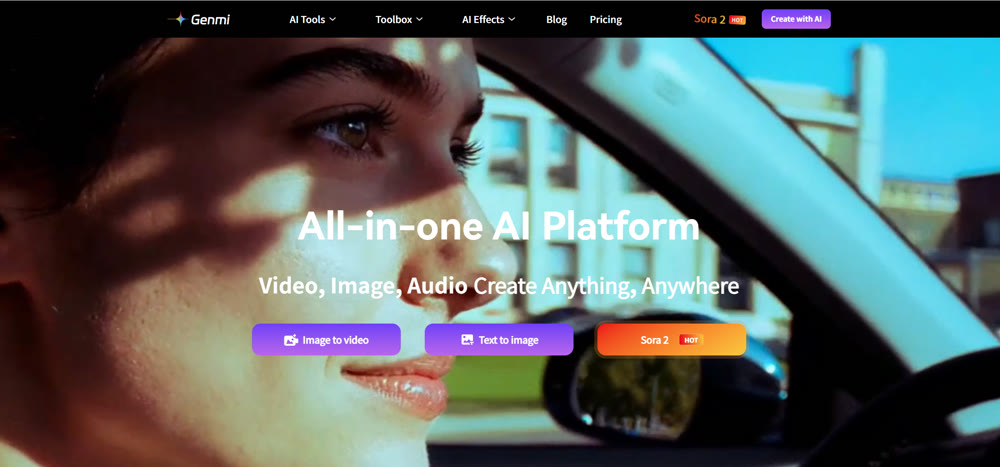
Genmi AI's strength lies in its integration of elite, specialized models. Whether you need the photorealistic power of OpenAI's Sora, the dynamic motion of Kling AI, or the nuanced artistry of Google's Veo, Genmi provides the right tool for every job. For those ready to move beyond basic creation and into the realm of professional content, you can explore the full suite of tools on Genmi AI today.
Conclusion
In conclusion, ImagineArt is an outstanding platform for beginners and hobbyists. Its user-friendly interface, vibrant community, and unique model-training features make it an excellent sandbox for learning and experimentation. You can quickly generate a wide variety of stylized images and draw inspiration from a global community of creators.
However, its inconsistent output quality, especially with photorealism, and its limited suite of advanced editing tools make it a less-than-ideal choice for professional designers and artists. When pixel-perfect results and reliable performance are required, ImagineArt's experimental nature becomes a liability.
Elevate Your Art from a Hobby to a Profession
Don't let inconsistent tools hold back your creative career. When you are ready to move from experimentation to professional execution, you need a platform that delivers reliable, high-fidelity results every time. Discover the power of a professional creative suite with Genmi AI and start producing the stunning, flawless content your clients demand.
📱 Mobile AI Art Studio: Take your creativity anywhere. Explore our Picsart AI review to see its full suite of generative AI tools.
Recommended Articles

Top 10 Best AI Video Generators in 2025: A Real Test Review
Our 2025 guide reviews top AI video platforms on quality, features, and price to help you find the best AI video generator for your needs.

Hailuo vs Kling vs Runway: The Ultimate AI Video Model Comparison
An in-depth analysis of Hailuo vs Kling vs Runway. Discover which AI video model excels in realism, physics, and creative control to find the best fit.
OpenAI Sora: A Deep Dive into the AI Video Generator's Capabilities, Limitations, and Future
Discover OpenAI Sora, a groundbreaking text-to-video model. Analyze its strengths, limitations, and the exciting potential of its future version, Sora 2.