


Canva AI Image Generator Review: Is it Enough for Professional Design?
Article Summary: This article delivers an expert evaluation of Canva's Magic Media, examining its practicality within professional design workflows. It highlights ease of use, core technical constraints, and how the tool compares with more advanced AI-generation systems—offering strategic guidance for creators who need higher-quality visual synthesis.
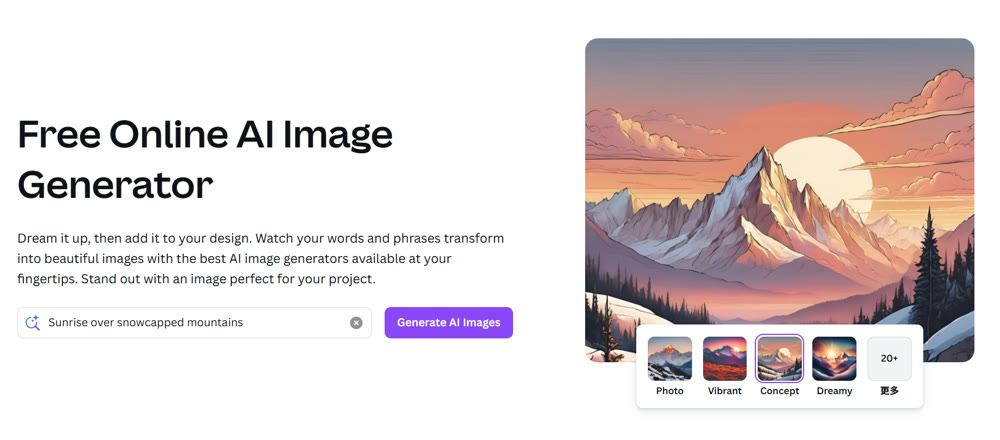
In today's fast-paced digital marketing landscape, the ability to produce high-quality visuals instantly is no longer a luxury—it is a necessity. For many marketers and small business owners, the Canva AI image generator (Magic Media) appears to be the most accessible entry point. It promises to bridge the gap between imagination and digital asset creation without requiring complex technical skills.
However, accessibility does not always equate to professional viability. In this analysis, we explore whether this tool acts as a comprehensive solution for modern content strategies or merely a stepping stone. We will dissect its workflow, highlight where it succeeds, and frankly discuss where it falls short compared to specialized industry leaders. By the end of this article, you will understand exactly when to utilize Canva's integrated tools and when to upgrade your tech stack for superior results.
Instead of jumping between multiple platforms, leveraging the integrated AI design tools on Freepik allows you to generate, edit, and source professional assets all within a single, streamlined workflow.
The Reality of "Magic Media": Speed vs. Control
Canva has successfully democratized design, and its foray into artificial intelligence follows the same philosophy: simplicity above all else. The "Magic Media" tool is embedded directly into the sidebar, allowing for a seamless transition from text-to-image synthesis directly onto a canvas.
✨ Key Advantages
- Integrated Workflow: There is no need to switch browser tabs; the assets appear directly in your design file.
- Style Presets: Users can toggle between "Filmic," "Watercolor," "Photo," and "Dreamy" without needing to understand prompt engineering parameters.
- Rapid Prototyping: It is excellent for storyboarding or creating placeholder assets.
However, seasoned designers will notice a significant trade-off. While the system excels at basic object synthesis, it lacks the granular control found in dedicated platforms. You cannot adjust seed numbers, control guidance scales, or easily perform negative prompting to exclude specific elements.
💡 Practical Techniques: A Real-World Workflow Test
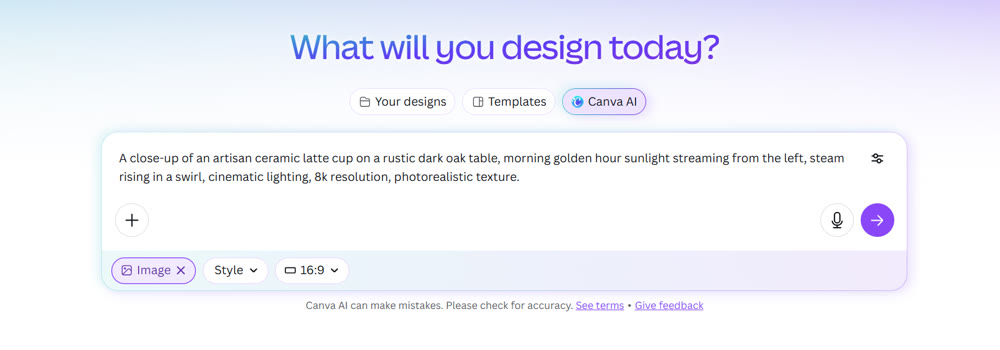
To truly test the capabilities, we moved away from generic corporate prompts and attempted to create assets for a boutique coffee brand launch. The goal was to produce a specific, high-atmosphere marketing asset.
Step 1: The Prompt Strategy
Instead of a simple "coffee cup," we used a detailed prompt to test the model's understanding of lighting and texture.
Prompt: “A close-up of an artisan ceramic latte cup on a rustic dark oak table, morning golden hour sunlight streaming from the left, steam rising in a swirl, cinematic lighting, 8k resolution, photorealistic texture.”

Step 2: Synthesis and Selection
The system produced four variations within approximately 12 seconds.

Step 3: Editing Limitations
Here is where the friction begins. While the Canva AI image generator serves beginners well for static images, integrating these assets into a complex composition proved difficult.
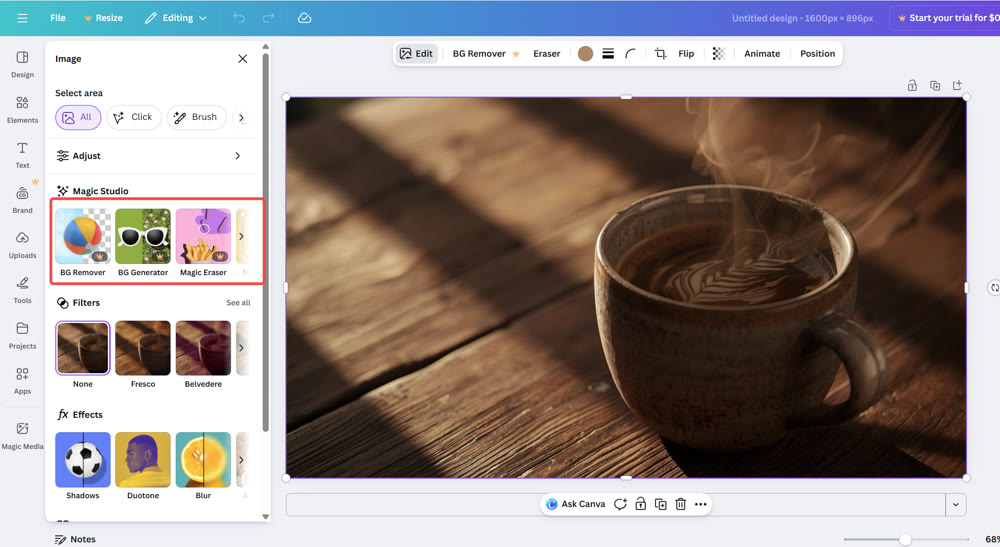
When attempting to edit the "steam" element or expand the background using Magic Expand, the consistency often broke. The lighting in the expanded areas did not perfectly match the original synthesis, leading to a "patched" look. Furthermore, attempting to isolate the cup often left jagged edges that required manual cleanup.
📌 Best Practices: When to Pivot Tools
It is crucial to recognize the ceiling of any software. Our testing revealed a distinct gap in functionality when moving from static images to dynamic media.
Feature Comparison Matrix
| Feature Set | Canva Magic Media | Dedicated Pro Tools |
|---|---|---|
| Output Resolution | Standard (often requires upscaling) | High / Ultra-High (4K+) |
| Model Variety | Proprietary / Limited | Extensive (Flux, Stable Diffusion, etc.) |
| Image-to-Video | Experimental / Basic | Advanced / Controllable |
| Prompt Adherence | Moderate | High Precision |
| Control | Low (Text only) | High (Text + Image + Parameters) |
Our Rating: ⭐⭐⭐⚝☆ (3.5/5 Stars)
Great for quick social media posts, but insufficient for high-end commercial campaigns or video production.
Elevating Your Creative Stack with Genmi AI
If you find yourself frustrated by the lack of customization or the "experimental" nature of basic tools, it is time to look at platforms designed for professional scalability. Genmi AI serves as a robust engine for creators who demand higher fidelity and greater control over their output.
Unlike closed systems that limit you to a single rendering engine, Genmi provides access to state-of-the-art models. For instance, creators focusing on hyper-realism and complex composition can leverage Flux, which offers superior prompt adherence compared to standard market tools. Additionally, for those needing specific aesthetic nuances, the Kling model provides distinct stylistic interpretations that standard integrated tools often miss.
The modern content ecosystem is video-first. While basic tools struggle to animate pixels, Genmi excels in transforming static assets into dynamic motion. You can seamlessly convert your high-quality visuals using the Image to Video feature, bringing a level of engagement that static posts simply cannot match. For more complex narrative needs, the Vidu model offers specialized video synthesis capabilities.
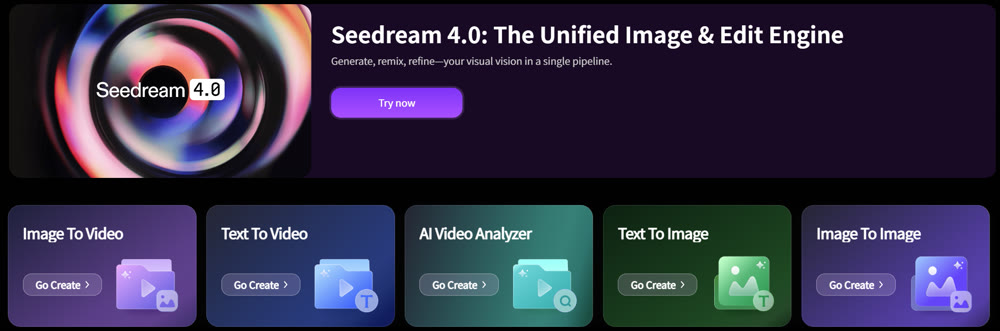
Sometimes, content needs to be viral or emotionally resonant. Genmi offers unique, specialized tools like the AI Hug Generator, which can animate static portraits into heartwarming interactions—perfect for social media engagement.
Furthermore, for marketers relying on data, the AI Video Analyzer helps break down video content to understand what works, adding a layer of strategic insight to your creative process. Even the foundational Text to Image engine is built to support higher complexity prompts than standard editors allow.
Why Make the Switch?
Staying competitive means using tools that offer:
1. Model Diversity: Access to the right AI architecture for the specific job.
2. Motion Capabilities: Reliable video synthesis that moves beyond "experimental" labels.
3. Professional Control: Parameters that respect your creative vision.
Conclusion
The digital creative space is evolving rapidly. While Canva remains an excellent utility for layout and quick graphic design, its AI capabilities are currently best suited for drafting and internal ideation rather than final commercial production. The limitations in resolution, editing flexibility, and video synthesis can become bottlenecks for growing brands.
For creators aiming to produce broadcast-quality visuals or sophisticated AI video content, the transition to a specialized platform is inevitable. Tools like Genmi AI not only provide better raw quality but also offer the diverse toolkit required to stay ahead in a saturated market.
Ready to Upgrade Your Visuals?
Stop settling for "good enough" graphics. Empower your workflow with an AI suite designed for professional impact. Whether you need cinematic video synthesis or hyper-realistic imagery, explore the full potential of your creativity with Genmi AI.
Recommended Articles
Fotor AI Image Generator Review: My Honest Test on Its Capabilities and Limits
We tested the Fotor AI image generator for a week. Read our honest review on its text-to-image quality, editing tools, and limitations for creators.
How to Craft Creative AI Ad Videos for Commercial Visuals
Learn to craft stunning Creative AI Ad Videos for Commercial Visuals. Master AI ad video creation workflows, prompting strategies, and product fidelity tips.
An In-Depth Veo 3 Review: The AI Video Tool Redefining Creativity
Explore our comprehensive Veo 3 review. Discover its advanced features, cinematic capabilities, and how it compares to other AI video tools for professionals.