


Freepik AI Image Generator: A Designer's Honest Review
Article Summary: This article provides a professional, in-depth review of the Freepik AI Image Generator, evaluating its AI models, conversational editing, and mockup feature. It assesses the tool's strengths for ideation and its weaknesses for professional, iterative design workflows, offering a clear verdict for designers.
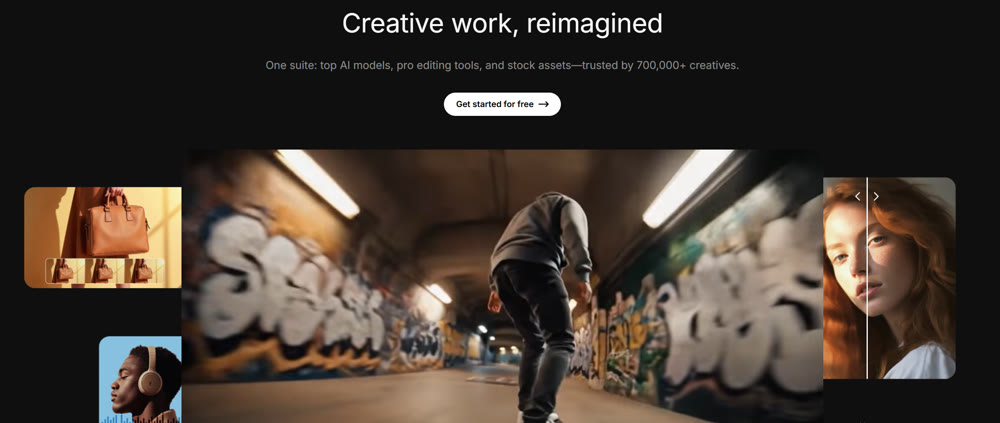
For designers and content creators, the ideal AI tool is one that seamlessly integrates into a professional workflow, accelerating ideation without sacrificing quality or control. When I learned about the Freepik AI Image Generator, a platform known for its vast library of stock assets, I was intrigued. Could this tool bridge the gap between simple text prompts and commercially viable design work?
This article provides a detailed, hands-on analysis of my experience with the platform. I will walk you through its core features, test its different AI models, and evaluate its much-touted mockup capabilities. By the end, you will have a clear, expert perspective on where this tool excels, where it critically falters, and whether it's the right fit for your design projects.
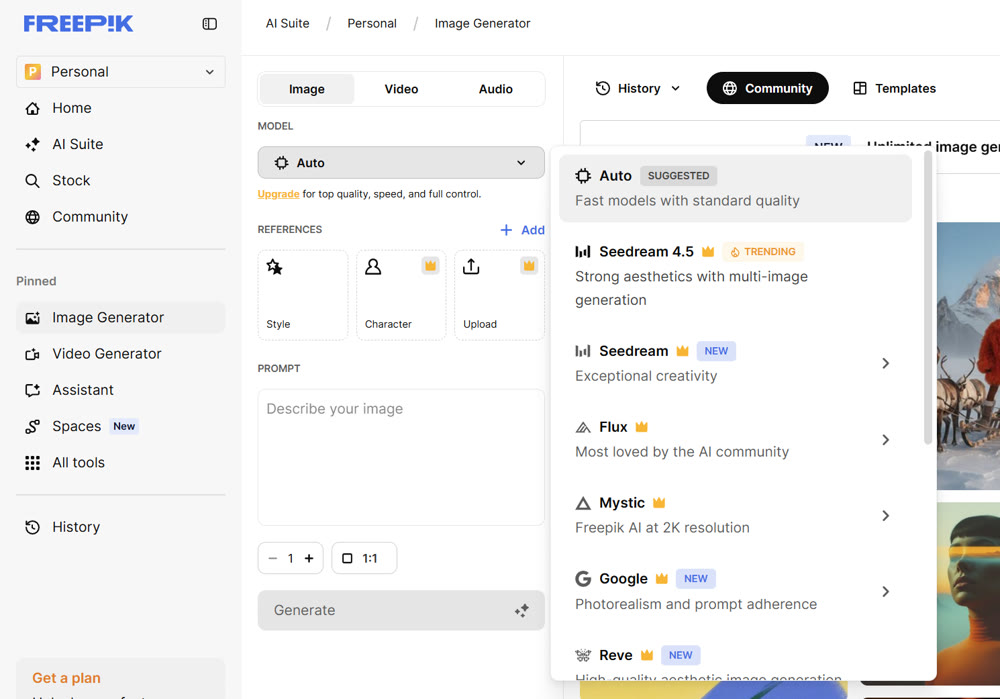
First Impressions: A Clean Interface with Hidden Depths
Upon launching the Freepik AI tool, I was met with a clean, intuitive interface. For my first test, I wanted to see how it handled atmospheric detail with its primary "Photo" style.
Prompt: "A photorealistic image of an old scholar with a long white beard, reading a glowing, ancient book in a vast, circular library. The shelves are filled with floating, illuminated scrolls, and dust motes dance in the rays of light."

The initial outputs were visually striking. The tool did an excellent job of capturing the magical, scholarly atmosphere, producing several distinct compositions with unique character details and impressive lighting. This immediate success with a simple prompt was a promising start.
Comparing AI Models: Flux vs. Mystic
Freepik offers several AI art models, with Flux and Mystic being the most prominent. To understand their differences, I tested both with a more complex prompt designed to challenge their handling of fine detail.
Prompt: "A detailed ink sketch of a fantasy cartographer, with spectacles perched on her nose, mapping a constellation onto an old parchment map. Intricate details on her leather gloves and the brass astrolabe on her desk. Minimalist background."
| Model | My Professional Assessment | Rating |
|---|---|---|
| Flux | Delivered a well-balanced, artistic interpretation. The overall composition was strong, but it simplified some of the finer details on the gloves and astrolabe. Best for general creative concepts. |
★★★☆☆ (3/5) |
| Mystic | Excelled at rendering the intricate details. The textures of the leather and brass were distinct, and the character's expression was more nuanced. Ideal for character design and detailed item art. |
★★★★☆ (4/5) |
This test confirmed that choosing the right model is crucial for the task at hand. While Flux is a solid all-rounder, Mystic is the superior choice for work that requires high-fidelity detail.
Flux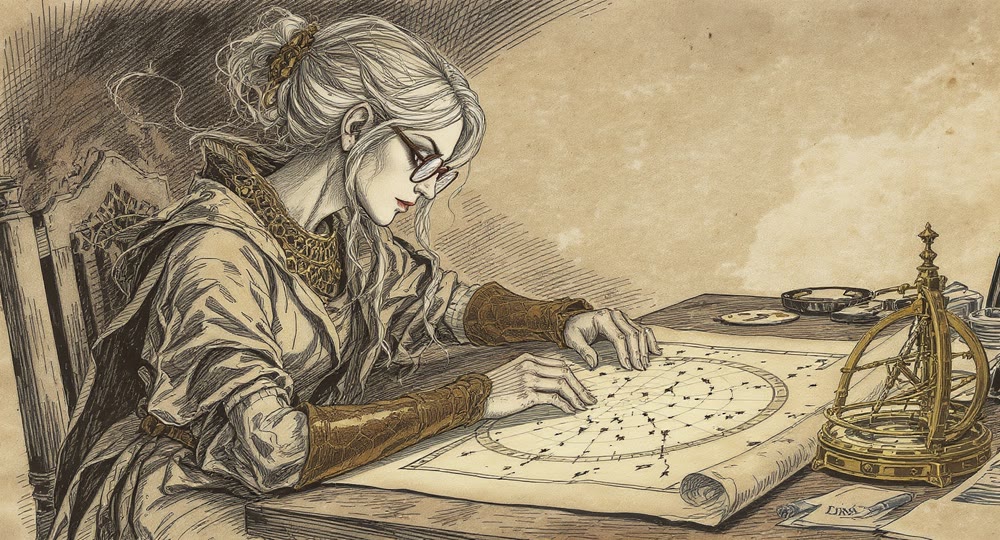
Mystic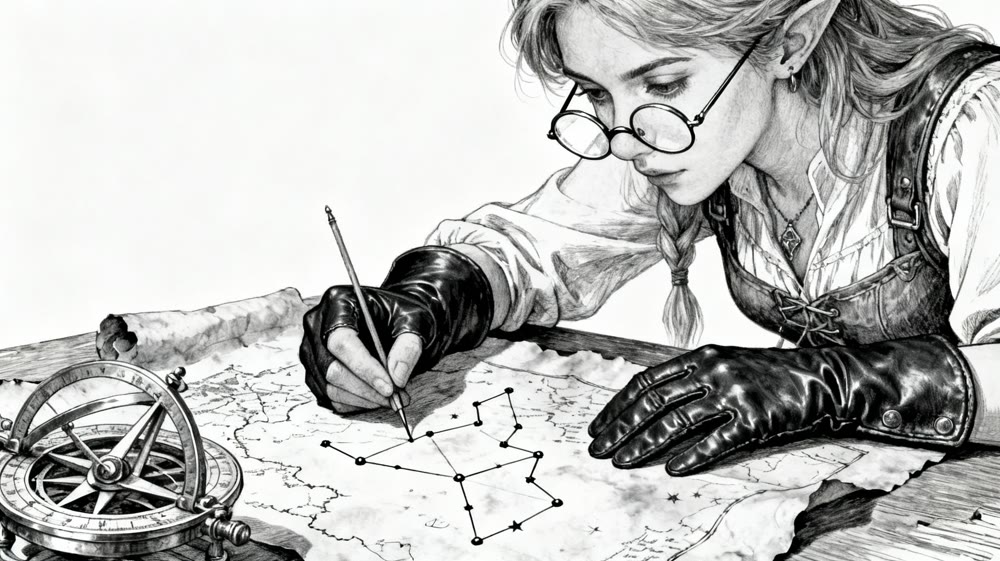
The Conversational Editing Test: A Point of Frustration
Next, I explored the platform's editing capabilities. I started with a vibrant scene, intending to alter its mood through conversational prompts.
Initial Prompt: "A vibrant, sun-drenched Italian coastal village. Colorful houses cling to a cliffside above a sparkling turquoise sea, with bright flowers on the balconies."
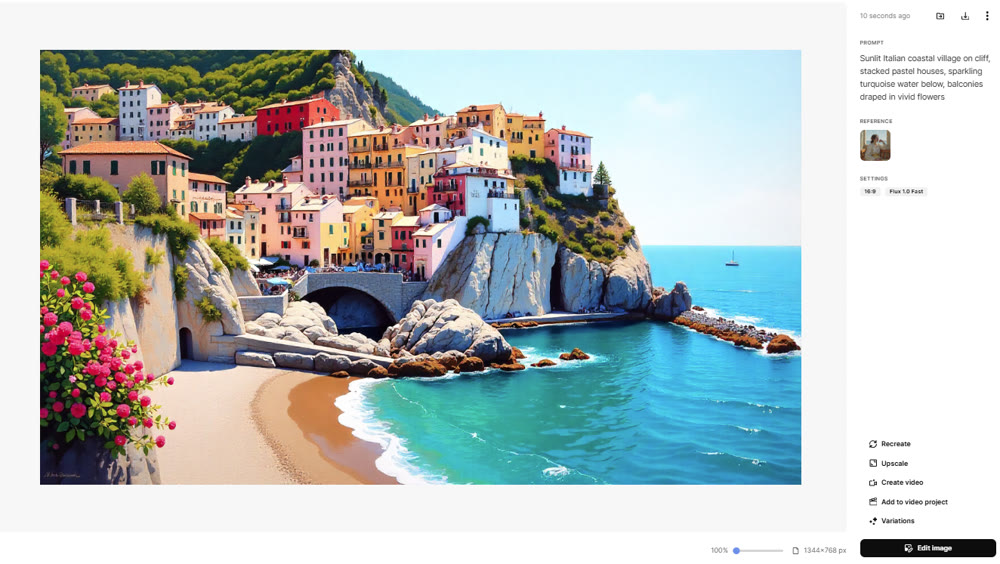
The initial art was beautiful. I then clicked "Edit" and was taken to a conversational canvas. I entered my modification request:
Edit Prompt: "Change the mood to an overcast, stormy day. The sea should be dark and choppy, and the colors of the houses should be muted and less vibrant."
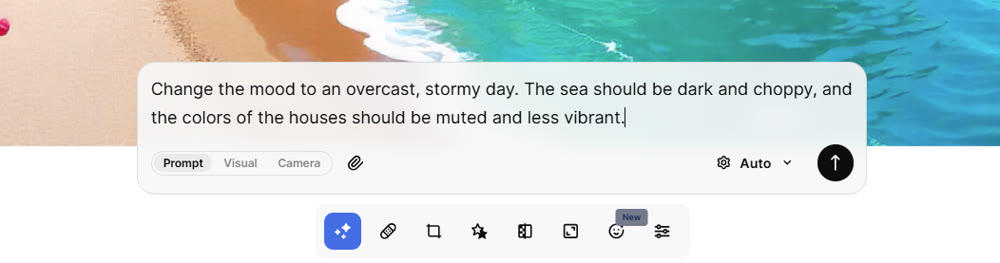

The result was deeply disappointing. The "rectified" image was almost identical to the original, with no discernible changes to the lighting, sea, or color palette. This test of the Freepik AI Image Generator revealed a major weakness: its conversational editing AI is not yet intelligent enough to understand nuanced instructions, making fine-tuning a frustrating and fruitless endeavor. Furthermore, the inability to compare the original and edited versions side-by-side on the same screen is a significant workflow impediment.
The Mockup Feature: From Digital Concept to Physical Product
Freepik's most compelling feature is its integration with a vast mockup library. This allows designers to immediately visualize their AI-created art on real-world products.
📌 Best Practices for Using Mockups
- 1. Create Your Design: I started with a clean, graphic prompt suitable for merchandise: "A bold, geometric logo of a stylized phoenix, composed of overlapping triangles in shades of fiery orange, red, and gold."
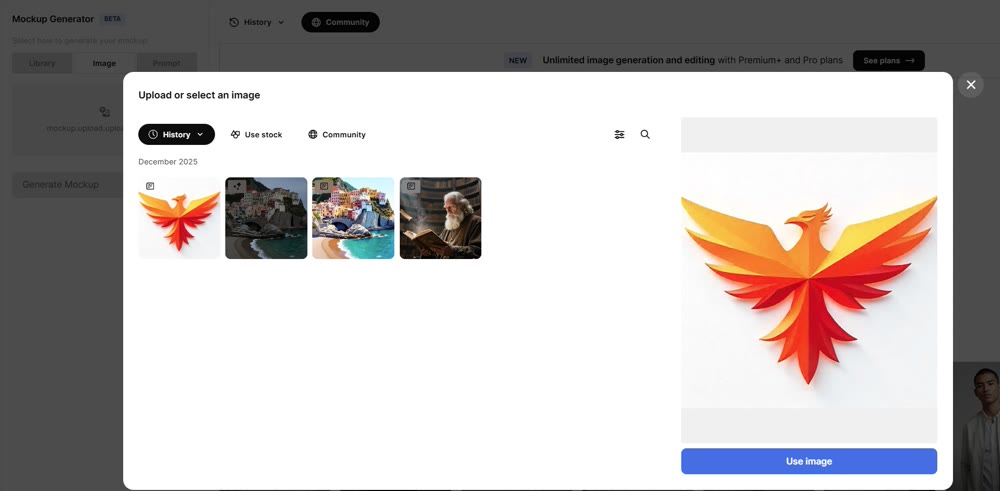
- 2. Select a Mockup: After the art was created, I clicked the mockup button and browsed the extensive library. I chose a simple handbag template.
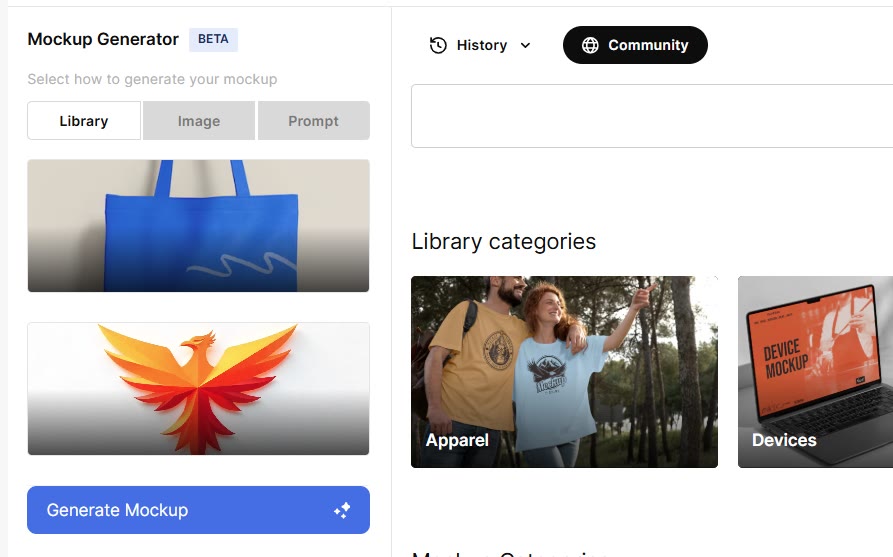
- 3. Apply and Adjust: The tool seamlessly applied my phoenix design to the handbag. I could easily resize and reposition the graphic to ensure perfect placement, giving me an instant, realistic preview of the final product.
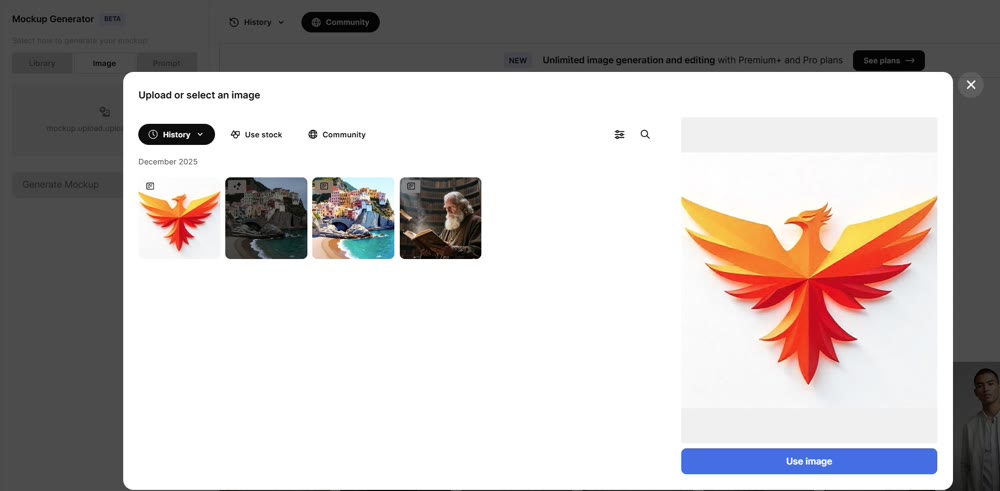
This feature is a standout, providing immense value for brand designers, e-commerce sellers, and anyone needing to bridge the gap between concept and reality.
Genmi AI: A Professional Hub for Integrated, High-Fidelity Creation
While Freepik's mockup feature is excellent, its flawed editing and model inconsistencies highlight the need for a more powerful, all-in-one solution for professional workflows. Genmi AI provides this by serving as a centralized creative ecosystem that integrates a suite of elite, industry-leading AI models.
With Genmi, you are not locked into a single platform's limited capabilities. You can seamlessly move from crafting a perfect visual using the text-to-image suite, to animating that concept with advanced image-to-video tools. The platform offers direct access to groundbreaking models like Google's Veo and the highly anticipated Kling AI, ensuring your projects are always at the cutting edge. When you need to move beyond static art and into dynamic, professional-grade content, you can start creating with the Genmi AI suite today.
Conclusion
This deep dive reveals that the Freepik AI tool is a platform of significant potential but critical flaws. It excels at producing high-quality initial images, especially with its "Mystic" model, and its integrated mockup feature is a game-changer for product visualization. You can quickly go from a simple idea to a realistic product preview.
However, its unreliable and unintuitive editing process makes it a poor choice for projects that require iterative refinement and precise control. For designers who need a dependable end-to-end workflow, Freepik is a strong starting point for ideation but falls short of being a complete professional solution.
Don't let a tool's limitations dictate your creative process. When your project demands more than just a good first draft, you need a platform built for professional control and iteration. Explore a more powerful and integrated creative suite with Genmi AI and take your designs from initial concept to final, polished masterpiece without compromise.
Recommended Articles

From Stagnation to Sensation: How AIGC-Powered Retrospection Revives YouTube Shorts
Break through stagnation on YouTube Shorts with a data-driven, AIGC-powered retrospection workflow. Analyze key metrics, refine content strategy.

Mastering AI Image Prompts: Your Definitive Guide to Crafting Stunning Visuals
Unlock the full potential of AI art. Learn to write effective AI image prompts to create breathtaking visuals.
OpenAI Sora: A Deep Dive into the AI Video Generator's Capabilities, Limitations, and Future
Discover OpenAI Sora, a groundbreaking text-to-video model. Analyze its strengths, limitations, and the exciting potential of its future version, Sora 2.