


An Expert Review of Dreamina AI: Does It Live Up to the Hype?
Article Summary: This article provides a professional, hands-on review of Dreamina AI, evaluating its performance in video generation, image creation, and avatar synthesis. It highlights its user-friendly interface while exposing critical weaknesses in speed, prompt adherence, and output quality, offering a clear verdict for creators.
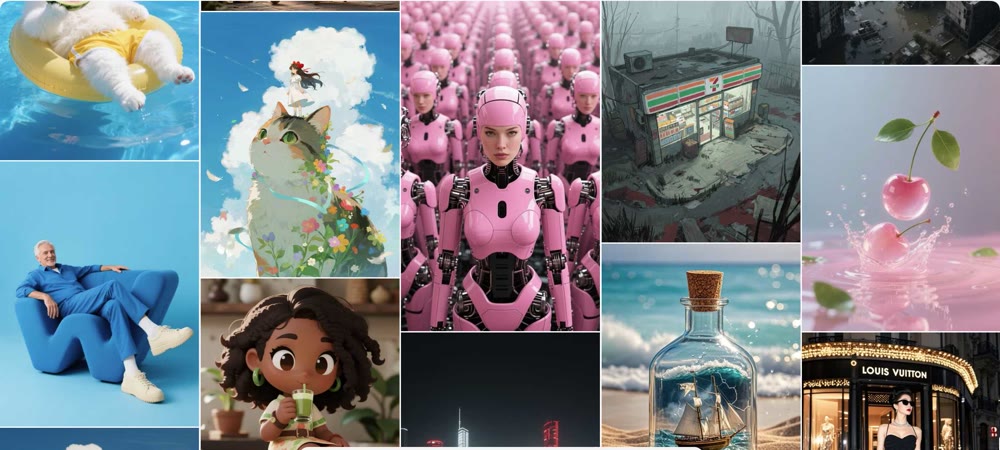
In the crowded market of AI creative tools, new platforms emerge weekly, each promising to revolutionize content creation. Dreamina (often associated with CapCut's ecosystem) has recently gained traction, touting itself as an all-in-one solution for images, videos, and avatars. But beyond the glossy marketing, does it actually deliver professional-grade results?
This article provides a rigorous, hands-on analysis of the Dreamina platform. I have stress-tested its core features—from text-to-video synthesis to AI image generation—to offer an unbiased, expert verdict. You will gain a clear understanding of its strengths in interface design, its critical limitations in prompt comprehension, and ultimately, whether it is a tool worth integrating into your creative workflow.
First Impressions: Simplicity at Its Best
Upon logging into the Dreamina AI platform, the first thing that strikes you is its minimalist design. The interface is clean, uncluttered, and refreshingly free of intrusive ads. It clearly categorizes its tools—Image, Video, and Avatar—making navigation intuitive even for complete beginners.
The platform offers helpful on-screen guides for each tool. For instance, the image generator allows for easy model switching (with brief explanations for each), resolution adjustments, and aspect ratio selection. Similarly, the video tool is straightforward, offering options for image-based or text-based inputs. For a novice user, this accessibility is a significant plus.
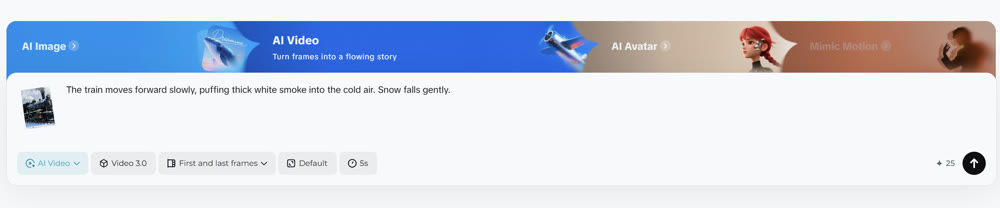
Stress-Testing the AI Video Capabilities
To gauge the platform's true power, I conducted two specific tests on its video generation engine, evaluating both its interpretive skills and processing speed.
Test 1: Image-to-Video Animation
I started by uploading a static image to see how well it could infer and generate motion.

Input Image: A high-resolution photo of a vintage steam train on a snowy track.
Prompt: "The train moves forward slowly, puffing thick white smoke into the cold air. Snow falls gently."
Model: Video 3.0
Result:
The processing time was noticeably slow, taking several minutes for a mere 5-second clip. More concerning was the output quality. While the snow effect was decent, the train itself remained largely static, with the "motion" limited to a simple camera pan rather than actual object animation. The smoke effect was disconnected from the train's chimney.
My Rating: ★★☆☆☆ (2/5 Stars) – Slow rendering and poor object physics.
Test 2: Text-to-Video Creation
Next, I tested its ability to create a scene from scratch using only a text description.
Prompt: "A futuristic drone flying through a neon-lit cyberpunk city at night, weaving between skyscrapers."
Result:
The generation speed improved slightly, but the semantic understanding was flawed. Instead of a drone flying through the city, the video showed a drone hovering in place against a static background. The dynamic "weaving" motion I requested was completely absent. The tool struggled to interpret complex motion instructions.
My Rating: ★★☆☆☆ (2/5 Stars) – Fails to capture dynamic action accurately.
Evaluating the AI Image Generator
Moving to static visuals, I tested the platform's ability to handle different artistic styles.
Test 1: Stylized Illustration
Prompt: "A whimsical, watercolor-style illustration of a fox reading a book under a giant mushroom. Soft, pastel colors."
Model: Image 4.0
Result:
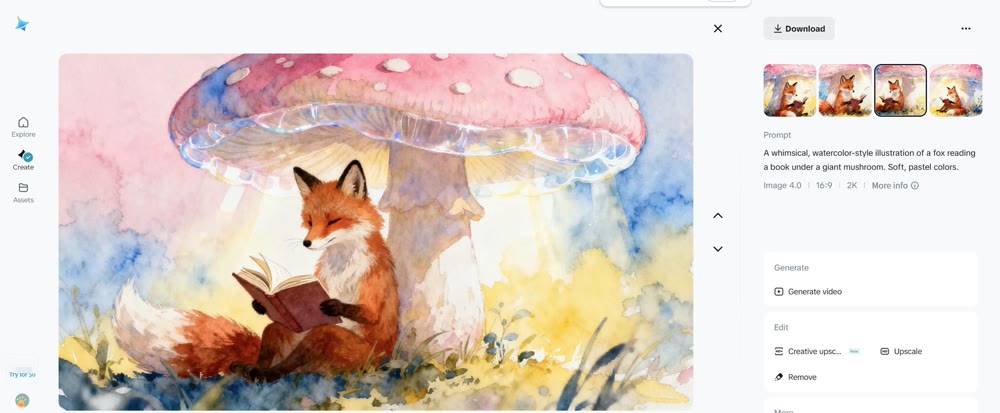
My Rating: ★★★★☆ (4/5 Stars) – Strong artistic style but struggles with accurate color brightness.
Here, Dreamina performed better. It generated four variations that captured the "whimsical" and "watercolor" elements effectively. However, the color palette was surprisingly muted and dark, despite the request for "soft, pastel colors." There seems to be an inherent bias in the model toward darker, moodier lighting.
Test 2: Photorealistic Landscape
Prompt: "A bright, sunny beach in the Maldives with crystal clear turquoise water and white sand."
Model: Image 3.0
Result:
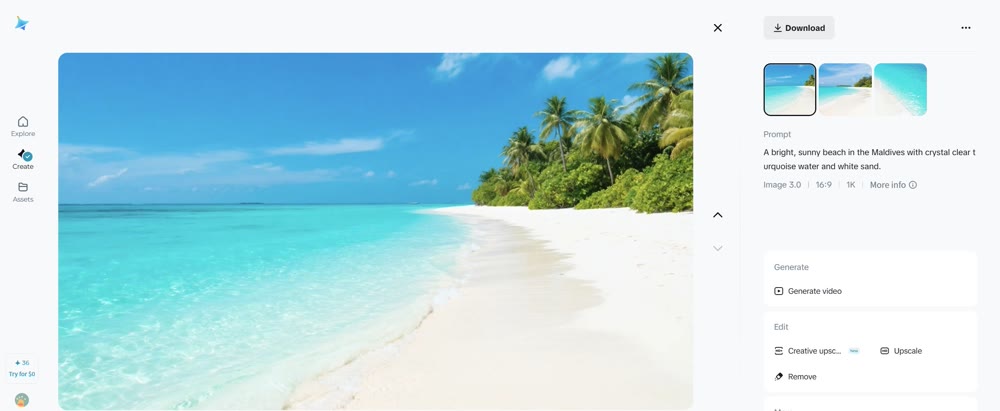
The issue with lighting persisted. The image, while detailed, looked overcast and dim—far from the "bright, sunny" scene described. Switching models did not rectify this fundamental issue with exposure and vibrance.
My Rating: ★★★☆☆ (3/5 Stars) – Good detail, but consistently poor lighting and color accuracy.
The Genmi AI Advantage: Precision and Power
The limitations of Dreamina—specifically its slow processing, poor motion interpretation, and lighting issues—highlight the need for a more robust platform for serious creators. When your project demands precision, speed, and high-fidelity output, you need a professional-grade ecosystem. This is where Genmi AI excels.
Unlike Dreamina's limited model selection, Genmi AI serves as a unified hub for the industry's most powerful engines. For video creation, you aren't restricted to a single algorithm; you can leverage the dynamic motion of Kling AI or the cinematic realism of OpenAI's Sora. Whether you need to transform a script into a movie with text-to-video tools or animate a character with image-to-video capabilities, Genmi provides the specific tool for the job.
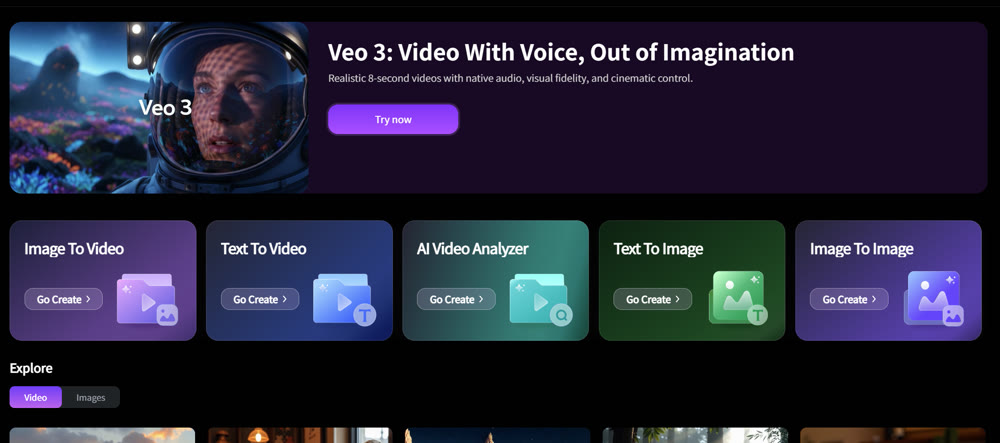
Furthermore, Genmi AI offers specialized tools that Dreamina lacks. You can analyze video performance with its AI video analyzer or create trending viral content with unique effects like the AI hugging generator. By integrating elite models like Google's Veo and Hailuo AI, Genmi ensures that your creative vision is never compromised by technical limitations. Explore the full suite of professional tools at Genmi AI.
Conclusion
In summary, Dreamina is a competent, entry-level platform with a user-friendly interface that makes it accessible to beginners. Its ability to generate stylized images and basic videos is serviceable for casual use or quick social media posts.
However, for anyone seeking professional quality, accurate prompt adherence, or efficient workflows, it falls short. The slow render times, consistent lighting issues, and inability to handle complex motion prompts make it a frustrating choice for serious content creation.
Unlock Professional Creativity Today
Don't let your ideas be dimmed by subpar tools. Experience the difference that professional-grade AI can make in your work. Start creating with Genmi AI's powerful suite and bring your vision to life with the clarity and impact it deserves.
Recommended Articles
DeeVid AI Review: A Deep Dive into Its Strengths and Limitations for Professional Video
Is DeeVid AI worth it for professional video? Our in-depth review tests its features, performance, and quality to see if it meets cinematic standards.

The Viral YouTube Shorts Formula: An AI Creator's Guide
Unlock the secrets to viral YouTube Shorts. Our guide covers the algorithm, scriptwriting, and AI tools to get millions of views. Start creating viral content .

The Ultimate Guide to Creating Viral AI-Powered YouTube Shorts
Learn to create viral YouTube Shorts with AI. This guide covers niche selection, content strategy, monetization, and avoiding common pitfalls. Start now.