


From Prompt to Masterpiece: A Beginner's Guide to Your First AI Image
Article Summary:
This article serves as a comprehensive, step-by-step guide for beginners eager to create their first AI-generated image. It demystifies the process of text-to-image generation, focusing on the crucial art of prompt engineering.
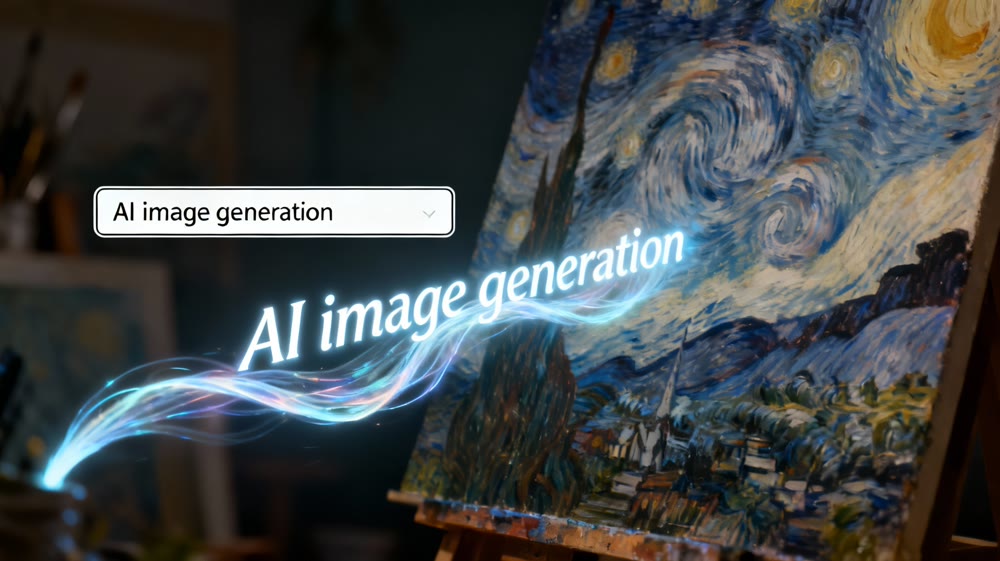
Have you ever had a brilliant, vivid image in your mind—a surreal landscape, a fantastical creature, or a futuristic cityscape—but lacked the traditional artistic skills to bring it to life? You're not alone. For centuries, visual creation was limited to those with years of training. Today, that barrier is dissolving thanks to the revolutionary power of Artificial Intelligence.
AI image generation has exploded in popularity, enabling anyone with an imagination to become a digital artist. By simply describing what you want to see in text, you can command a powerful AI to generate a unique, high-quality image in seconds. This guide is your starting point. We'll walk you through everything you need to know, from understanding the basics to crafting your first prompt and creating a work of art you can be proud of.
1. Understanding the Magic: How Does AI Create Images?
Before we dive into creating, it helps to have a basic grasp of what's happening behind the scenes. At its core, text-to-image AI works through a process called diffusion.
Imagine you have a clear, crisp photograph. Now, imagine slowly adding "noise" or static to it until it's just a blurry, unrecognizable mess. Diffusion models are trained to do the exact opposite. They learn to take a field of random noise and, guided by your text prompt, meticulously remove that noise step-by-step until a coherent image that matches your description emerges.
Think of it like giving instructions to an incredibly talented but blindfolded sketch artist. The more detailed and clear your instructions (your prompt), the closer their drawing will be to the picture in your head.
2. The Heart of Creation: The Art of the Perfect Prompt
The single most important skill in AI image generation is "prompt engineering." Your prompt is the bridge between your imagination and the AI's output. A weak prompt leads to a generic image, while a well-crafted prompt can produce a masterpiece.
Here's a simple formula to build a powerful prompt:
Start with the Core Subject: What is the main focus of your image? Be clear and concise.
- Example:
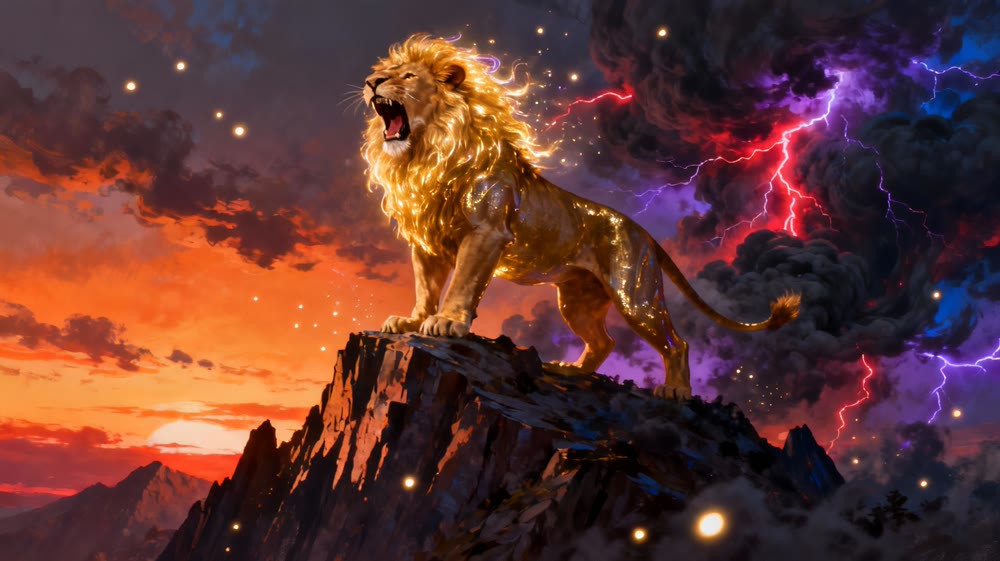
A majestic lion
- Example:
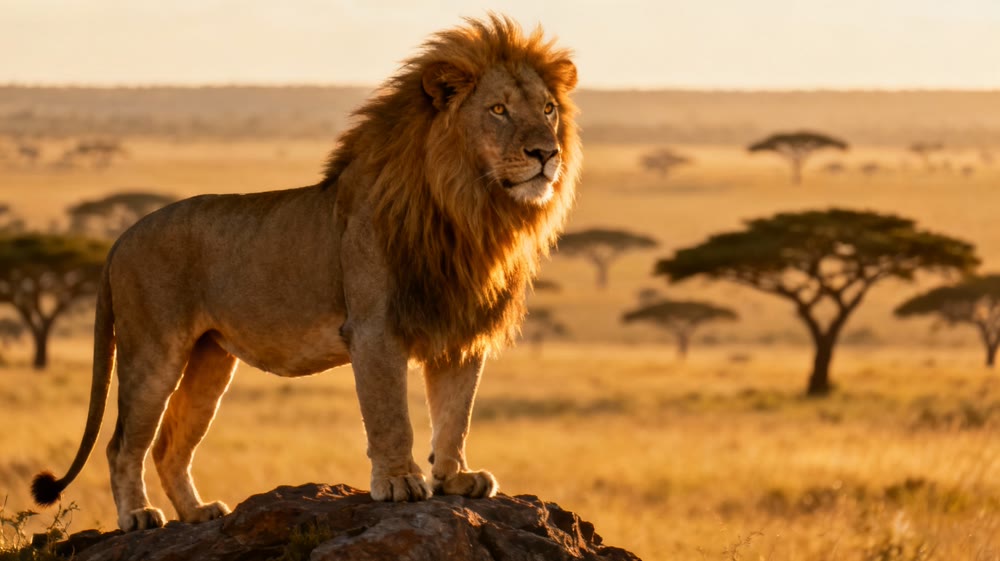
Add Descriptive Details and Actions: What does the subject look like? What is it doing? Use vivid adjectives.
- Example:
A majestic lion with a glowing mane, roaring on a mountain peak
- Example:
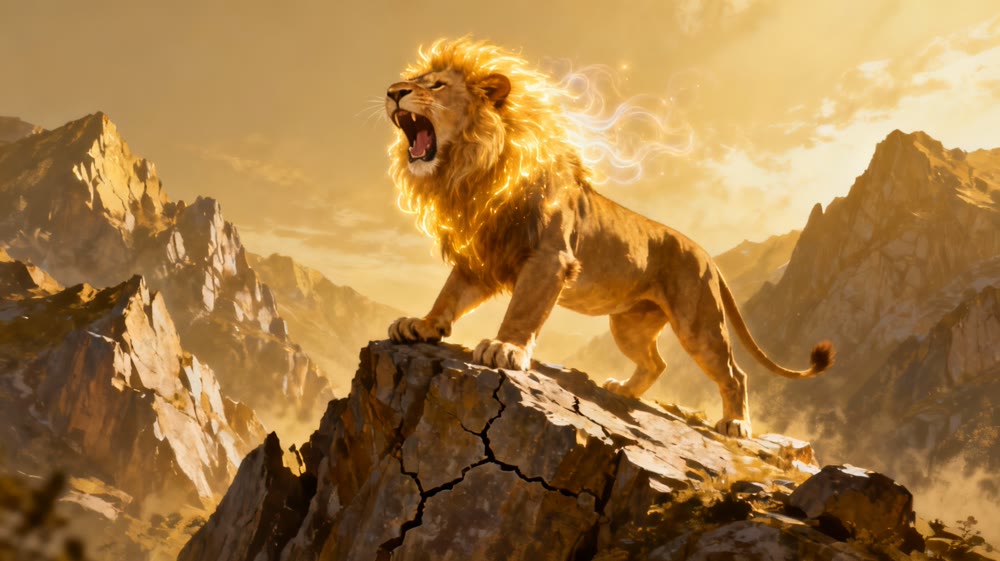
Define the Style and Medium: This is where you control the look and feel. Do you want a photo, a painting, or something else?
- Example:
A majestic lion with a glowing mane, roaring on a mountain peak, **digital painting, fantasy art**
- Example:
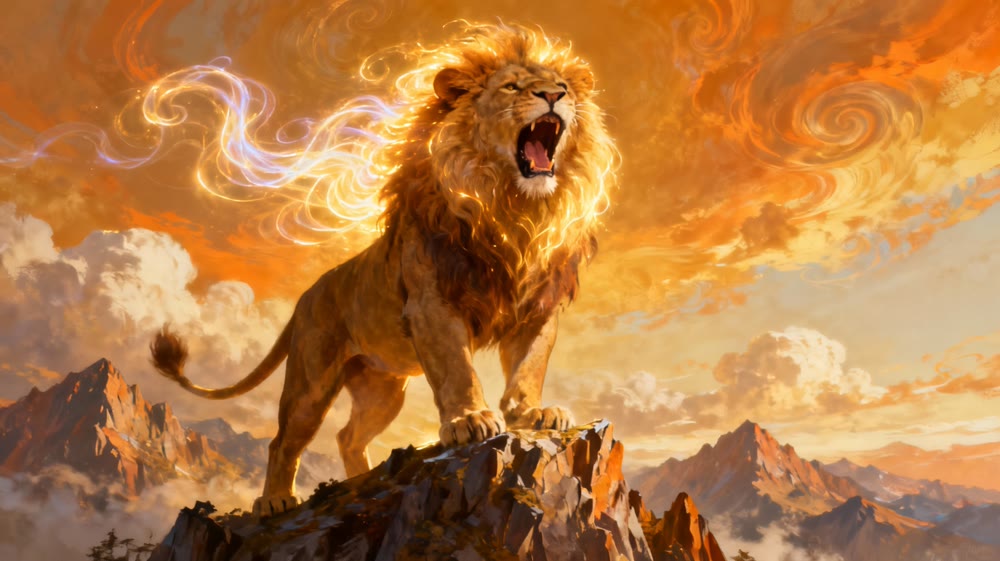
Incorporate Environmental and Lighting Cues: Set the scene. What time of day is it? What is the atmosphere like?
- Example:
A majestic lion with a glowing mane, roaring on a mountain peak, digital painting, fantasy art, **dramatic lighting, stormy sky at sunset**
- Example:
(Optional) Mention Technical Details: For more control, you can suggest camera angles or quality.
- Example:
...dramatic lighting, stormy sky at sunset, **cinematic, epic, highly detailed**
- Example:
Don't be afraid to experiment! The best prompts are often born from trial and error.
3. Choosing Your Tool: Getting Started with Genmi AI
With your newfound knowledge of prompting, it's time to choose a platform. While there are many options available, beginners should look for a tool that is user-friendly, powerful, and offers a variety of models to experiment with.
This is where a platform like Genmi AI shines. It provides an intuitive interface that makes generating your first image incredibly simple, without sacrificing advanced capabilities.
Here's how you can create your first image in just a few steps:
- Navigate to the Platform: Open your web browser and go to the Genmi AI website.
- Find the Image Generator: Locate the text-to-image generation tool.
- Enter Your Prompt: Type or paste the detailed prompt you crafted into the text box.
- Generate: Click the "Generate" button and watch as the AI brings your vision to life in moments.
The platform handles the complex technical work, allowing you to focus purely on the creative process.
4. Refining Your Vision: Iteration is Key
Your first generated image might not be perfect, and that's completely normal. The creative process in AI art is iterative. Look at your output and ask yourself:
- What do I like about it?
- What isn't quite right?
- How can I adjust my prompt to get closer to my vision?
Maybe the lighting needs to be softer, the colors more vibrant, or the subject's pose needs to be changed. Tweak your prompt, add or remove keywords, and generate again. Each iteration is a learning experience that hones your prompting skills and refines your final artwork.
5. Beyond Still Images: The Future is in Motion
Mastering the art of prompting for images is a powerful skill, and it's just the beginning. The same AI technology is rapidly evolving to create not just static pictures, but entire video clips from text. The principles of descriptive language and detailed instruction remain the same, but the output is dynamic motion.
Platforms are constantly pushing these boundaries. For instance, Genmi AI offers Sora 2 model capabilities, which allow users to generate incredible video clips from simple text descriptions. Imagine typing "a golden retriever puppy playing in a field of flowers" and receiving a short, lifelike video. This is the next frontier of AI-driven creativity, transforming storytelling forever.
Conclusion
You now have all the tools you need to embark on your AI art journey. We've moved from understanding the basic technology to mastering the art of the prompt and generating your first image. Remember, the key to creating stunning AI art is experimentation and persistence. Don't be afraid to try strange prompts, combine unexpected styles, and iterate until you create something truly unique.
In this process Sora 2 provides you with powerful support, as its advanced algorithms can help you realize your creative ideas more effectively. With Sora 2, you can generate high-quality images more easily and explore a wider range of styles and themes.
The world of AI generation is an open canvas. Your imagination is the only limit. Go ahead—type your first prompt and turn your ideas into a masterpiece!
Recommended Articles
A Hands-On PixAI Review: The Go-To Tool for Anime Art?
Our in-depth PixAI review evaluates its features for anime art, including image quality and editing tools.
Sora 2 vs Veo 3 vs Seedance 1.0 Pro: Top AI Video Models Showdown
An in-depth analysis of Sora 2 vs Veo 3 vs SeeDance 1.0 Pro. We compare video quality, realism, and control to determine which AI model leads the new era.
From Views to Value: Your 2025 Playbook on How to Monetize TikTok
Ready to turn your TikTok creativity into cash? This guide reveals proven strategies, from brand deals to AI-powered content, to help you monetize your account.