


Ideogram AI Review: The Definitive Guide for Creatives and Marketers
Article Summary: A detailed professional analysis of the Ideogram AI platform, focusing on its industry-leading typography features, pricing models, and practical limitations, helping marketers and designers determine its suitability for their specific creative workflows.
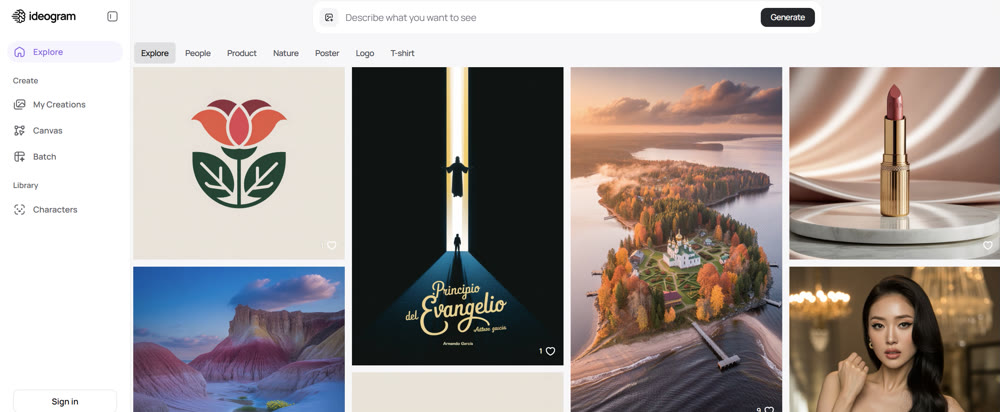
In a saturated market of AI visual creation tools, one common frustration persists: getting text right. How many times have you crafted the perfect prompt, only to receive an image with garbled, nonsensical letters? This single challenge has become a critical barrier for marketers, designers, and brand builders.
This comprehensive Ideogram AI review is designed to cut through the noise. We will provide an in-depth analysis of the platform's core functionalities, pricing structures, and practical limitations. By the end, you'll have a clear, expert-backed framework to determine if Ideogram is the strategic tool your creative workflow needs in 2025.
🌸 Anime Specialists: Looking for the perfect character style? Check out our PixAI Art review for a deep dive into its unique features.
What is Ideogram AI?
At its core, Ideogram is a text-to-image AI platform that excels where many others falter: integrating coherent and stylish typography directly into its visual outputs. Unlike platforms that treat text as an afterthought, Ideogram's architecture is built to understand and render words as a fundamental part of the composition. This has made it an indispensable asset for professionals creating logos, posters, social media graphics, and book covers where clear messaging is paramount.
Key Differentiators: Where Ideogram Excels
Ideogram has carved out a distinct niche by focusing on features that solve real-world creative problems. Here are the capabilities that set it apart.
📌 Best Practices: Superior Typography and Text Control
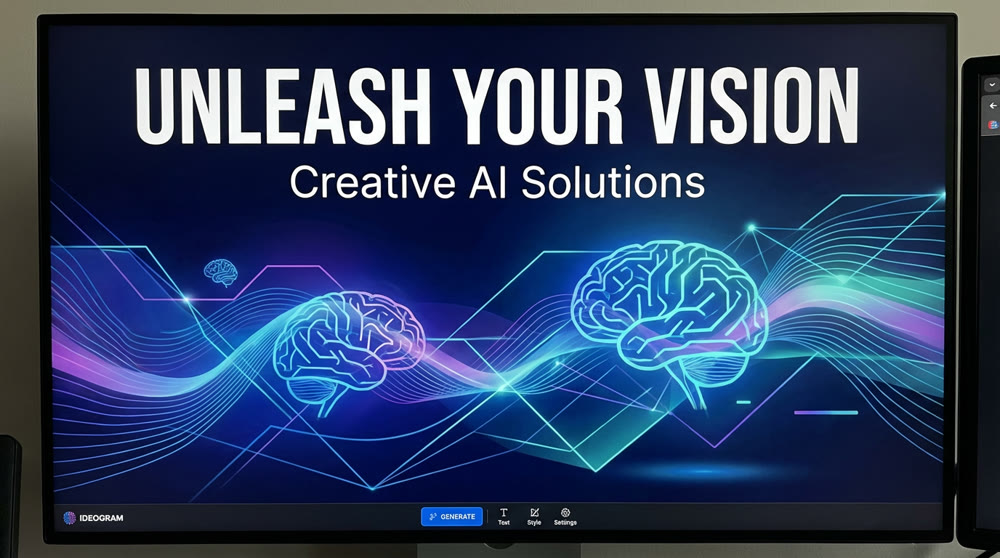
The platform's standout feature is its remarkable ability to handle text in AI images. While competing models often struggle with spelling, kerning, and placement, Ideogram consistently produces readable and aesthetically pleasing typography. This is a game-changer for branding and print-on-demand businesses, enabling the creation of designs with witty slogans, accurate company names, and impactful headlines that look professionally designed.
💡 Practical Techniques: The Magic Prompt Feature
For users who aren't prompt engineering experts, the Magic Prompt Ideogram feature is a powerful workflow enhancer. It takes a simple, direct prompt and automatically enriches it with descriptive details, artistic styles, and compositional cues. The goal is to elevate a basic idea into a more visually sophisticated and professional-looking result without manual effort.
For example, a prompt like "a birthday party" can be transformed into a detailed scene with specific lighting, character expressions, and a richer atmosphere, bridging the gap between a user's intent and a high-quality visual outcome.
✨ Key Tips: Advanced Editing on the Ideogram Canvas
Ideogram incorporates an integrated editor known as the Canvas, allowing for post-creation adjustments directly within the platform. Key functions include:
- Remixing: Using an existing image as a stylistic or compositional reference for new creations.
- Inpainting: Selecting a specific area of an image to modify or replace.
- Outpainting: Expanding the image's borders to create a larger scene.
While the Canvas is powerful, its layer management system can present a learning curve for new users. However, investing a small amount of time to master its tools can significantly streamline the editing process, eliminating the need for external software for many adjustments.
A Practical Guide to Ideogram Pricing
Ideogram operates on a freemium model that utilizes a credit system. Credits are divided into "slow" (for a standard, often delayed, queue) and "priority" (for expedited results). The cost per image varies based on the chosen model and quality settings.
Here is a breakdown of the personal plans available:
| Plan | Billed Monthly | Billed Yearly (Effective Rate) |
Key Features & Credits |
|---|---|---|---|
| Free | $0 | $0 | Limited slow credits (approx. 5 creations/day). |
| Basic | $11.99 | $7/month | 400 priority credits/month, 100 slow credits/day. |
| Plus | $28.99 | $15/month | 1,000 priority credits, unlimited slow credits, private mode. |
| Pro | $85.99 | $42/month | 3,500 priority credits, batch production, largest queue. |
The Free and Basic plans are ideal for casual users and hobbyists. The Plus and Pro tiers are tailored for professionals and businesses requiring privacy, higher volume, and advanced features like batch production from a CSV file—a significant advantage over competitors like Midjourney.
Common Limitations and Professional Considerations
No tool is without its flaws. User feedback from professional communities points to several areas where Ideogram could improve.
A recurring concern is the variability in image quality. Some veteran users have noted a perceived decline in prompt adherence and consistency with recent model updates. While this Ideogram AI review confirms its strength with simple prompts, the platform can sometimes struggle with complex scenes requiring precise object placement.
Ideogram Version Performance: Complex Prompt Adherence
| Prompt | Ideogram v1.0 Result (Visual Description) | Ideogram v2.0 Result (Visual Description) | Analysis of Adherence |
|---|---|---|---|
| "A movie poster for 'Cosmic Echoes', with the title at the top and the tagline 'Silence is the loudest sound' at the bottom, featuring an astronaut looking at a swirling nebula." | • Title placement inconsistent • Tagline often missing or distorted • Astronaut present but nebula details simplified • Poster layout slightly chaotic |
• Title placed correctly • Tagline readable and at bottom • Astronaut + swirling nebula rendered with high detail • Poster composition more cinematic |
• v2 clearly follows spatial instructions better • Text generation more accurate • Overall fidelity to all required elements significantly higher |
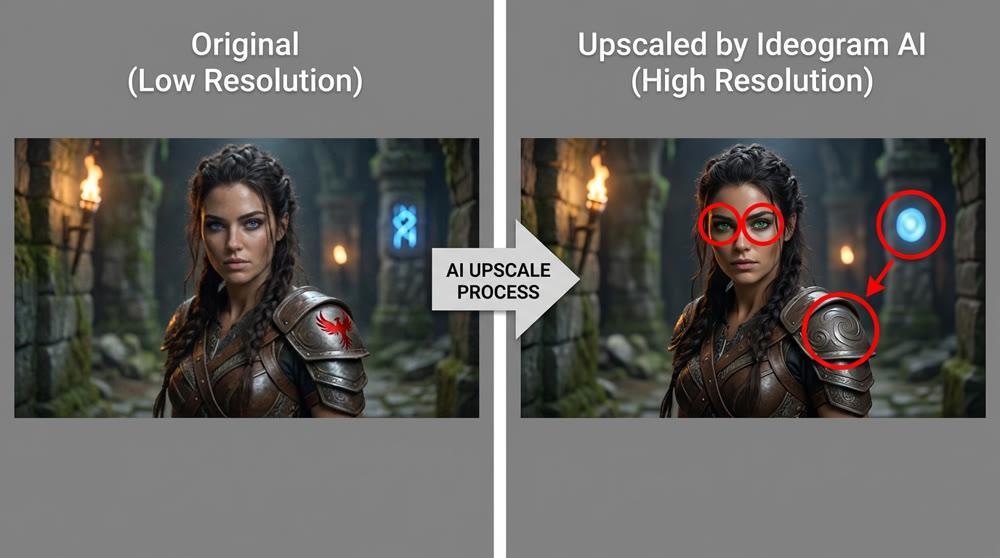
Furthermore, the built-in upscaler, while useful, can take creative liberties. Even at settings intended to maximize fidelity, it may alter details like eye color or facial features. For projects demanding strict character or brand consistency, this can be a significant drawback.
Beyond Static Compositions: The Next Frontier with Genmi AI
As powerful as tools like Ideogram are for static visuals, the creative landscape is rapidly evolving toward dynamic content. Many creators and businesses find that their next major challenge is bringing their static art to life. This is where the next generation of AI platforms comes into play.
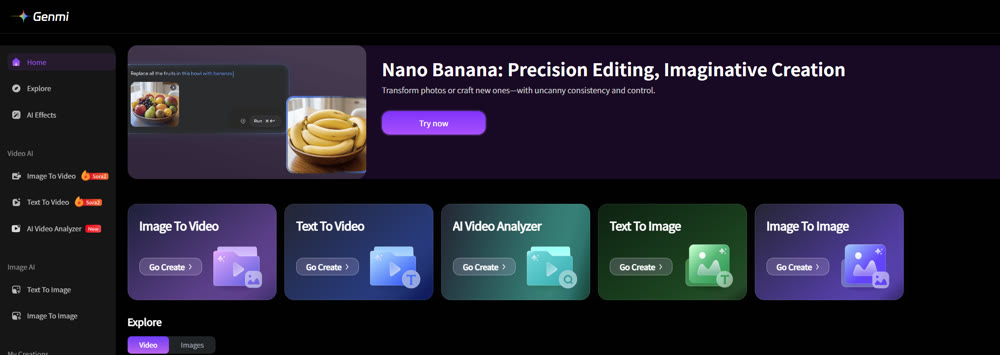
While Ideogram perfects the art of the still image, a platform like Genmi AI is built for motion. It offers a seamless bridge from concept to video, allowing you to transform a simple text prompt into a full narrative with its text-to-video capabilities. For those who have already crafted the perfect visual on Ideogram, Genmi empowers you to animate those masterpieces using its intuitive image-to-video function. This represents a logical and powerful next step for any creative looking to expand their storytelling toolkit.
Conclusion
Ideogram has firmly established itself as a top-tier AI tool, primarily due to its unparalleled mastery of typography. For marketers, designers, and authors, its ability to produce text-centric visuals is a transformative advantage. You now have a clear framework for its strengths, pricing, and limitations to make an informed decision.
As you master the art of AI-assisted image creation, it's also wise to look ahead. The ability to transition from static visuals to dynamic narratives is becoming a key differentiator. By understanding the entire creative ecosystem, including platforms like Genmi AI, you position yourself at the forefront of digital content creation.
Ready to elevate your creative workflow beyond static images? Consider how the assets you design today can become the foundation for the compelling video stories of tomorrow. Exploring tools designed for this evolution can unlock a new dimension of creative potential.
Recommended Articles
Google Veo 3.1 Review: A VFX Pro's Verdict on the New Frontier of Video Synthesis
We tested Google Veo 3.1 on audio, continuity, and asset consistency. Discover if this new model is ready for professional production workflows.
DeeVid AI Review: A Deep Dive into Its Strengths and Limitations for Professional Video
Is DeeVid AI worth it for professional video? Our in-depth review tests its features, performance, and quality to see if it meets cinematic standards.

An In-Depth GoEnhance AI Review: Rapid Creation vs. Production Quality
An in-depth GoEnhance AI review testing its text-to-video and other features. Discover its pros, cons, and features.