


Kling 2.6 Review: A Filmmaker’s Verdict on Its Audio-Visual Capabilities
Article Summary: A filmmaker provides a hands-on review of Kling 2.6, assessing its new integrated audio-visual creation capabilities. The article tests its performance in narrative scenes and environmental soundscapes, offering a verdict on its place in a professional creative workflow.

As a filmmaker, I've spent years obsessing over the marriage of sound and picture. The right audio doesn't just support the visuals; it elevates them, creating emotion and immersion. For months, the AI video space has delivered breathtaking, silent films. But a silent film is only half a story. The question on every creator's mind has been: when will these powerful tools learn to speak, to feel, to make noise? With the release of Kling 2.6, it seems that day has arrived.
This isn't just another feature update. This is about a fundamental shift toward holistic, all-in-one audio-visual creation. In this review, I’m putting my director’s hat on to move beyond the hype. I’ll share my hands-on experience, dissecting its performance on complex narrative and environmental scenes. You'll gain a clear, practical understanding of where Kling 2.6 excels, where it falls short, and how it fits into a professional creative workflow.
What’s Truly New? The Leap into Integrated Sound
For context, previous AI video tools required a multi-step, often disjointed process: create the visuals, then export to a separate digital audio workstation (DAW) for sound design, foley, and dialogue recording. This is time-consuming and can lead to synchronization issues.
Kling 2.6 aims to collapse that entire workflow into a single prompt. It processes text and image inputs to output a complete video file with four key audio layers synthesized in unison:
- Dialogue: Character speech with intended emotional inflection.
- Sound Effects (SFX): Action-specific sounds tied to on-screen events.
- Ambiance: Background environmental audio that establishes the setting.
- Music/Tone: Underlying score or atmospheric tones.
My Testing Methodology: Pushing Beyond Simple Prompts
To assess its real-world utility, I designed tests that mirror the challenges of narrative filmmaking. My goal was to evaluate not just audio quality, but the synergy between sound and visuals—the subtle art of audio-visual storytelling.
Test 1: Script-to-Screen Narrative Synthesis
This test focused on transforming written dialogue and scene descriptions into compelling audio-visual sequences. I wanted to see if the model could capture the nuance of human performance and environmental context.
Test Scenario: Sci-Fi Character Monologue
Prompt: Create a video of a grizzled starship captain on the dimly lit bridge of his ship, alarms flashing silently in the background. He looks weary. He speaks into his comms device, his voice low and gravelly: "We've lost contact with the outer colonies. Send the report to command... they won't like it." Include the low hum of the ship's engine and the soft electronic beep of a nearby console.
Director's Cut Rating: ★★★★☆
Test Scenario: Historical Drama Scene
Prompt: Generate a video of a 19th-century diplomat in a lavish ballroom. He leans toward a young lady and whispers urgently: "Your secret is safe with me, but we must leave at dawn." His partner looks worried, glancing around the crowded room. Include the distant sound of a string quartet playing a waltz and the murmur of polite conversation.
Director's Cut Rating: ★★★★☆
Test Scenario: Simple Voiceover
Prompt: A video pans slowly across a pristine, empty beach at sunset. A calm, reassuring female narrator says: "In stillness, we find our path forward." Include the gentle sound of waves lapping the shore.
Director's Cut Rating: ★★★★★
✨ Key Insight: The model’s ability to synchronize lip movements with dialogue is exceptionally strong, a common failure point for many other tools. The emotional tone specified in the prompt ("weary," "urgently") was clearly reflected in the vocal delivery.
Test 2: Image-to-Audio-Visual Environmental Soundscapes
Next, I tested its ability to interpret a static image and construct a dynamic video with contextually accurate sounds.
Scenario 1: Urban Environment
- Reference Image:

- Prompt: Animate this scene. A figure in a long coat walks away from the camera. Include the sound of footsteps splashing in puddles, the hum and crackle of neon signs, and the distant wail of a siren to build a cyberpunk atmosphere.
Scenario 2: Action Sequence
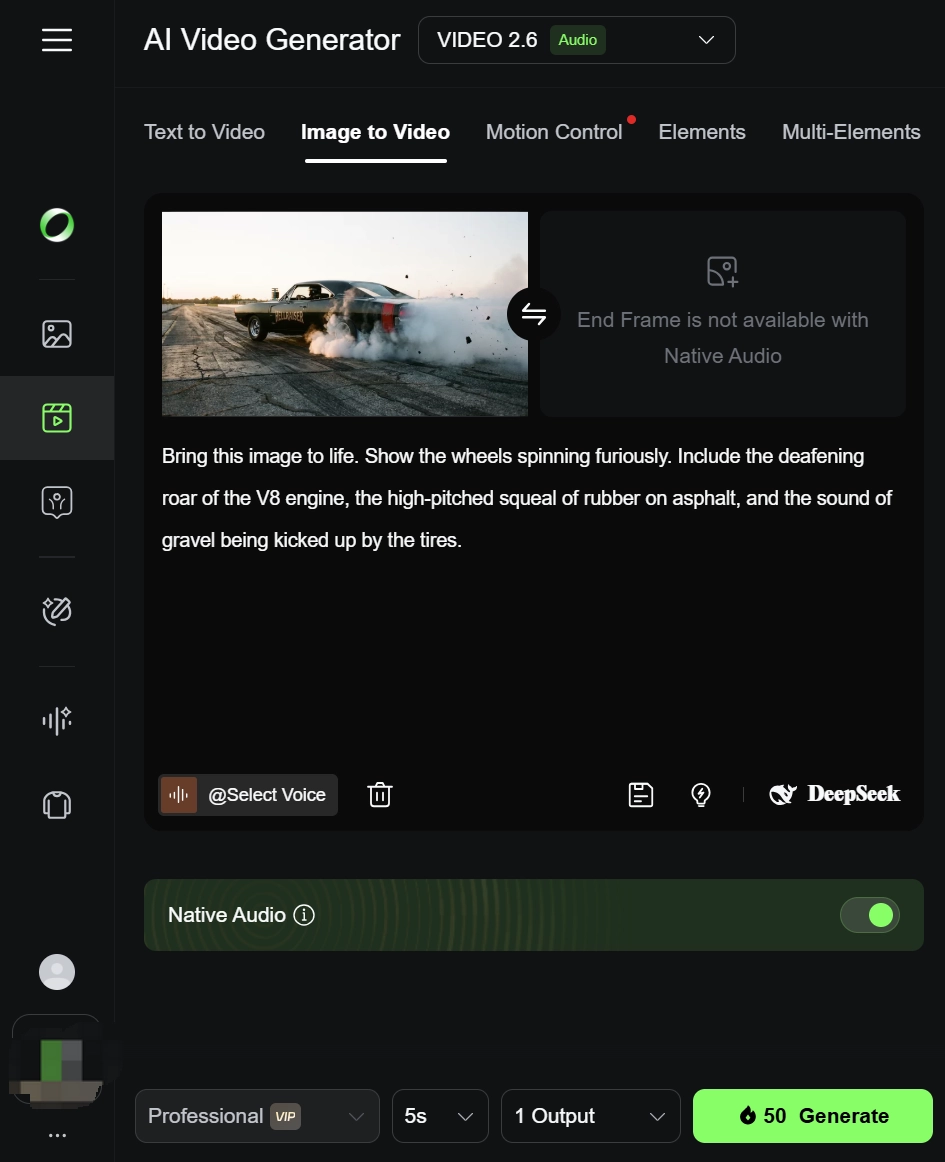
- Reference Image:

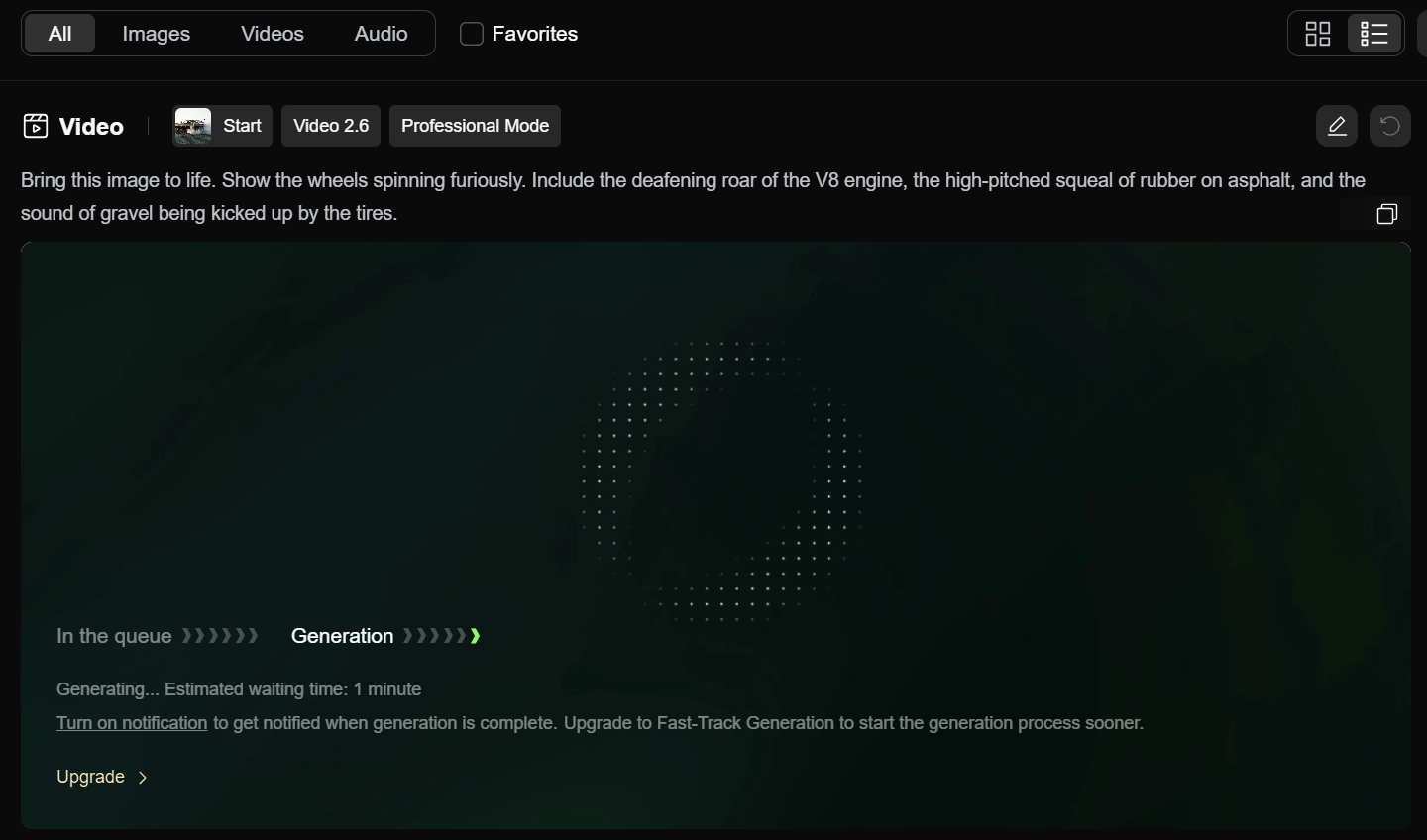
- Prompt: Bring this image to life. Show the wheels spinning furiously. Include the deafening roar of the V8 engine, the high-pitched squeal of rubber on asphalt, and the sound of gravel being kicked up by the tires.
💡 Practical Technique: When using image-to-video, be overly descriptive with your desired audio cues. The model uses both the visual information from the image and the specific "sound words" in your prompt to build the final soundscape.
After extensive testing, it's clear the Kling 2.6 update is a significant milestone. The audio-visual synchronization is its strongest asset. However, while technically proficient, some outputs lacked the cinematic "X-factor"—the subtle camera movements, depth of field, and color grading that a professional director would employ.
For more on how AI video tools are benchmarked, industry resources provide deep analysis of model capabilities. As noted by TechCrunch in their coverage of AI developments, the focus is rapidly shifting from mere visual fidelity to cohesive, multi-sensory experiences. (Source: https://techcrunch.com/)
Furthermore, academic papers on multimodal AI offer insights into the complex challenges of synchronizing audio and visual data streams. (Source: https://arxiv.org/)
Beyond a Single Model: A Strategy for Holistic AI Video Production
While Kling 2.6 is a powerful step towards all-in-one creation, a professional workflow demands more than a single tool. The true power lies in having a versatile arsenal at your disposal. This is where a centralized platform becomes invaluable for serious creators.
For instance, in my work, I often need to compare outputs between different specialized models. One might excel at hyper-realistic textures, while another is better at expressive character animation. A platform like Genmi AI's comprehensive suite removes the friction from this process, allowing you to experiment and select the best tool for each specific task within a unified interface.
Imagine a workflow where you use one model for the initial scene composition, then switch to another for refining character details. You can bring static concepts to life through image-to-video features and then perfect the visual style using advanced image-to-image tools. This integrated approach is far more efficient than juggling separate subscriptions and interfaces.
Furthermore, a robust platform allows for deeper analysis and strategic decision-making. By leveraging tools like an AI video analyzer, you can objectively assess the technical qualities of your footage. Understanding the broader landscape by exploring other models like in this Video Ocean review or comparing outputs with industry benchmarks like Sora is crucial. Mastering different workflows, from text-to-video to complex composites, is the key to unlocking true creative freedom.
Conclusion
Kling 2.6 successfully solves the "silent movie" problem of its predecessors. It delivers on its promise of integrated audio-visual creation with impressive lip-sync and environmental audio capabilities. For content creators, marketers, and indie filmmakers, it represents a massive leap in efficiency, collapsing a complex post-production process into a single step.
The key takeaway from my evaluation is that while this tool is a formidable asset, the future of professional AI-assisted filmmaking lies not in a single "master algorithm," but in the strategic use of a diverse toolkit. The real value is unlocked when you can seamlessly pivot between different specialized models to suit the unique needs of your project.
Empower your creative process by moving beyond single-tool limitations. Explore a universe of possibilities and discover the right combination of models to bring your vision to life. Start building your complete AI creative toolkit with Genmi.ai today.
Recommended Articles
Flora AI Reviewed: A Deep Dive Into Its Creative Canvas Professionals
A professional, hands-on review of Flora AI. We test its infinite canvas, image creation, and video capabilities to see if it's right for your workflow.

An In-Depth Media.io Review: A One-Stop Shop or A Master of None?
A hands-on Media.io review testing its AI video, image, and music tools. Discover its pros, cons, and see if a powerful Media.io alternative is better for you.
Mastering Prompt Engineering: A Blueprint for Automated AI Video Creation
Learn to build a systematic prompt engineering workflow for AI video. Deconstruct viral videos, automate content, and scale your AI video production efficiently