


An In-Depth Media.io Review: A One-Stop Shop or A Master of None?
Article Summary: This article provides a detailed, experience-based review of Media.io's multimedia AI platform. It analyzes its image and video creation tools, highlights key performance issues, and compares it to a professional-grade alternative, helping readers make an informed decision for their creative projects.
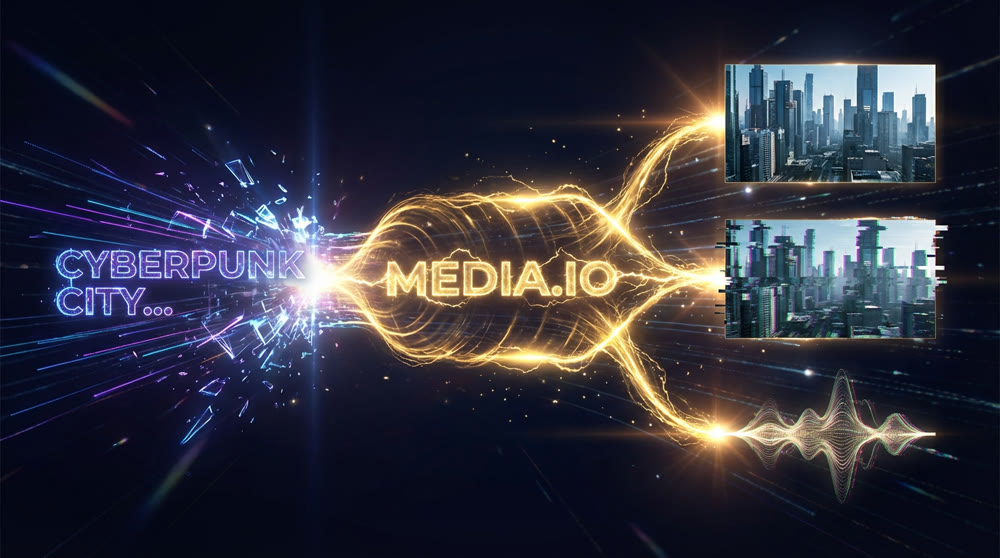
In the rapidly evolving landscape of artificial intelligence, creative professionals are constantly searching for a unified solution. The frustration of juggling separate platforms for image, video, and audio creation is a significant workflow bottleneck. While the promise of an all-in-one tool is alluring, the reality is often a compromise on quality.
This comprehensive Media.io review is born from that exact frustration. After extensive, hands-on testing, I will provide an unbiased analysis of its capabilities, from its user interface to the final output quality. You will gain a clear understanding of its strengths, its critical weaknesses, and whether it’s the right tool for your projects—or if you should look elsewhere.
What is Media.io? A Unified Hub for AI Media Creation
Media.io positions itself as a centralized multimedia AI platform, designed to streamline the content production process. At its core, it offers a suite of tools that allow users to produce visual and audio assets from a single dashboard.
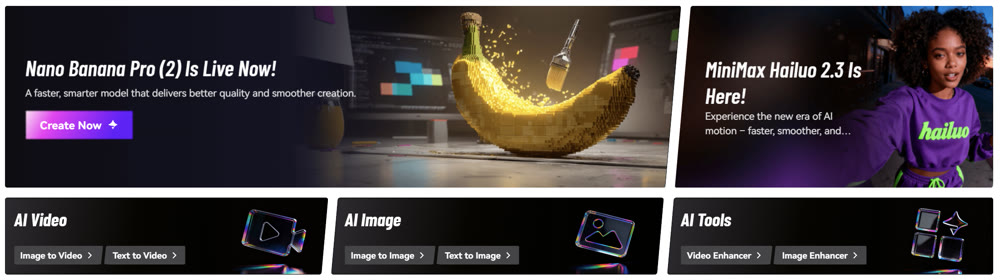
My exploration revealed a broad feature set:
- AI Image Synthesis: Users can create visuals from text prompts or modify existing images. The platform supports a range of styles, including Cyberpunk, Ghibli, 3D, and Pixel art, offering a decent starting point for conceptualization.
- AI Video Composition: The service provides text-to-video and image-to-video functionalities. Notably, it allows switching between several AI models, such as Pixverse and Runway, theoretically offering some flexibility in output styles.
- AI Music Composition: Descriptive prompts can be used to produce royalty-free music tracks across genres like pop, rock, and hip-hop, which is a useful feature for video creators needing background scores.
- Editing & Enhancement Tools: Beyond initial creation, Media.io includes a practical video editor for trimming, adding subtitles in over 90 languages, and applying various AI effects to existing media.
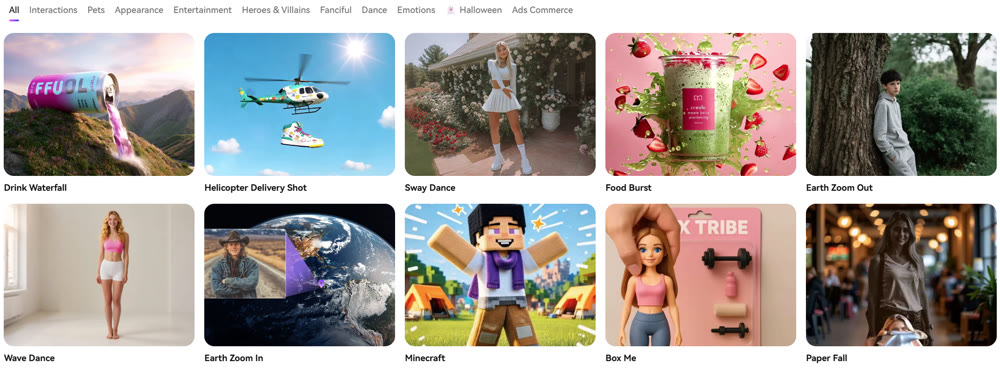
The platform is wrapped in a clean, intuitive user interface, and its mobile app adds a layer of convenience for creators on the go. The "Explore" feed, a community hub showcasing other users' work, serves as a solid source of inspiration and prompt engineering ideas.
Putting Media.io to the Test: A Hands-On Analysis
A feature list is one thing; real-world performance is another. I conducted several tests to gauge the platform's actual output quality, focusing on its image and video capabilities.
Image Synthesis: A Mixed Bag of Precision and Polish
My first test involved a detailed cyberpunk scene.
Prompt: “A silver-haired woman stands confidently outside a neon-lit nightclub in a futuristic cyberpunk city. She's dressed in a sleek, high-tech jacket and black combat boots. In the background, hover cars zoom past in the sky above with the buildings covered in neon lighting and animated ads.”
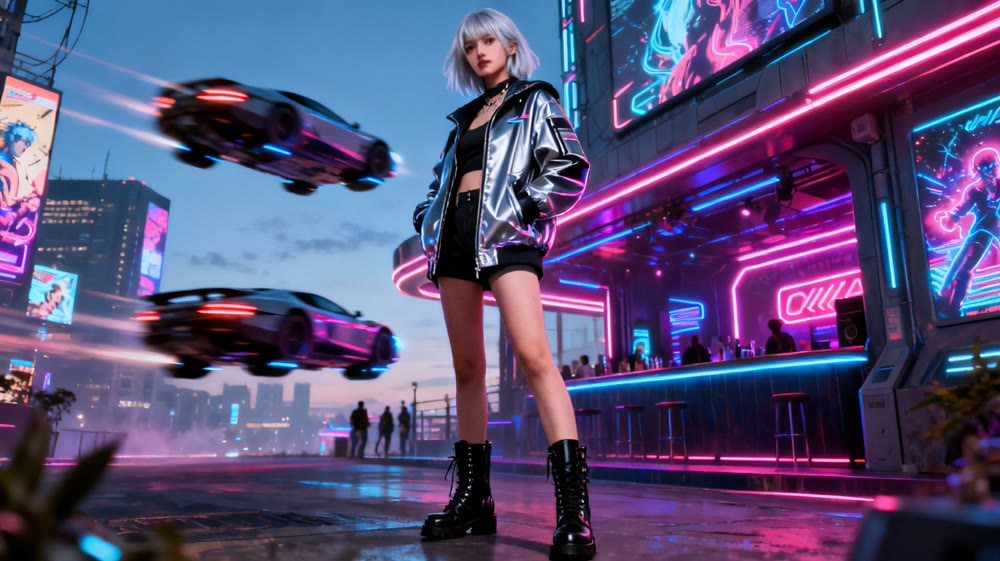
📌 Best Practices: The AI demonstrated strong prompt adherence. The core elements—the character, the setting, and the futuristic theme—were all present.
However, the output lacked the photorealism I was hoping for, appearing more like a high-quality video game still. Background details like crowds and vehicles were indistinct, and the AI struggled with rendering coherent text on the neon signs, a common issue with many models.
Rating: 6.5/10
My second image test aimed for lifelike quality.
Prompt: “A photorealistic image of a young 10-year-old boy wearing a white T-shirt, jeans, and helmet, as he rides a bright red bicycle along a quiet suburban street in the late afternoon sun, while his golden retriever runs joyfully beside him.”

💡 Practical Techniques: Media.io again followed the prompt with impressive accuracy. Yet, tell-tale signs of AI were present. The dog's fur had an unnaturally glossy sheen, and the complete lack of motion blur made the entire scene feel staged and overly crisp. It was a well-rendered image that just missed the mark of true realism.
Rating: 7/10
✨ Artistic Freedom: Want a simple way to create art on the go? Read our StarryAI review to see why it's a favorite for mobile creators.
Video Composition: Where Potential Meets Limitations
Next, I moved to the AI video generator. The results here were far more concerning. This part of my Media.io review was the most revealing about the platform’s current developmental stage.
My first video prompt was straightforward.
Prompt: “A realistic video of a man driving a sleek red convertible along a sunny California coastal road. In the background, the shimmering ocean can be seen with the entire scene radiating a cool and effortless summer vibe.”
The output was a significant disappointment. The primary subject—the man—was completely absent. The car itself showed visible distortion and warping as it moved, and the background ocean looked more like a static, low-detail backdrop than a dynamic element. The video was, for all intents and purposes, unusable.
Rating: 3/10
Believing creative prompts might fare better, I tried a more whimsical concept to test its Text-to-video AI capabilities.
Prompt: “A video of a cute girl wearing a black witch dress riding high above the clouds on a flying wooden broomstick on a hot summer day. She looks happy and content with her black hair flowing in the wind while her black cat sits calmly on the far end of the broomstick.”
The result was equally underwhelming. While the girl's general appearance was close to the prompt, her movements were stiff and unnatural. More critically, a key subject—the black cat—was once again missing entirely. This points to a fundamental weakness in the model's ability to interpret and render complex scenes with multiple subjects.
Rating: 4/10
---🎬 Easy Editing: Video editing made simple. Read our Veed video editor review.
Exploring a High-Fidelity Alternative: A Look at Genmi AI
My experience with Media.io highlights a common dilemma: convenience often comes at the cost of quality. For creators who cannot compromise on visual fidelity, a more powerful Media.io alternative is necessary. This is where a platform like Genmi AI enters the conversation.
Genmi AI is engineered for high-fidelity output, distinguishing itself through superior model integration and creative flexibility. Where Media.io offers a limited selection, Genmi provides access to a wider array of industry-leading models, including Veo 3, Kling AI, and Runway for video, plus GPT-4o, Stable Diffusion, and Flux for images.
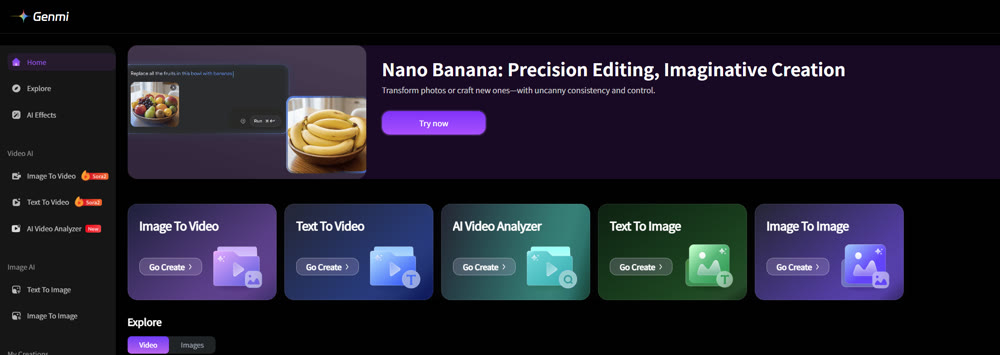
This diverse toolkit empowers users to achieve a far greater range of styles—from cinematic realism to intricate anime—with a higher degree of polish and prompt accuracy. The platform excels at complex tasks like text-to-video compositions and transforming static visuals into dynamic narratives through its image-to-video capabilities. With advanced tools like AI avatars and consistent character LoRAs, it’s built for professional use cases where brand identity and visual consistency are paramount. For a deeper dive into its features, you can explore the full platform at Genmi.ai.
Conclusion: A Promising But Immature Solution
Media.io is an exasperating platform because its potential is so evident. The convenience of having image, video, and audio tools under one roof creates a streamlined workflow that is undeniably attractive. Its image synthesis tools are adequate for rapid ideation and conceptual work.
However, the outputs, particularly for video, do not meet professional standards. The poor prompt adherence, visible artifacts, and high credit cost for subpar video renders make it difficult to recommend for serious projects. This review confirms that while Media.io is a functional all-in-one tool, its capabilities have not yet matured to a level that can consistently deliver sophisticated, high-quality content. For that, creators must look to more specialized and powerful platforms.
Take Your Creative Vision to the Next Level
Ready to move beyond basic concepts and produce the polished, professional visuals your projects deserve? By leveraging platforms built on the most advanced AI models, you can unlock a new level of creative control and fidelity. Explore how a next-generation tool like Genmi AI can transform your workflow from ideation to final render.
Recommended Articles
Hedra AI Review: A Hands-On Test of Its Video Performance
Our in-depth Hedra AI review tests its lip sync, character animation, and full-body motion. See our hands-on results and find out if it's right for you.

From Script to Viral Hit: The Ultimate Guide to Creating AI-Powered YouTube Shorts Blockbusters
Unlock viral growth on YouTube Shorts by mastering AI scriptwriting. This guide details how to turn story ideas into viral videos using AIGC tools and data.

Best AI Video Generation Models: A 2025 Professional Comparison
Explore our in-depth comparison of the best AI video generation models like Runway, Pika, and Sora. Find the perfect tool for your creative or business needs.