


An Expert Review of Imagine AI: Is Meta's New Tool Worth It?
Article Summary: This article provides a professional, hands-on review of Meta's Imagine AI, evaluating its speed and ease of use against its limitations in photorealism, stylistic control, and editing. It offers a clear verdict on its suitability for casual social media use versus professional creative workflows.
As the AI arms race intensifies, major tech players are rapidly deploying their creative tools to the public. Meta's entry, Imagine AI, has generated significant buzz, promising seamless integration into its vast social ecosystem and high-fidelity image creation from simple text prompts. But does this accessibility come at the cost of professional control and quality?
This article provides a rigorous, hands-on analysis of the Imagine AI platform. I have stress-tested its capabilities—from photorealism and stylistic flexibility to its new conversational editing features—to offer an unbiased, expert verdict. You will gain a clear understanding of where Meta’s tool shines, where it critically falters, and whether it deserves a place in a serious creative workflow.
For a more streamlined experience with high-quality stock assets, the Freepik AI toolkit offers an impressive set of generative tools that are much easier to use than local SD setups.
First Impressions: Speed and Simplicity
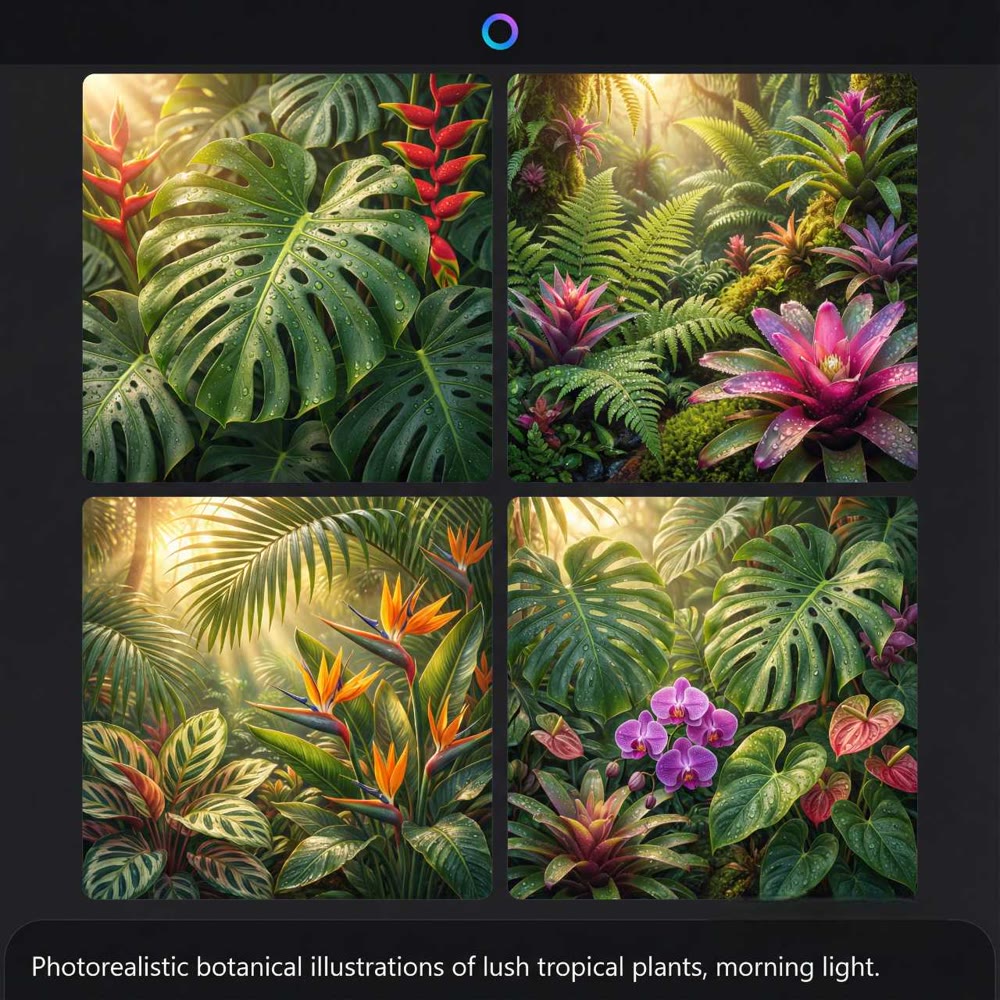
Imagine AI is designed for speed and ease of use. It can produce four image variations from a single prompt in seconds, making it one of the fastest tools on the market. Its integration directly within Facebook and Instagram is a game-changer for social media managers, allowing for on-the-fly content creation without leaving the app.
The interface is clean and minimalist, focusing on the prompt bar. This simplicity, however, is a double-edged sword, as it hides a lack of the granular controls (e.g., negative prompts, fine-tuned model weights) that professionals rely on.
A Hands-On Performance Analysis
To evaluate the platform's practical output, I conducted a series of tests targeting distinct creative requirements.
Test 1: Photorealism and Detail
I began with a prompt designed to test its grasp of real-world textures and lighting.
Prompt: "A photorealistic close-up of a vintage leather-bound book on a dark wood desk, next to a lit candle. The candlelight flickers, casting long shadows. Focus on the texture of the aged leather and the melting wax."
Result:

The output was aesthetically pleasing but failed the "photorealism" test. The leather texture was overly smooth, lacking the fine cracks and imperfections of aged material. The candlelight, while warm, did not cast physically accurate shadows. The image felt more like a high-quality 3D render than a photograph.
My Rating: ★★★★☆ (4/5 Stars) – Good composition, but lacks true photorealistic texture and physics.
Test 2: Stylistic Flexibility and Control
Next, I tested its ability to interpret and switch between distinct artistic styles.
Prompt: "A majestic, mythical phoenix rising from flames. The style is a blend of traditional Japanese ink wash painting (Sumi-e) and vibrant watercolor."
Result:

Here, the Meta AI’s image generator struggled with nuance. It produced a beautiful watercolor image but failed to incorporate the minimalist, black-and-white elegance of the Sumi-e style. It appears to latch onto the most dominant stylistic keyword ("watercolor") while ignoring more subtle or complex combinations. This limits its utility for artists with a specific, blended aesthetic in mind.
My Rating: ★★★☆☆ (3/5 Stars) – Good at broad styles, but poor at blending or interpreting nuanced artistic direction.
Test 3: Conversational Editing and Object Manipulation
I explored the new "Edit" feature, which uses a conversational interface for modifications.
Initial Image: An image of a lone astronaut standing on the surface of Mars, looking at a distant mountain.
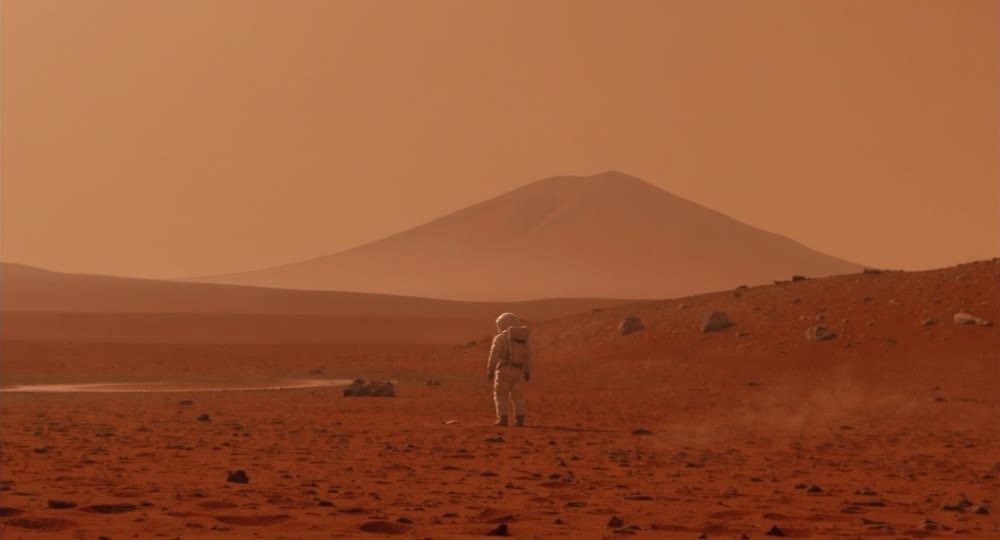
Edit Prompt 1: "Remove the astronaut from the scene."

The object removal was surprisingly effective, leaving a clean landscape with only minor, barely noticeable artifacts.
Edit Prompt 2: "Add a futuristic rover next to where the astronaut was."

This is where the feature faltered. It added a rover, but the new object's art style, lighting, and resolution did not match the original scene, making it look jarring and out of place. The tool can manipulate objects, but it cannot yet do so with contextual coherence.
My Rating: ★★★★☆ (4/5 Stars) – Object removal is strong, but object addition is stylistically inconsistent.
Beyond Basic Images: The Genmi AI Professional Suite
The limitations of Imagine AI in creative control and stylistic precision highlight the need for a more powerful, all-in-one platform for professional use. When your projects require not just speed but also accuracy, artistic depth, and multi-format capabilities, a comprehensive ecosystem like Genmi AI is the superior choice.
Unlike Imagine AI's singular focus, Genmi provides a full suite of creative tools. You can move seamlessly from crafting a perfect keyframe with the AI image tool to bringing that concept to life with advanced text-to-video or image-to-video capabilities. This integration allows for a fluid, end-to-end creative process that standalone image tools simply cannot match.
Furthermore, Genmi AI’s strength lies in its curated selection of elite AI models. Whether you need the unparalleled realism of OpenAI's Sora, the dynamic motion of Kling AI, the specialized stylization of Pixverse, or the unique output of WAN 2.2, Genmi provides the right engine for every creative challenge. For those ready to move beyond basic image creation, you can explore the full professional suite at Genmi AI today.
---🌸 Unique Styles: Looking for something different? Check out our Flora AI review.
Conclusion
In summary, Meta's Imagine AI is a fast, accessible, and user-friendly tool that is perfectly suited for casual users and social media content creation. Its speed and direct integration into Facebook and Instagram are its biggest strengths. For creating quick, eye-catching visuals without needing deep technical knowledge, it is an excellent choice.
However, for professional artists, designers, and marketers, its weaknesses are significant. The inconsistent realism, poor handling of nuanced styles, and unreliable editing features make it unsuitable for high-stakes creative work. It is a powerful tool for ideation but not for final production.
Don't let a platform's simplicity limit your creative potential. When you are ready to move from quick social posts to professional, high-fidelity content, you need a toolset built for precision and power. Discover a more powerful creative workflow with Genmi AI and start producing the stunning, polished work your vision deserves.
Recommended Articles

Scale Your Channel: The 8 Best AI YouTube Shorts Generator Tools for 2025
Stop editing manually. We review the top 8 YouTube shorts generator tools to help you repurpose content, automate captions, and scale your channel effortlessly.

An In-Depth WAN 2.2 Review: Redefining AI Video Motion Control
Explore our WAN 2.2 review. We analyze its advanced motion control, prompt accuracy, and how it compares to other top models in the AI video space.

How to Use Kling AI: Your Ultimate Guide to Cinematic Video Creation
Learn how to use Kling AI for stunning video creation. This guide covers everything from writing effective prompts to advanced techniques for cinematic results.