


An Expert Pika AI Review: Fast Animations vs. Professional Realism
Article Summary: This article provides a professional, hands-on review of Pika AI, testing its text-to-video and image-to-video capabilities. It assesses its strengths in speed and stylized animation against its weaknesses in realism and control, offering a clear verdict for creative professionals.
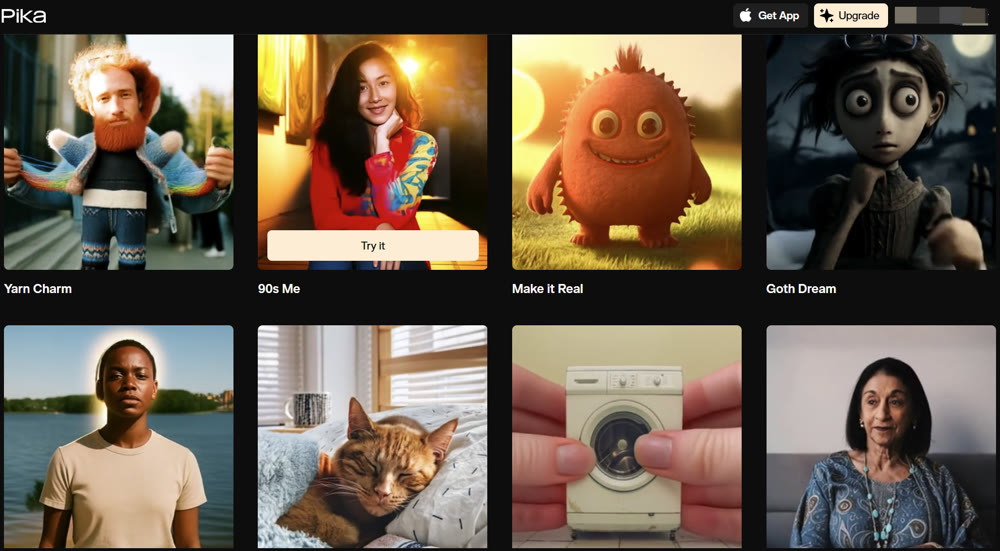
In the creator economy, the demand for fast, engaging video content is relentless. This has given rise to a new wave of AI tools promising to turn simple ideas into videos in minutes. One of the most talked-about contenders is Pika AI, a platform born from a Stanford University project that has since attracted significant investment and attention. But can a tool designed for speed and simplicity meet the rigorous demands of a professional creative workflow?
This article provides a detailed, hands-on analysis of the Pika AI platform. I will take you through its core features, showcase real-world test results, and offer an expert verdict on its capabilities. By the end, you will have a clear understanding of where Pika shines, where it critically falls short, and whether it's the right tool to elevate your video projects.
A Hands-On Performance Evaluation
To assess Pika AI's practical output, I conducted two tests designed to simulate common creative tasks: a text-to-video animation and an image-to-video transformation.
Test 1: Text-to-Video Animation
I started with a whimsical prompt to test its stylistic interpretation and motion capabilities.
Prompt: "A friendly, vintage 1930s-style robot gracefully serving a cup of tea in a lush, futuristic garden. The robot has a polished chrome finish and moves with smooth, deliberate actions. Animated cartoon style."
The creation speed was indeed impressive, delivering a clip in under two minutes. The visual style was charming and aligned well with the "vintage robot" and "cartoon" keywords. However, the output was not without flaws. The robot's hand clipped through the teacup, and there was a subtle, unnatural jitter in its movement—artifacts that would require manual correction in a professional project.
My Rating: ★★★☆☆ (3/5 Stars) – Great for rapid, stylized concepts, but lacks physical realism.
Test 2: Image-to-Video Transformation
Next, I provided a static image and a prompt to test its ability to animate a subject with coherent motion.
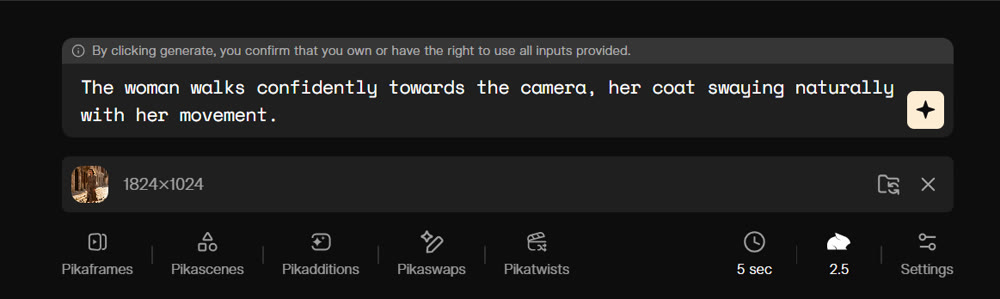
Input Image:

Prompt:
The woman walks confidently towards the camera, her coat swaying naturally with her movement.
Output:
The result here was similarly unsuccessful. While the AI attempted to create forward motion, the woman's gait was unnatural and stiff. Instead of taking distinct steps, her feet appeared to slide unnaturally across the cobblestones. Furthermore, the background buildings subtly warped around her as she moved, and her coat remained mostly rigid, failing to sway as requested. This test reinforced that while Pika AI can add motion to an image, it struggles to simulate realistic physics and maintain environmental consistency, making it unsuitable for high-fidelity character animation.
My Rating: ★★☆☆☆ (2/5 Stars) – A fun effect, but not a reliable tool for realistic motion.
Key Features and Use Cases
Beyond basic video creation, my review of Pika AI uncovered several features aimed at fun, quick content:
| Feature | My Professional Assessment |
|---|---|
| Pikaffects | A library of special effects (e.g., growing, shrinking) that can be applied to objects. Best used for playful social media clips. |
| Pikascenes | A collection of video templates that can accelerate the creation of simple, structured videos like announcements or listicles. |
| Pikaframes | A feature for turning a sequence of still images into a video. More effective for slideshow-style content than for seamless animation. |
| Pikadditions | The ability to add new elements (objects, characters) into an existing video. Performance is inconsistent and can introduce artifacts. |
Getting the Best Results: A Step-by-Step Guide
💡 Practical Techniques for Using Pika AI
- Visit the Platform: Start by navigating to the Pika AI website or accessing it through an integrated platform.
- Choose Your Input: Select whether you will be using a text prompt or an image as your starting point.
[Placeholder: Screenshot of the Pika AI interface showing the options for text or image input.] - Craft a Clear Prompt: Write a descriptive but concise prompt. Focus on the main subject and a single, clear action. Avoid overly complex instructions with multiple interacting elements.
- Create and Iterate: Execute the prompt. Review the output and be prepared to adjust your wording or try a different approach to refine the result.
Genmi AI: The Professional Hub for High-Fidelity Video
The limitations of Pika in realism and control highlight the need for a more comprehensive and powerful platform for professional projects. When your vision demands cinematic quality, seamless motion, and advanced creative control, a unified ecosystem like Genmi AI is the superior choice. It provides a curated suite of elite, industry-leading AI models in a single, streamlined workspace.
With Genmi, you can move beyond simple animations and craft entire visual narratives. Its powerful text-to-video tools allow you to bring scripts to life, while the platform's integration of cutting-edge models like Kling AI and Google's Veo ensures you always have access to the best technology. For projects that require transforming static concepts, the image-to-video features offer unparalleled control. When you're ready to produce truly professional content, you can start your creative journey with Genmi AI.
Conclusion
This in-depth review confirms that Pika AI excels as a tool for rapid, fun, and stylized video content. Its intuitive interface and fast creation times make it an excellent choice for social media creators, marketers needing quick animated clips, and anyone looking to experiment with AI video effects. It delivers on its promise of simplicity.
However, its significant shortcomings in creating realistic motion, handling complex scenes, and avoiding visual artifacts make it unsuitable for high-stakes professional work. For creators who demand cinematic quality and precise control, Pika AI is a stepping stone, not a final destination.
Don't let a tool's limitations define your creative ceiling. When your projects demand more than just a quick animation, it's time to equip yourself with a professional-grade creative suite. Discover the power and precision of Genmi AI and start bringing your most ambitious visual stories to life.
Recommended Articles

Wan 2.6 Review: Why it is the Director's New Choice for Narrative Video
An in-depth review of Wan 2.6. Discover how its multi-shot control and video reference features are revolutionizing cinematic AI video storytelling.
Video Ocean: A Filmmaker's Hands-On Review of This Open-Source AI Model
A filmmaker's in-depth review of the Video Ocean AI model. We test its performance, visual quality, and motion capabilities for creative projects.
A Technical Review of Tencent's Hunyuan AI: Unlocking Cinematic Potential
A deep dive into Tencent's Hunyuan AI. We analyze its 13B parameter architecture, hardware requirements, and how it compares to other video synthesis tools.