


Krea AI Review: A Deep Dive into Real-Time Creative Workflows
Article Summary: A professional analysis of Krea AI's features, performance, and use cases. This review helps creators understand its strengths in real-time synthesis and evaluate its position against other specialized AI tools for optimizing their creative workflow.
In a digital landscape demanding constant visual innovation, the speed at which ideas can be transformed into assets is a critical competitive advantage. What if you could sculpt an image in real-time, watching it evolve with every word you type? This is the core promise of a new wave of AI-powered creative suites.
This in-depth Krea AI Review will move beyond surface-level descriptions to provide a strategic analysis of the platform. We will dissect its core functionalities, evaluate its performance in practical scenarios, and explore its place within the broader ecosystem of creative AI tools. By the end, you will have a clear, actionable understanding of Krea's strengths and weaknesses, enabling you to decide if it's the right strategic addition to your professional toolkit.
If you enjoy seeing your ideas come to life instantly, the real-time AI generation features in Freepik provide a remarkably fluid experience for sketching and refining visual concepts on the fly.
What is Krea AI? A Unified Platform for Visual Synthesis
Krea AI presents itself as a state-of-the-art visual synthesis platform powered by artificial intelligence. It is engineered to serve a wide spectrum of creative professionals—from graphic designers and marketers to video editors and digital artists. The platform aims to democratize high-level content production by translating textual or visual inputs into compelling images, animations, and video clips.
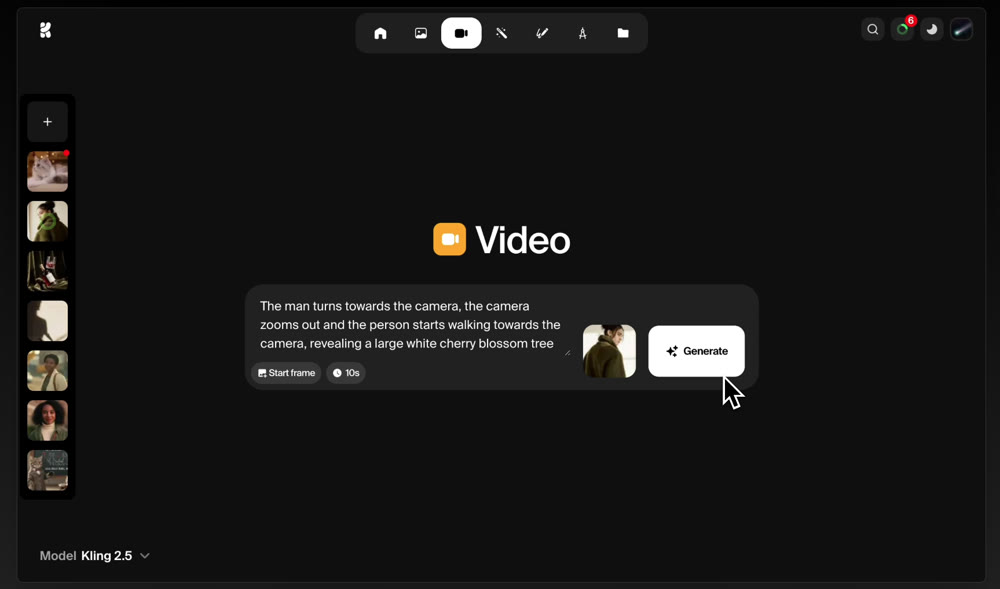
Unlike tools with steep learning curves, the Krea AI Generator leverages advanced machine learning models to interpret natural language prompts and produce corresponding visuals with impressive immediacy. A key differentiator is its emphasis on user-led training; you can upload your own images to guide the AI, ensuring the resulting assets align with a specific style, brand identity, or artistic vision.
Deconstructing Krea AI's Core Features
Krea AI consolidates several creative functions into a single interface. Let's examine what it can do and for whom each feature is most valuable.
AI Text-to-Image Synthesis
At its heart, the platform allows users to articulate a vision in text and receive multiple visual interpretations. It supports various aspect ratios and offers a library of preset styles, from photorealistic to illustrative, providing a solid foundation for creative exploration. This feature is ideal for ideation, concept art, and producing unique social media assets.
AI-Powered Image Editing
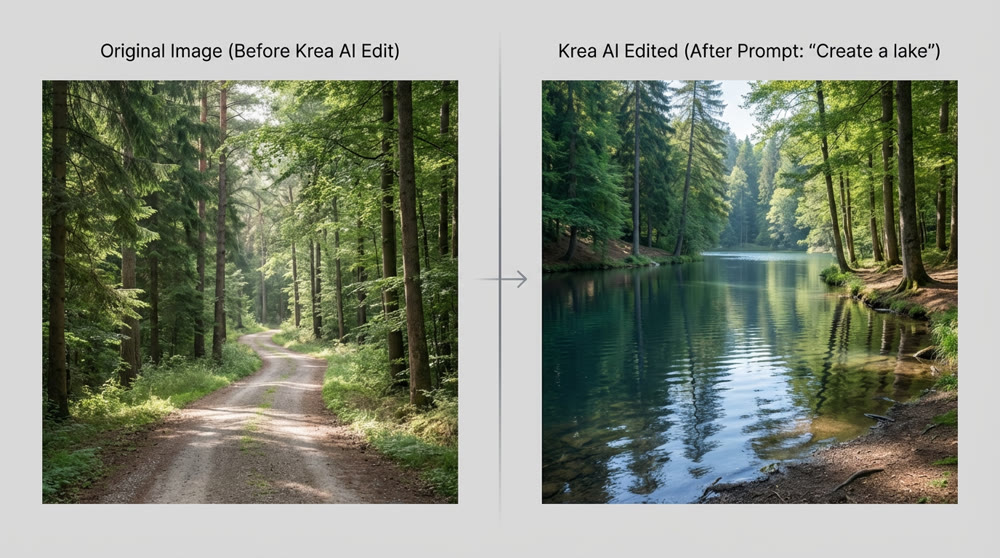
This function enables users to upload an existing image, select specific areas, and describe desired changes in plain English. For example, one can seamlessly replace an object, alter lighting, or extend the background. This is a powerful tool for making quick, targeted adjustments to stock photos or existing designs without resorting to more complex software like Photoshop, making it a perfect example of easy AI image creation.
Real-Time Visual Development
This is arguably Krea AI's most compelling feature. The real-time editor produces and refines an image as you type your prompt. This immediate feedback loop transforms the creative process from a linear, "prompt-and-wait" cycle into a dynamic, iterative dialogue with the AI. This capability for real-time AI image creation is a game-changer for artists and designers who thrive on rapid experimentation. After conducting an extensive Krea AI Review, we found this feature to be the most significant contributor to workflow acceleration.
| AI Image Tool | Mode | Average First Generation Time |
|---|---|---|
| Krea AI | Real-time | < 1 second |
| Midjourney | Non-real-time | 20-30 seconds |
| DALL-E 3 | Non-real-time | 15-25 seconds |
| Leonardo.Ai | Non-real-time | 10-20 seconds |
AI Video & Animation
Krea AI extends its capabilities into motion with two distinct functions:
- AI Video Creation: The platform can interpret a descriptive prompt to produce short video clips. It integrates several underlying video models, giving users a choice in the final motion style.
- AI Animator: This tool brings still images to life. Users can animate concepts with controls for motion sensitivity, looping, and clip duration. It's highly effective for creating simple, eye-catching animations for presentations, web banners, or social media posts without needing traditional animation skills.
📌 Best Practices: For optimal results with the Animator, start with a high-contrast image where the subject is clearly delineated from the background. This helps the AI better interpret the planes of motion.
Exploring an Alternative: Genmi AI for Advanced Video Narratives
While Krea AI offers a broad suite of tools, creative professionals with a primary focus on video may require more specialized capabilities. This is where a platform like Genmi AI distinguishes itself. Genmi AI is engineered specifically for high-fidelity video production, offering a more granular level of control over cinematic and narrative elements.
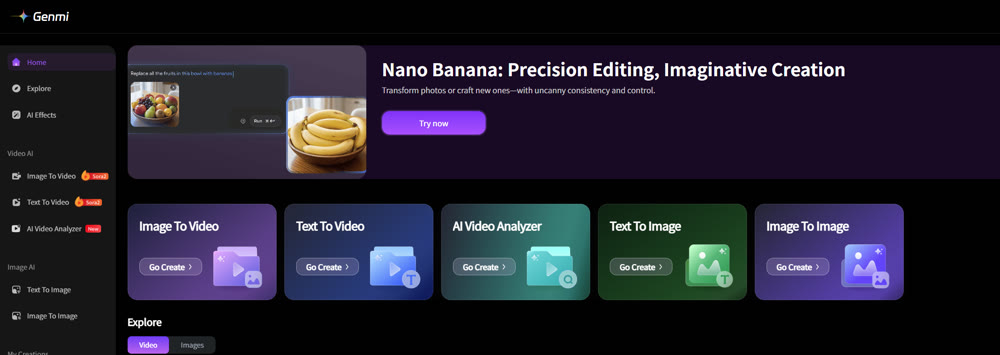
For those whose work revolves around storytelling through motion, Genmi AI's robust text-to-video engine provides superior coherence and narrative continuity in longer clips. Furthermore, its ability to seamlessly transform static assets with its image-to-video function is tailored for professionals looking to create dynamic, story-driven content from existing designs or photographs. Where Krea offers a great starting point for animation, Genmi is built for the next step: crafting compelling visual stories. For those looking to explore these advanced features, a visit to the Genmi AI platform is highly recommended to understand its video-centric advantages.
Feature Comparison Table:
| Feature / Tool | Krea AI (Video Features) | Genmi AI (Text-to-Video/Image-to-Video) |
|---|---|---|
| Core Capability | Text-to-short video, animation | Text-to-video, image-to-video, video editing |
| Max Resolution | 512p / 720p | Up to [1080p/4K] |
| Max Duration | 10 seconds | Up to 15 seconds] |
| Supported Models | Kling 1.6 & Pro, Runway, Luma | Sora 2, Veo 3, Wan 2.2, Kling |
| Advanced Controls | Motion sensitivity, looping | Camera movement, style transfer, specific object control |
| Generation Speed | Good | 20-30 seconds/video] |
The Verdict: Is Krea AI the Right Tool for You?
Krea AI stands out as a formidable and versatile creative tool, particularly for its real-time synthesis capabilities. Its user-friendly interface successfully lowers the barrier to entry for advanced AI-assisted design, making it a valuable asset for both novices and seasoned professionals. The platform excels at rapid ideation, stylistic exploration, and quick-turnaround asset production.
This review has shown that Krea AI is an excellent choice for those looking to accelerate their creative workflow, experiment with new visual styles, or produce a wide variety of static and lightly animated content. It genuinely delivers on its promise of making visual creation faster and more intuitive. However, for users whose primary need is sophisticated, narrative-driven video, exploring a specialized platform like Genmi AI may yield more powerful and refined results.
Krea AI Pricing Plans & Features Comparison
Pricing & Features Comparison Table:
| Plan | Monthly Price | Core Features | Monthly Credits / Usage Limitations |
|---|---|---|---|
| Free | $0 | Real-time generation (3 speeds) Text-to-image Image editing |
Limited use (non-renewable credits) |
| Basic | $8/month | All Free features More generation speeds Higher resolution |
More credits |
| Pro | $28/month | All Basic features Advanced animation options More models |
Substantial credits Advanced animation features Image-to-video conversion |
| Max | $48/month | All Pro features Highest resolution Priority support |
Unlimited (or very high) credits Priority access to latest features |
Empower Your Creative Vision
The evolution of AI tools is not about replacing creativity but augmenting it. By integrating platforms like these into your workflow, you unlock new efficiencies and possibilities, freeing you to focus on what truly matters: your unique artistic vision. We encourage you to begin exploring how these systems can not only speed up your work but also inspire entirely new creative directions.
🔍 Prompt Inspiration: Stuck on prompts? Read our OpenArt review to leverage their database.
Recommended Articles

Wan 2.6 Review: Why it is the Director's New Choice for Narrative Video
An in-depth review of Wan 2.6. Discover how its multi-shot control and video reference features are revolutionizing cinematic AI video storytelling.
Cracking the YouTube Code with AI: A 4-Stage Growth Strategy for Shorts Creators
Master YouTube with AIGC. Our 4-stage guide covers growth from 0 to YPP, viral strategies, and monetization. Perfect for Shorts creators.

Mastering YouTube Publishing: The AIGC Creator's Guide to SEO & Algorithm Hacking
Maximize YouTube channel growth. Learn advanced SEO, algorithm secrets for Shorts & long-form video, and AIGC optimization strategies. Start now!