


An Expert Guide to Runway Gen-4.5: What's New and How to Use It
Article Summary: This article provides a professional, in-depth guide to Runway's Gen-4.5 AI video model. It covers new features like improved speed and consistency, a step-by-step user guide, and advanced prompting techniques for achieving cinematic-quality video outputs.
The field of AI video is advancing at a breathtaking pace, and with each new model release, the line between synthetic and reality blurs further. Following the groundbreaking release of Gen-4, the new Runway Gen-4.5 model marks another significant leap forward. This new version is engineered to enhance the core strengths of its predecessor, promising even greater visual consistency, motion realism, and creative control.
Many free tools stamp their logos on your final export, which can ruin the professional look of your content. To avoid this, you can use these free AI video generators no watermark to create clean, high-quality videos that are ready for social media immediately.
This article provides a comprehensive, expert guide to the Gen-4.5 model. We will dissect its new features, offer a step-by-step walkthrough on how to use it effectively, and provide advanced prompting techniques to help you achieve professional, cinematic results. Whether you're a filmmaker, an animator, or a marketer, this guide will equip you with the knowledge to harness the full power of this cutting-edge technology.
🎥 The Classic: New to Runway? Start with our Runway Gen-2 guide.
Core Advancements of the Gen-4.5 Architecture
Runway's Gen-4.5 model is not just an incremental update; it's a refined architecture that builds upon the foundation of Gen-4 to offer a more powerful and efficient creative experience. It focuses on four critical areas for professional creators.
| Key Advancement | Professional Impact of Gen-4.5 |
|---|---|
| Enhanced Temporal Consistency | Gen-4.5 further improves the ability to maintain the identity of subjects and objects across multiple shots. A character's clothing and facial features now remain even more coherent as the camera moves. |
| Advanced Prompt Comprehension | The model has a more nuanced understanding of complex prompts, allowing for the precise direction of subtle character emotions, specific actions, and intricate environmental interactions. |
| Precise Cinematic Control | Users have an even more reliable toolset to function as virtual directors. Dictating specific camera movements like pans, zooms, and dollies yields smoother and more predictable results than in Gen-4. |
| Improved Speed and Efficiency | Gen-4.5 has been optimized for faster processing times and more efficient credit usage, allowing for quicker iterations and more cost-effective experimentation compared to its predecessor. |
A Step-by-Step Guide to Using Runway Gen-4.5
Harnessing the power of Gen-4.5 requires a methodical approach. Here is a professional workflow to get you started.
Step 1: Account and Access
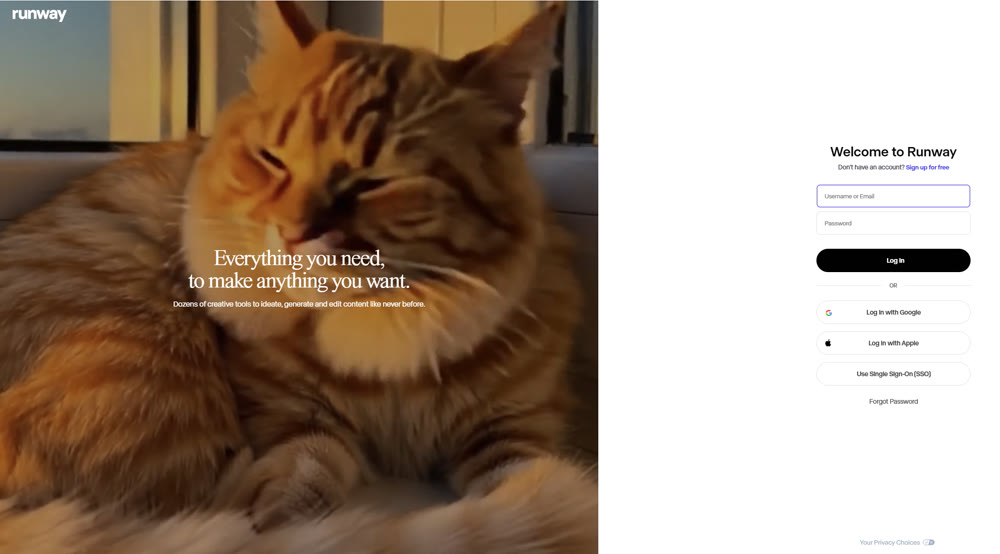
First, navigate to the Runway website and register for a user account. The Gen-4.5 model is available to all paid and enterprise users.
Step 2: Initiate a New Session
From your dashboard, navigate to the 'Tools' section and select 'Generate Video.' You will be presented with the option to choose the 'Gen-4.5' model.

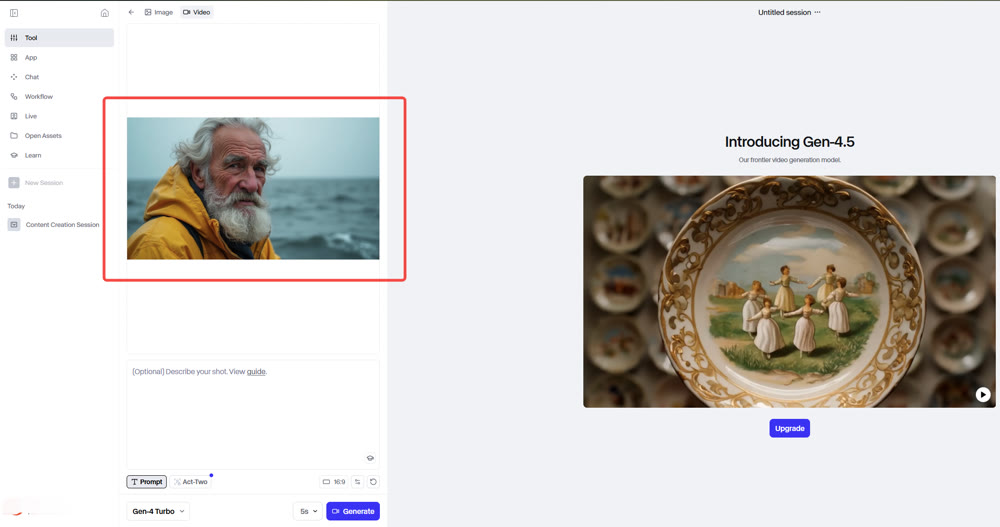
Step 3: Upload a High-Quality Reference Image
Gen-4.5 is an image-to-video system. The quality of your input image is critical. Use a clear, high-resolution image that distinctly shows your subject and environment.
Step 4: Craft a Detailed Prompt
This is the most crucial step. Use precise cinematic language to describe the desired motion, camera work, and style. (See advanced prompting techniques below).

Step 5: Configure and Create
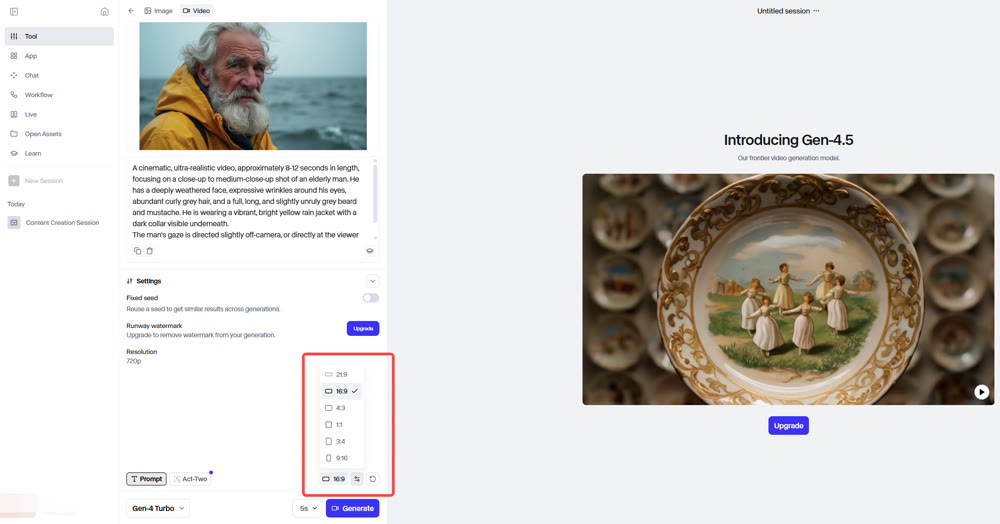
Adjust your aspect ratio and video duration. You can also enable the "Fixed Seed" option to ensure more consistent motion across multiple attempts with the same prompt. Click 'Create.'
Step 6: Refine and Upscale
Once the video is created, use Runway's built-in editing tools to trim, re-style, or upscale the footage to 4K for a professional finish.
📌 Best Practices for Advanced Prompting with Gen-4.5
To unlock the full potential of the Runway Gen-4.5 platform, your prompts must be structured and specific. These techniques, which build on the best practices established with Gen-4, will help you think like a director.
- Subject Motion: Be explicit. Instead of "the man walks," use "The man in the blue jacket walks briskly from left to right." For multiple subjects, refer to them by position or description (e.g., "The subject on the left raises their hand").
- Camera Motion: Use cinematic language. Specify "A slow camera pan to the right," "A dolly zoom focusing on the character's face," or "A dramatic aerial crane shot."
- Scene Motion: Describe the environment's behavior. For instance, "The wind rustles the leaves in the trees," or "Raindrops splash on the pavement."
- Style Descriptors: Add keywords to define the aesthetic. Use terms like "cinematic," "35mm film grain," "anime style," "watercolor," or "hyperrealistic."
Beyond a Single Tool: The Power of an Integrated Creative Suite
While Runway Gen-4.5 is a powerful, specialized tool, a truly professional workflow often demands a broader spectrum of creative capabilities. This is where an integrated platform like Genmi AI provides a significant advantage. It serves as a centralized creative hub, giving you access not only to top-tier video models but also a full suite of image and analysis tools.
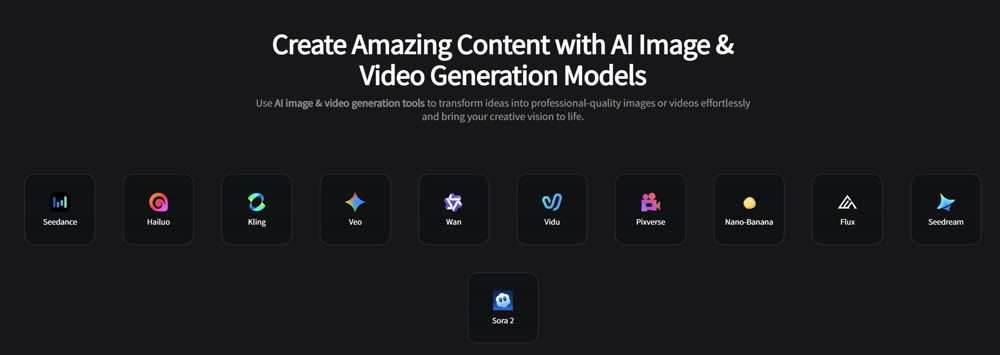
Genmi AI allows you to move seamlessly from concept to creation. You can begin by crafting the perfect visual prompt using the advanced text-to-image suite, then instantly animate that concept with powerful image-to-video capabilities. The platform offers direct access to a diverse range of elite models, allowing you to choose the best engine for every task. Whether you need the unparalleled realism of OpenAI's Sora, the dynamic character animation of Seedance, the artistic flair of Pixverse, or the unique stylization of Vidu, Genmi provides it all in one place.
This aggregation of power allows for unparalleled creative flexibility. For creators ready to build a comprehensive and versatile workflow, you can start exploring the full Genmi AI platform today.
Conclusion
The release of Runway Gen-4.5 represents a significant maturation of AI video technology. Its focus on improving consistency, control, and speed over the already-impressive Gen-4 addresses key pain points for professional creators, moving the technology from a novelty to a viable production tool. This guide has equipped you with the expert knowledge to understand and effectively utilize this new model.
By mastering advanced prompting techniques and understanding its specific strengths, you can begin to integrate this powerful technology into your creative workflow. The future of video creation is not about replacing human creativity, but augmenting it with tools that can bring our most ambitious ideas to life with greater speed and fidelity than ever before.
Don't just read about the future of video—start creating it. Harness the power of the industry's most advanced AI models in a single, unified workspace. Discover a more powerful and versatile way to create with Genmi AI and transform your creative process.
---💡 Tool Selection: Confused by all the options? Check out our list of the best AI video generators to find your perfect match.
Recommended Articles

Canva AI Image Generator Review: Is it Enough for Professional Design?
We test the Canva AI image generator against professional standards. Discover its pros, cons, and why advanced creators are switching to robust alternatives.

An In-Depth GoEnhance AI Review: Rapid Creation vs. Production Quality
An in-depth GoEnhance AI review testing its text-to-video and other features. Discover its pros, cons, and features.

Top 10 Best AI Video Generators in 2025: A Real Test Review
Our 2025 guide reviews top AI video platforms on quality, features, and price to help you find the best AI video generator for your needs.